 PluginStats
ChatGPT Audio Downloader users statistics
By developer.coder888 · Chrome Web Store · Tools
Capture and download ChatGPT speech (AAC or WAV).
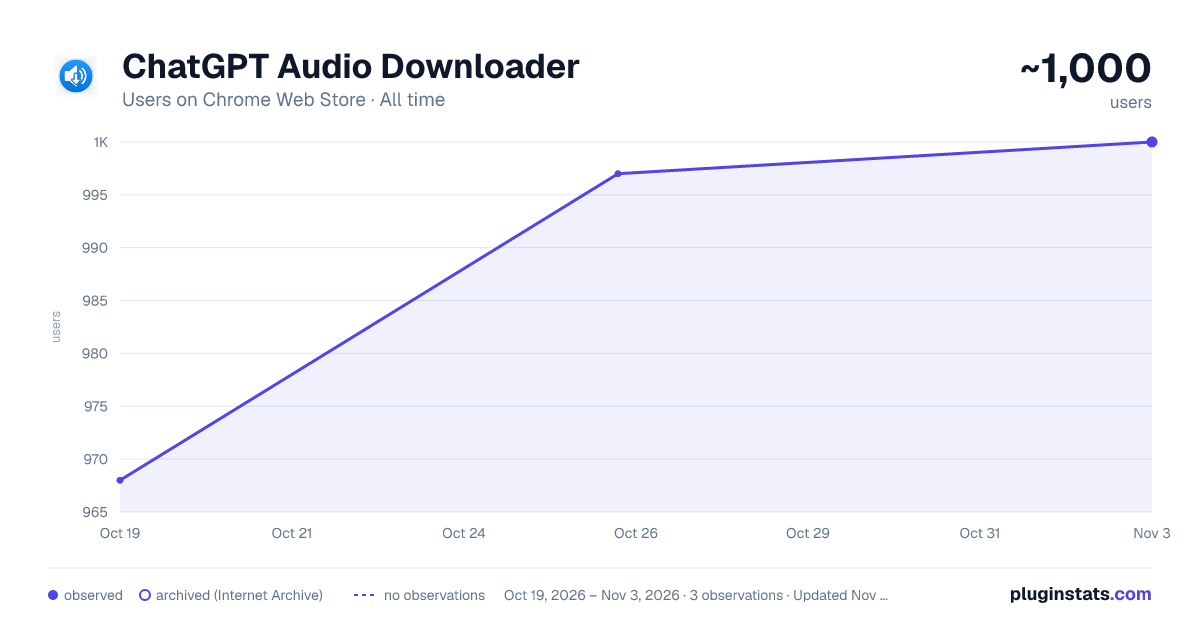
ChatGPT Audio Downloader has approximately 968 recorded users on Chrome Web Store, ranking #935 of 2,495 tracked listings.
Rating: 4.80 / 5 from 5 ratings
About ChatGPT Audio Downloader
Capture and download ChatGPT speech (AAC or WAV).
ChatGPT Audio Downloader 🔊✨ Turn any ChatGPT voice reply into a file you can keep — instantly.
🌟 Why you’ll love it
-
One-click capture – the extension quietly listens for the /synthesize request that ChatGPT sends for each voice message.
-
Lossless original (AAC) + high-quality WAV conversion – choose the format you need.
-
Auto-duration display – see hours : minutes : seconds as soon as the audio is decoded.
-
Dark / Light switch – toggle the theme from the moon / sun button in the top-right corner.
-
Private & offline – everything happens in your browser; no external servers, no tracking.
🚀 Getting started (step-by-step)
-
Install & pin the icon After adding the extension, open the puzzle-piece menu → click the pin 🧩 to keep “ChatGPT Audio Downloader” visible on the toolbar.
-
Generate audio in ChatGPT Go to chatgpt.com (or chat.openai.com) and press the speaker icon 🔈 next to any assistant message.
-
Open the extension Click the newly pinned extension icon. You’ll see the audio entry appear with a flashing duration ― that means it’s downloading in the background.
-
Wait for the duration to stabilise Large clips take a few seconds; the pulsating “--:--:--” turns into 00:02:15, 01:04:07, etc.
-
Download! Hit AAC for the original file or WAV for an uncompressed version. (The standard Chrome download dialogue will pop up — give it a moment for big files.)
Optional: switch theme Click the 🌙/☀️ button any time to flip between Dark and Light modes.
💡 Tips
-
Keep the popup open while ChatGPT plays long audio; it will update live.
-
Missed a clip? Re-click the speaker and the extension will capture it again.
-
All captured items stay listed until you close the popup or refresh the tab – handy for batch downloads.
Enjoy bringing ChatGPT’s voice offline! 🎧
Description from the Chrome Web Store listing.
README badge
Show your rank in a README or on your website. The badge updates automatically.
Charts
Images: 30d · 1y · all time · 1600×900 dark
Adoption over time
7/30/90-day growth
Ranking history
Ratings over time
Listing placement
Listing placement
Filled points are observed values; hollow points come from Internet Archive snapshots of the listing page. Dashed segments span periods with no observations — values between points are not interpolated.
Each band is one page of 20. Users on a linear scale. Placement is projected from users, so it can differ from the marketplace's own sort order. Hover a dot to see the listing.
Recent observations
Full history (1)Similar Chrome Web Store Tools plugins
All 20 ChatGPT Audio Downloader alternatives



Data source
Covers every Chrome Web Store extension with at least 100 users, found through the store's public sitemap. User counts are read from public listing pages. The 10% most-used extensions are refreshed daily, the next 40% weekly and the next 40% monthly; the least-used 10% are not refreshed. Google displays rounded user counts (and caps the display at 10,000,000+), so small changes may not be visible. Rating counts above 1,000 are rounded (e.g. 1.6K).
Listing: https://chromewebstore.google.com/detail/chatgpt-audio-downloader/fahkjbndlfmbgmmdbefceiaecjnjhcec. First seen Oct 19, 2026; last successful collection Oct 19, 2026. See the methodology.