 PluginStats
AutoScroll users statistics
By wattdo (3 listings) · Chrome Web Store · Accessibility
AutoScroll lets you auto-scroll pages with custom speed and direction. Ideal for reading, coding, or hands-free browsing.
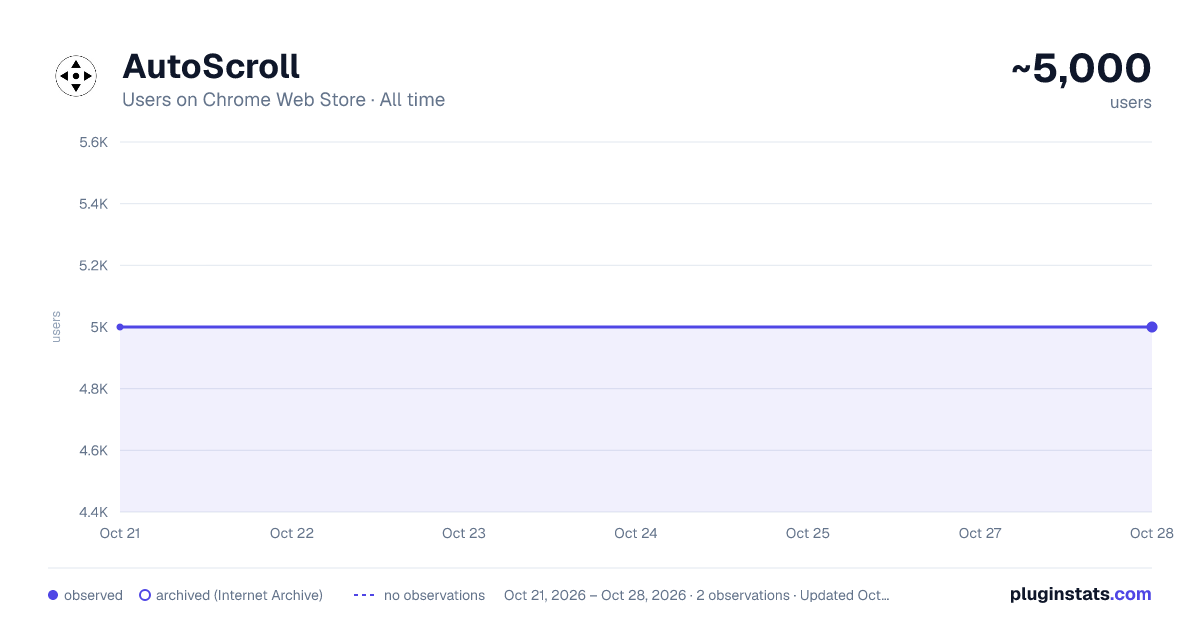
AutoScroll has approximately 5,000 recorded users on Chrome Web Store, ranking #511 of 2,952 tracked listings.
Rating: 4.70 / 5 from 16 ratings
About AutoScroll
AutoScroll lets you auto-scroll pages with custom speed and direction. Ideal for reading, coding, or hands-free browsing.
AutoScroll for Chrome is your ultimate solution to effortlessly scrolling through web pages, documents, and articles. Whether you're browsing extensive research papers, lengthy news articles, or endless social media feeds, AutoScroll transforms your browsing experience into a smooth, comfortable ride. 🚀
Frustrated with scrolling manually? AutoScroll is designed specifically to enhance your browsing efficiency. It allows you to enable auto scroll Chrome on Mac and Linux with ease, overcoming the limitations that often come with built-in scrolling functionalities on these operating systems.
Why should you choose AutoScroll?
1️⃣ Simple and intuitive setup – just a few clicks to enable autoscroll Linux users appreciate for its simplicity. 2️⃣ No complicated configurations – straightforward settings to get you started quickly. 3️⃣ Reliable performance across different platforms – whether you want auto scroll on Mac or Linux middle mouse button scroll functionality, we've got you covered.
Enable auto scroll Chrome on Mac effortlessly. Simply activate the extension, click your middle mouse button, and let AutoScroll handle the rest. Users no longer need to struggle with touchpads or mouse gestures. Instead, enjoy a seamless, hands-free browsing experience. 🍃
Linux users can now enjoy smooth scrolling like never before. AutoScroll enhances the Linux middle mouse button scroll experience, providing fluid motion and consistent performance without lag or jitter.
Discover the power of AutoScroll:
- Automatically scroll through lengthy content with precision and ease.
- Customizable scrolling speeds to match your reading pace.
- Immediate start and stop functionality – just click your middle mouse button.
- Optimized specifically to enable auto scroll Chrome on Mac devices.
- Robust support to effortlessly enable autoscroll Linux enthusiasts highly recommend.
Auto scroll Chrome extension is built for productivity and comfort. Whether you're a student, professional, or casual browser, AutoScroll significantly reduces the repetitive stress caused by manual scrolling. Now you can focus fully on the content rather than constantly adjusting your position on the page.
Are you a Mac user struggling with built-in trackpad scrolling limitations? With AutoScroll, you can finally experience the joy of seamless scrolling. Simply enable auto scroll Chrome on Mac, and you'll quickly see why so many users consider AutoScroll indispensable. 🌟
Linux enthusiasts, we haven't forgotten you! AutoScroll brings the best scrolling experience to your system, effectively handling the Linux middle mouse button scroll challenges. It's specifically tailored to integrate smoothly into your existing workflow, enhancing your overall browsing productivity.
Imagine reading your favorite blog or news site without manually scrolling every few seconds. AutoScroll does exactly that, allowing your content to flow continuously at your preferred speed. Plus, it’s ideal for multitasking; scroll effortlessly while jotting down notes or managing other tasks. 📝
Who benefits most from AutoScroll?
• Mac users needing to overcome default scrolling limitations. • Linux users looking for superior Linux middle mouse button scroll experiences. • Professionals managing extensive online documentation or research. • Students reviewing lengthy study materials. • Casual users seeking comfort and ease during web browsing.
AutoScroll's simplicity doesn't compromise on functionality. Activate the extension, customize your scrolling speed, and instantly enjoy a dramatically improved browsing experience. It’s the easiest way to enable auto scroll Chrome on Mac and Linux devices without complex setups or tweaks.
Key benefits at a glance:
▸ Effortlessly auto scroll on Mac. ▸ Smooth and intuitive Linux middle mouse button scroll. ▸ Customizable speed settings. ▸ User-friendly interface and easy-to-follow instructions. ▸ Instantly start and stop scrolling with your middle mouse button.
AutoScroll enhances your productivity by reducing manual effort and boosting your focus. Say goodbye to scrolling fatigue and hello to efficiency, whether at home, at work, or on the go. 🚦
Join thousands of satisfied users who have revolutionized their browsing experience. Install AutoScroll today and easily enable autoscroll Linux and auto scroll Chrome on Mac. Discover a new world of comfortable, hands-free browsing, and make the most out of every online session.
Description from the Chrome Web Store listing.
README badge
Show your rank in a README or on your website. The badge updates automatically.
Charts
Images: 30d · 1y · all time · 1600×900 dark
Adoption over time
7/30/90-day growth
Ranking history
Ratings over time
Listing placement
Listing placement
Filled points are observed values; hollow points come from Internet Archive snapshots of the listing page. Dashed segments span periods with no observations — values between points are not interpolated.
Each band is one page of 20. Users on a linear scale. Placement is projected from users, so it can differ from the marketplace's own sort order. Hover a dot to see the listing.
Recent observations
Full history (1)Similar Chrome Web Store Accessibility plugins
All 20 AutoScroll alternatives



Data source
Covers every Chrome Web Store extension with at least 100 users, found through the store's public sitemap. User counts are read from public listing pages. The 10% most-used extensions are refreshed daily, the next 40% weekly and the next 40% monthly; the least-used 10% are not refreshed. Google displays rounded user counts (and caps the display at 10,000,000+), so small changes may not be visible. Rating counts above 1,000 are rounded (e.g. 1.6K).
Listing: https://chromewebstore.google.com/detail/autoscroll/epelcnflabcgnaofjlmkejienleebgig. First seen Oct 21, 2026; last successful collection Oct 21, 2026. See the methodology.