 PluginStats
keyNote - web, PDF & youtube AI summary users statistics
Summarize webpage, youtube and PDF with 8 AI bots e.g ChatGPT, Copilot, Gemini,Claude. Create mindmap & highlights. Export to notion
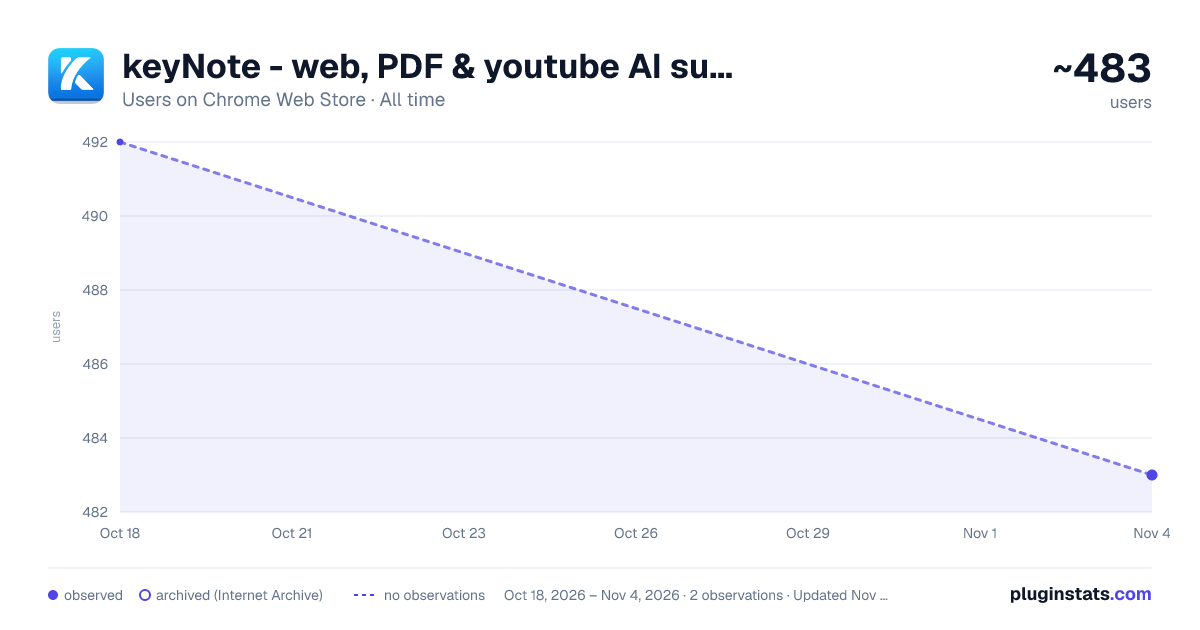
keyNote - web, PDF & youtube AI summary has approximately 492 recorded users on Chrome Web Store, ranking #1717 of 3,404 tracked listings.
Rating: 4.00 / 5 from 5 ratings
About keyNote - web, PDF & youtube AI summary
Summarize webpage, youtube and PDF with 8 AI bots e.g ChatGPT, Copilot, Gemini,Claude. Create mindmap & highlights. Export to notion
🪄 Summarize webpage, Youtube and PDF using 8 AI Bots e.g ChatGPT, Claude, Gemini.
📢 Top Features ✪ Summarize webpage, Youtube and PDF by using 8 AI bots ✪ Webpage Summary, Mindmap & Highlight ✪ Free and unlimited usage. (no feature behind Paywall) ✪ No Signup required ✪ Don't ask permission: "Read and change all your data on all websites" ✪ Summarized content is editable. Edit content in markdown format before export. ✪ Live preview markdown editor with syntax highlight ✪ Copy or download summarized content ✪ Export summarized content to notion, Obsidian ✪ Lightweight 100KB only ✪ No tracking & no Ads.
⌨️ Keyboard shortcut: Press "Alt+S" to summarize current webpage. Press "Alt+N" to open notebook
📌 == FEATURES ==
✅ Summary, mindMap and highlight with 8 AI Bots keyNote is a free Chrome Extension that lets you quickly access the summary of the YouTube videos you are watching or any articles with 8 AI Bots. Use this extension to save time and learn quickly. 8 AI Bots:
The ultimate tool for easy and efficient web page summarization! With just a few clicks, you can now summarize any web page, Youtube video or PDF document .
✅ Auto Organize notes keyNote auto-organizes your saved summarized content in 3 different ways:
- Domain-wise
- Date-wise
- Folder-wise -> Unlimited sub-folders
Right-click on extension's icon then click on "noteboard" icon to open noteboard
✅ Export summarized content to notion Export summarized content to notion in one Click.
Note: Notion API key issue. Fixed in next update.
✅ Export summarized content to Obsidian Set vault as local folder location. Click on "Save to local folder" option to save summarized note file in selected vault folder.
ℹ️ Support For contact, Please mail us on 📧 noterailhelp@gmail.com Join keyNote on Google Groups: https://groups.google.com/g/keynote
You can change side panel position from settings -> appearance
⚠️ This extension is still in beta
Description from the Chrome Web Store listing.
README badge
Show your rank in a README or on your website. The badge updates automatically.
Charts
Images: 30d · 1y · all time · 1600×900 dark
Adoption over time
7/30/90-day growth
Ranking history
Ratings over time
Listing placement
Listing placement
Filled points are observed values; hollow points come from Internet Archive snapshots of the listing page. Dashed segments span periods with no observations — values between points are not interpolated.
Each band is one page of 20. Users on a linear scale. Placement is projected from users, so it can differ from the marketplace's own sort order. Hover a dot to see the listing.
Recent observations
Full history (1)Similar Chrome Web Store Tools plugins
All 20 keyNote - web, PDF & youtube AI summary alternatives



Data source
Covers every Chrome Web Store extension with at least 100 users, found through the store's public sitemap. User counts are read from public listing pages. The 10% most-used extensions are refreshed daily, the next 40% weekly and the next 40% monthly; the least-used 10% are not refreshed. Google displays rounded user counts (and caps the display at 10,000,000+), so small changes may not be visible. Rating counts above 1,000 are rounded (e.g. 1.6K).
Listing: https://chromewebstore.google.com/detail/keynote-web-pdf-youtube-a/mpmpckegfbodchnolfjfabphdlhedpfe. First seen Oct 18, 2026; last successful collection Oct 18, 2026. See the methodology.