 PluginStats
Grok Automation Tools - Grok Auto Workflow users statistics
Chrome Web Store · Workflow & Planning
Free local batch prompt automation, media workflows, and downloads for Grok.com.
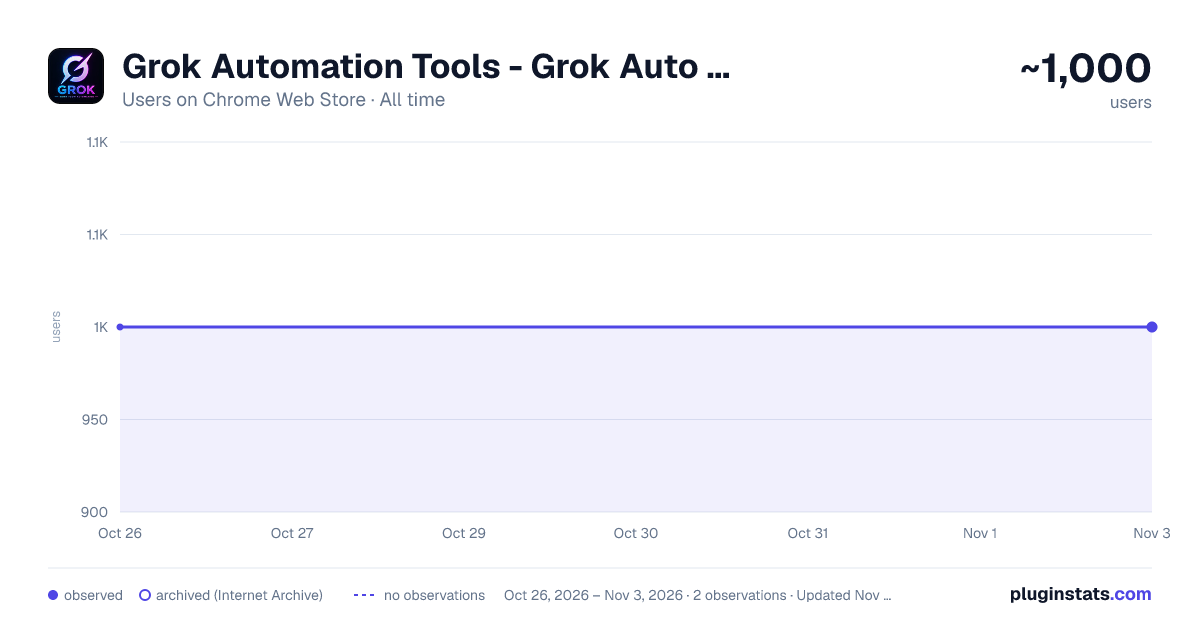
Grok Automation Tools - Grok Auto Workflow has approximately 1,000 recorded users on Chrome Web Store, ranking #1632 of 4,553 tracked listings.
Rating: 4.40 / 5 from 8 ratings
About Grok Automation Tools - Grok Auto Workflow
Free local batch prompt automation, media workflows, and downloads for Grok.com.
Grok Automation – AI Prompt Workflow & Content Creation Tool
Grok Automation is a powerful Chrome extension built to simplify and scale AI content creation. It is designed for creators who want to turn ideas into videos and images faster by automating prompt-based workflows.
Instead of manually copying prompts, running tasks one by one, and repeating the same steps again and again, this tool helps you organize, manage, and execute your entire workflow in one place.
If you are searching for a way to automate AI video generation, speed up prompt execution, or create content more efficiently, Grok Automation provides a practical and reliable solution.
What This Extension Helps You Do
Grok Automation focuses on one core goal: reducing manual effort in AI content workflows.
You can input multiple prompts, manage them in a structured queue, and run them automatically without constant interaction. This makes it easier to create more content in less time while maintaining consistency.
The extension works as a workflow layer between your ideas and AI generation tools, helping you stay organized and productive.
Core Features Text to Video Workflow
Create video generation tasks from text prompts. This is useful for short-form content, storytelling videos, and general AI video creation workflows. You can prepare multiple prompts and run them in sequence without manual repetition.
Frame to Video (Scene-Based Creation)
Break your content into structured scenes and generate videos based on a clear sequence. This helps improve storytelling quality and makes your output more consistent and engaging.
Ingredients to Video System
Build prompts using different components such as style, tone, and structure. This allows you to create repeatable workflows and maintain a consistent output style without rewriting everything each time.
Text to Image Generation
Generate images using prompts for thumbnails, social content, or visual assets. You can test multiple variations quickly and choose the best result.
Image to Image Transformation
Modify or enhance existing images using AI. This is useful for improving quality, changing styles, or creating variations of a base design.
Workflow Automation Features Batch Prompt Processing
Run multiple prompts automatically instead of executing them one by one. This is ideal for users who create content regularly and need a faster workflow.
Prompt Queue Management
Organize your prompts in a clear structure. You can track which tasks are pending, running, or completed, making it easier to manage large batches.
Concurrent Prompt Execution
Control how many prompts run at the same time. This gives flexibility between speed and stability depending on your usage.
Smart Delay System
Add delays between prompt executions to reduce errors and improve stability. This is helpful when working with tools that have rate limits.
Local Free Mode
Use the extension without complex setup or login requirements. It is designed to be simple and accessible from the start.
Who This Is For
Grok Automation is built for anyone working with AI-generated content:
Content creators producing short videos and visual content Users exploring text to video and text to image workflows Creators testing multiple prompt variations People looking to automate repetitive AI tasks Users who want to improve efficiency in content creation
If you search for ways to automate AI content creation or improve your workflow, this extension is designed for your needs.
Common Use Cases
This extension is useful for a wide range of scenarios:
Creating multiple AI videos from prompts Automating text to video workflows Generating images for social media or thumbnails Testing prompt variations quickly Building a structured content creation system Running bulk prompt execution without manual effort Why Choose Grok Automation
Many tools focus only on generating content. Grok Automation focuses on how that content is created.
It helps you move from a manual process to a structured system where tasks are organized and executed efficiently. This shift allows you to produce more content without increasing your workload.
The extension is designed with real workflows in mind, not just isolated features. Every function supports faster execution, better organization, and more consistent results.
SEO-Focused Capabilities
Grok Automation aligns with what users are actively searching for:
AI video generator workflow prompt automation chrome extension text to video AI tool AI content creation automation bulk prompt runner image generation automation automate AI videos fast AI prompt workflow tool
By focusing on these real use cases, the extension helps users achieve practical results rather than just offering basic functionality.
Simple Setup and Usage
The extension is designed to be easy to use:
Enter your prompts Select the workflow type Adjust execution settings if needed Start the automation
Once started, the extension handles the repetitive steps, allowing you to focus on refining your content.
Built for Efficiency and Scale
As content creation becomes more competitive, speed and consistency become more important. Grok Automation helps you keep up by reducing the time spent on repetitive tasks.
Whether you are creating content occasionally or building a regular workflow, this extension supports both use cases by making the process faster and more organized.
Final Overview
Grok Automation is a workflow-focused Chrome extension that helps users automate prompt-based AI content creation. It simplifies the process of generating videos and images by organizing tasks and executing them efficiently.
If you are looking for a way to create more content, reduce manual effort, and build a scalable AI workflow, this extension provides a clear and effective solution.
Description from the Chrome Web Store listing.
README badge
Show your rank in a README or on your website. The badge updates automatically.
Charts
Images: 30d · 1y · all time · 1600×900 dark
Adoption over time
7/30/90-day growth
Ranking history
Ratings over time
Listing placement
Listing placement
Filled points are observed values; hollow points come from Internet Archive snapshots of the listing page. Dashed segments span periods with no observations — values between points are not interpolated.
Each band is one page of 20. Users on a linear scale. Placement is projected from users, so it can differ from the marketplace's own sort order. Hover a dot to see the listing.
Recent observations
Full history (1)Similar Chrome Web Store Workflow & Planning plugins
All 20 Grok Automation Tools - Grok Auto Workflow alternatives



Data source
Covers every Chrome Web Store extension with at least 100 users, found through the store's public sitemap. User counts are read from public listing pages. The 10% most-used extensions are refreshed daily, the next 40% weekly and the next 40% monthly; the least-used 10% are not refreshed. Google displays rounded user counts (and caps the display at 10,000,000+), so small changes may not be visible. Rating counts above 1,000 are rounded (e.g. 1.6K).
Listing: https://chromewebstore.google.com/detail/grok-automation-tools-gro/dnapbpgalicpcmafibnpfhbpleikagnh. First seen Oct 26, 2026; last successful collection Oct 26, 2026. See the methodology.