 PluginStats
TweetExporter - Export Tweets users statistics
By ToolMagic · Chrome Web Store · Tools
One click to export and download tweets to CSV for analysis.
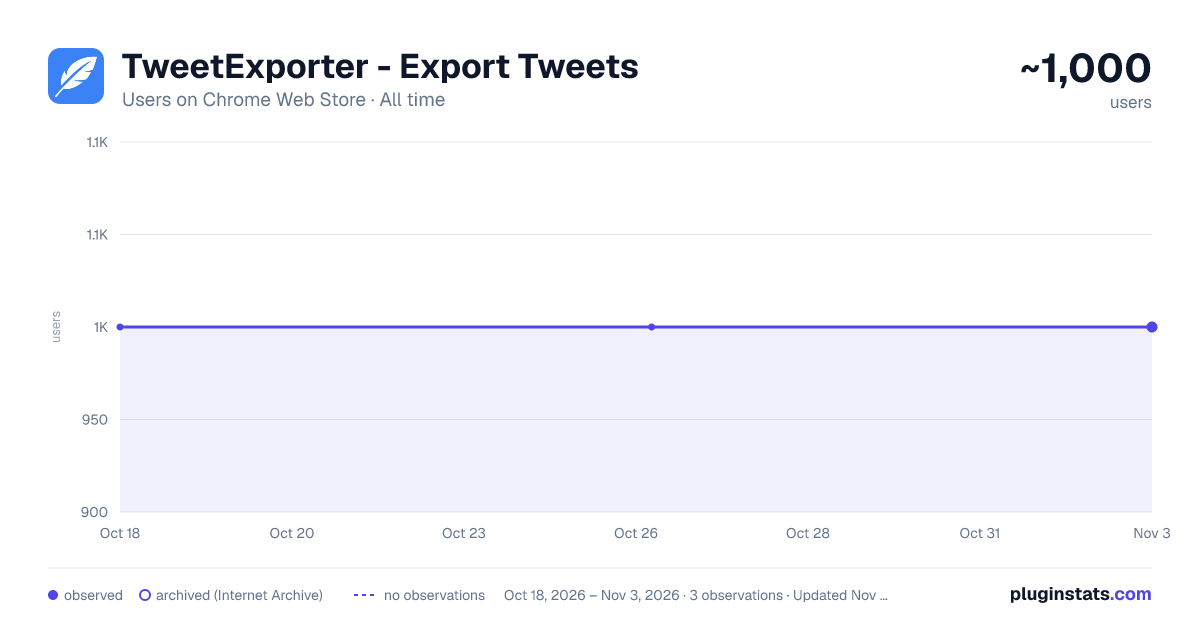
TweetExporter - Export Tweets has approximately 1,000 recorded users on Chrome Web Store, ranking #674 of 2,033 tracked listings.
Rating: 1.20 / 5 from 4 ratings
About TweetExporter - Export Tweets
One click to export and download tweets to CSV for analysis.
TweetExporter is a powerful tool to help you export and download your tweets to a CSV or Excel file, allowing you to analyze tweet data, archive content, and manage your social media strategy more effectively.
Features
- Export tweets and replies
- Export tweets within a specific date range
- Export results as CSV or XLSX
- Resume export tasks from history
What data is included in the results?
- Tweet ID
- Tweet Text
- Type
- Author Name
- Author Username
- Creation Time
- Reply Count
- Retweet Count
- Quote Count
- Like Count
- View Count
- Bookmark Count
- Language
- Possibly Sensitive
- Source
- Hashtags
- Tweet URL
- Media Type
- Media URLs
- External URLs
How to export tweets with TweetExporter? To use our Tweets Export Tool, simply add our extension to browser and create an account. Once you have signed in, you can input a username and click the "Export" button. The tweets data will be exported to a CSV or Excel file, which you can then download to your computer.
In-App Purchases TweetExporter follows a freemium model, enabling you to export up to 200 tweets at no cost. If additional exports are required, consider upgrading to our premium version.
About Rate Limits Twitter/X may apply rate limits or other platform limits to manage request volume and prevent abuse. When limits are encountered, the extension may pause or retry where appropriate, but exports can be delayed, incomplete, or stopped by platform availability.
Data Privacy All exported data is processed on your local computer, never passing through our web servers. Your exports are confidential.
FAQ https://tweetexporter.toolmagic.app/#faqs Feel free to contact us if you have any other questions.
Disclaimer This tool is an independent browser extension and is not affiliated with, endorsed by, or sponsored by X Corp., Twitter, or their affiliates.
Description from the Chrome Web Store listing.
README badge
Show your rank in a README or on your website. The badge updates automatically.
Charts
Images: 30d · 1y · all time · 1600×900 dark
Adoption over time
7/30/90-day growth
Ranking history
Ratings over time
Listing placement
Listing placement
Filled points are observed values; hollow points come from Internet Archive snapshots of the listing page. Dashed segments span periods with no observations — values between points are not interpolated.
Each band is one page of 20. Users on a linear scale. Placement is projected from users, so it can differ from the marketplace's own sort order. Hover a dot to see the listing.
Recent observations
Full history (1)Similar Chrome Web Store Tools plugins
All 20 TweetExporter - Export Tweets alternatives



Data source
Covers every Chrome Web Store extension with at least 100 users, found through the store's public sitemap. User counts are read from public listing pages. The 10% most-used extensions are refreshed daily, the next 40% weekly and the next 40% monthly; the least-used 10% are not refreshed. Google displays rounded user counts (and caps the display at 10,000,000+), so small changes may not be visible. Rating counts above 1,000 are rounded (e.g. 1.6K).
Listing: https://chromewebstore.google.com/detail/tweetexporter-export-twee/bfkchioljbanmplddkgpalpjandldafa. First seen Oct 18, 2026; last successful collection Oct 18, 2026. See the methodology.