 PluginStats
Bulk Image Downloader users statistics
Integrates Bulk Image Downloader (a Windows only app that must be installed separately) with Chrome
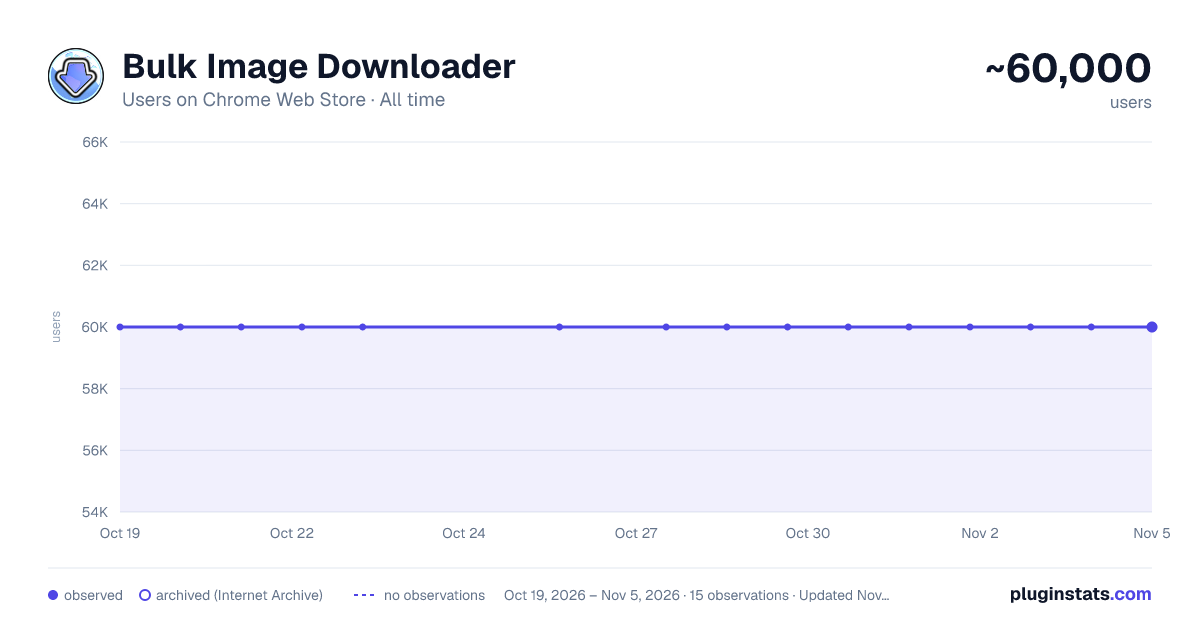
Bulk Image Downloader has approximately 60,000 recorded users on Chrome Web Store, ranking #114 of 2,033 tracked listings.
Rating: 3.40 / 5 from 464 ratings
About Bulk Image Downloader
Integrates Bulk Image Downloader (a Windows only app that must be installed separately) with Chrome
Please note that BID is not a freeware application. The trial version of BID may be used for free for as long as you like but it has some limitations. Purchase a registration code to unlock full functionality. BID normally costs $39.95 but discounts are often available at bulkimagedownloader.com. Please visit bulkimagedownloader.com for more information.
Bulk Image Downloader (BID) makes it easy to download full sized images from almost any thumbnailed web gallery. Supports most popular image hosts such as imagevenue, imagefap, flickr and too many others to list here.
This extension adds a button to Chrome allowing you to quickly open the current web page with BID. It also adds BID menu items to Chrome's right click context menu allowing you to open the current page with BID, open the selected link with BID, or send the current page or link to the BID Queue Manager.
--- KEYBOARD SHORTCUTS ---
Alt+Shift+C = Open current page with BID Alt+Shift+Q = Enqueue current page with BID Alt+Shift+X = Open current page with BID Link Explorer
BID Context menu shortcuts now have single letter shortcuts to allow quick selection after opening the context menu.
Right click on page, then press D, C = Open current page with BID Right click on page, then press D, Q = Enqueue current page with BID Right click on page, then press D, X = Open current page with BID Link Explorer
Right click on link, then press D, D = Open link target with BID Right click on link, then press D, E = Enqueue link target with BID
IMPORTANT: This extension requires the Bulk Image Downloader Windows application to be installed - download it from http://bulkimagedownloader.com
Description from the Chrome Web Store listing.
README badge
Show your rank in a README or on your website. The badge updates automatically.
Charts
Images: 30d · 1y · all time · 1600×900 dark
Adoption over time
7/30/90-day growth
Ranking history
Ratings over time
Listing placement
Listing placement
Filled points are observed values; hollow points come from Internet Archive snapshots of the listing page. Dashed segments span periods with no observations — values between points are not interpolated.
Each band is one page of 20. Users on a linear scale. Placement is projected from users, so it can differ from the marketplace's own sort order. Hover a dot to see the listing.
Recent observations
Full history (1)Similar Chrome Web Store Tools plugins
All 20 Bulk Image Downloader alternatives



Data source
Covers every Chrome Web Store extension with at least 100 users, found through the store's public sitemap. User counts are read from public listing pages. The 10% most-used extensions are refreshed daily, the next 40% weekly and the next 40% monthly; the least-used 10% are not refreshed. Google displays rounded user counts (and caps the display at 10,000,000+), so small changes may not be visible. Rating counts above 1,000 are rounded (e.g. 1.6K).
Listing: https://chromewebstore.google.com/detail/bulk-image-downloader/facoldpeadablbngjnohbmgaehknhcaj. First seen Oct 19, 2026; last successful collection Oct 19, 2026. See the methodology.