 PluginStats
Simple Audio Capture users statistics
Capture audio from the current browser tab and save it as an MP3 file.
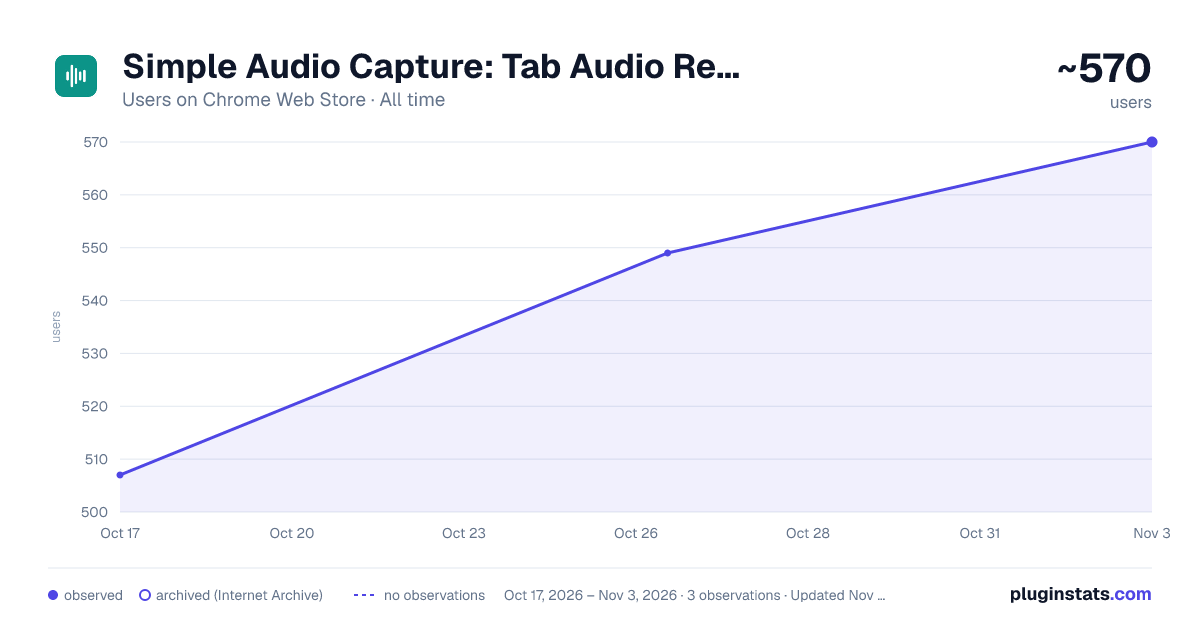
Simple Audio Capture has approximately 507 recorded users on Chrome Web Store.
It ranks #774 of 1,556 tracked Chrome Web Store listings by users.
PluginStats has 1 daily observations since Oct 17, 2026; the latest is from Oct 17, 2026.
About Simple Audio Capture
Capture audio from the current browser tab and save it as an MP3 file.
Tab audio recorder for Chrome. MP3 download from any browser tab. No signup, no cloud, no account. One button, one file.
What it captures: - Audio playing in the browser tab you start recording on - Video calls, webinars, lectures, podcasts, music players, livestreams, any web-based audio - Encoded to MP3 in real time. The file is ready the second you click Stop
How it works: - Click the extension icon (or press Alt+Shift+R) - Click Start Recording. A waveform animates with the actual audio levels of the tab - Click Stop and Save. An MP3 lands in your Downloads folder
Key features: - Real-time MP3 encoding. No "your recording is processing" wait - Live audio visualization. The waveform responds to real tab audio levels, not a fake animation - Clean minimal interface. Waveform plus a button - Quality settings: 128, 192, 320 kbps (320 kbps is free for recordings up to 5 minutes) - Shows which tab it is recording, and tells you if that tab goes silent - Volume boost: 1x, 1.5x, 2x, 3x - Keyboard shortcut (Alt+Shift+R) for instant access - No microphone needed. Tab audio is captured directly from the page - Side panel mode for longer recordings that stay open as you browse
Privacy first: - Zero data collection. No analytics, no telemetry, no fingerprinting - All recording happens locally. No data ever leaves your computer - No account required for the free tier - No subscription, no recurring billing
Optional Pro upgrade ($14.99 one-time): - 320 kbps studio quality at any length (free tier: up to 5 minutes) - Unlimited recording time (free tier: 30 minutes per session) - Yours forever. No renewal, no expiry
Common use cases: - Save a podcast episode for offline listening - Capture a webinar or virtual class - Grab a song or sample for personal reference - Record a meeting that doesn't have native recording - Archive a livestream that won't be saved server-side
Works with any audio playing in a browser tab, including video calls, webinars, podcasts, and live streams.
Description from the Chrome Web Store listing.
Where Simple Audio Capture sits in the listing
Each band is one page of 20. Users on a log scale. Placement is projected from users, so it can differ from the marketplace's own sort order. Hover a dot to see the listing.
Charts
Images: 30d · 1y · all time · 1600×900 dark
Adoption over time
7/30/90-day growth
Ranking history
Filled points are observed values; hollow points come from Internet Archive snapshots of the listing page. Dashed segments span periods with no observations — values between points are not interpolated.
Recent observations
Full history (1)Similar Chrome Web Store Tools plugins




Data source
User counts are read from public Chrome Web Store listing pages. Google displays rounded user counts (and caps the display at 10,000,000+), so small changes may not be visible. Rating counts above 1,000 are rounded (e.g. 1.6K).
Listing: https://chromewebstore.google.com/detail/simple-audio-capture/mbdildcpidipmekkdpckcigonljgpnnp. First seen Oct 17, 2026; last successful collection Oct 17, 2026. See the methodology.