 PluginStats
Translate Online for Google Chrome™ users statistics
By freebusinessapps (2 listings) · Chrome Web Store · Workflow & Planning
Translate selected or typed text with Google Translate. Pick your languages and choose where results open.
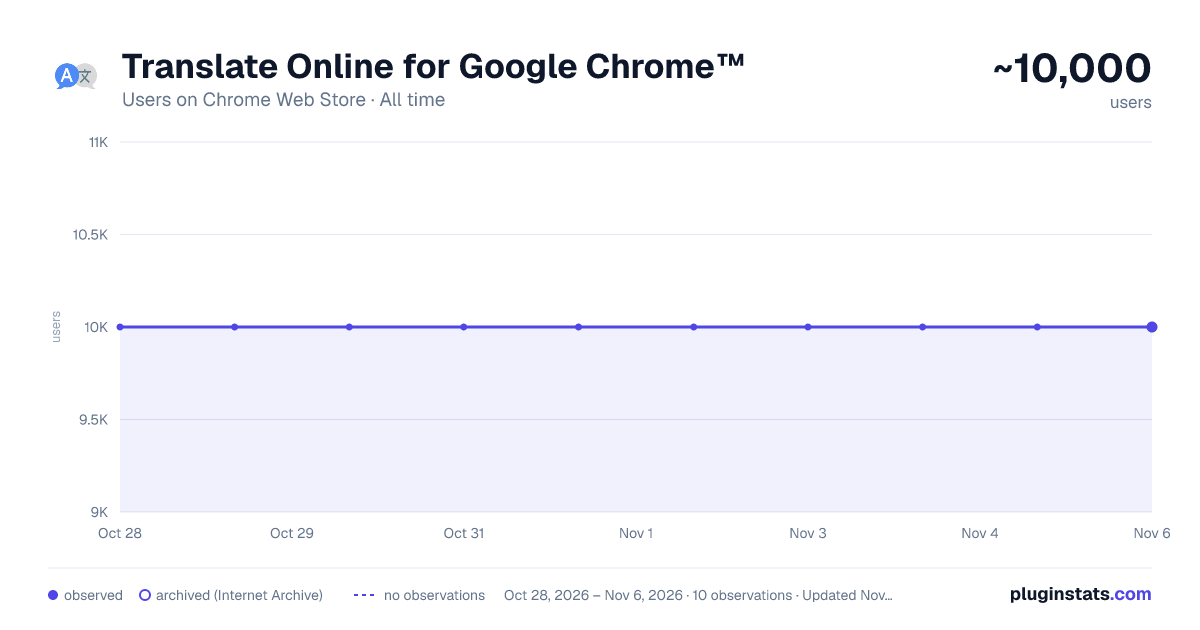
Translate Online for Google Chrome™ has approximately 10,000 recorded users on Chrome Web Store, ranking #598 of 4,880 tracked listings.
Rating: 4.50 / 5 from 18 ratings
About Translate Online for Google Chrome™
Translate selected or typed text with Google Translate. Pick your languages and choose where results open.
Translate Online for Google Chrome™ — Fast, private, one-click translation
Translate Online is the lightweight way to translate selected or typed text with Google Translate — right inside your browser, without losing your place on the page. It started as a simple right-click translator and has grown into a complete, privacy-first translation workspace, while keeping the tiny footprint people loved in the first place. No accounts. No sign-in. No data collection.
This is the biggest update in the extension's history. Here's everything that's new.
— INSTANT INLINE TRANSLATION — Type or paste text in the toolbar popup and see the translation appear instantly, side by side, in a clean two-pane layout. No new tabs, no page jumps, no waiting. The result shows up the moment you press Translate, complete with a loading shimmer so you always know it's working.
— PICK YOUR LANGUAGES (FINALLY) — Choose your source and target languages from a searchable picker covering 100+ languages. Just start typing a language name to filter the list instead of scrolling forever. Your most-used languages are pinned under "Recent" for one-click access. Leave the source on Auto-detect and the extension shows you exactly what it found: "Detected: English → Spanish." A one-tap Swap button flips the pair instantly.
— TRANSLATE FROM ANYWHERE — • Right-click any selected text on any page and choose "Translate this Text." • Open the toolbar popup to type or paste. • Press Alt+Shift+T to open the popup from your keyboard (the shortcut is customizable). • Turn on the optional in-page bubble to get a small translate button right next to text you select on a web page — translation appears in place, no popup needed.
— LISTEN TO PRONUNCIATIONS — Tap the Listen button to hear your translation spoken aloud with built-in text-to-speech. Perfect for language learners and anyone checking how a word actually sounds.
— HISTORY & FAVORITES — Every translation is saved to a tidy History tab so you can revisit, reuse, or copy past results without retyping. Star the phrases you need often and they move to a dedicated Favorites tab. History and Favorites live in convenient tabs so the popup stays compact. Everything is stored locally on your device — nothing is uploaded.
— ONE-CLICK COPY & QUICK ACTIONS — Copy any result with a single click; the button morphs into a checkmark so you get instant confirmation right where you clicked. Reuse, delete, and favorite controls sit next to each entry.
— CHOOSE WHERE THINGS OPEN — Decide how right-click translations behave: reuse a single translation window (no more window clutter), open a fresh window each time, or open in a new tab. The extension intelligently reuses one window so your screen stays clean.
— A FASTER, FRIENDLIER WORKFLOW — We rebuilt the popup around how people actually translate: • The text box is focused the moment the popup opens — start typing immediately. • Press Ctrl/⌘ + Enter to translate without reaching for the mouse. • A clear (×) button and live character counter keep long text manageable. • "Clear all" now asks for a quick confirmation so you never wipe your history by accident. • Clear, contextual error messages and an "Open in Google Translate" fallback if anything ever fails.
— LIGHT, DARK, OR SYSTEM THEME — Match your browser or your mood with System, Light, and Dark themes on the Options page, alongside default-language settings, open-in behavior, history controls, and the in-page bubble toggle.
— ACCESSIBLE BY DESIGN — Screen-reader-friendly live regions announce results as they arrive, every icon button has a proper label, and clear keyboard focus styles make the whole popup easy to navigate without a mouse.
— PRIVATE BY DESIGN — This is what sets Translate Online apart. It installs with just the permissions it needs and collects nothing about you: • No accounts, no logins, no tracking, no analytics, no ads. • Your history, favorites, and settings stay on your device. • The in-page selection button is strictly opt-in — it only runs on pages after you explicitly grant permission. • Text is sent only to Google Translate to perform the translation you asked for — nothing else. • Tiny and fast: a fraction of the size of bulky "all-in-one" translators.
— WHY CHOOSE TRANSLATE ONLINE — Most translation extensions ask for sweeping permissions, bundle accounts and upsells, and bloat your browser. Translate Online does the opposite: it gives you genuine table-stakes features — language selection, inline results, history, favorites, text-to-speech, a keyboard shortcut, and an optional in-page bubble — while staying small, transparent, and free.
Install Translate Online and translate the web the simple, private way.
Note: This extension is not affiliated with, endorsed by, or sponsored by Google. Google Chrome™ and Google Translate are trademarks of Google LLC.
Description from the Chrome Web Store listing.
README badge
Show your rank in a README or on your website. The badge updates automatically.
Charts
Images: 30d · 1y · all time · 1600×900 dark
Adoption over time
7/30/90-day growth
Ranking history
Ratings over time
Listing placement
Listing placement
Filled points are observed values; hollow points come from Internet Archive snapshots of the listing page. Dashed segments span periods with no observations — values between points are not interpolated.
Each band is one page of 20. Users on a linear scale. Placement is projected from users, so it can differ from the marketplace's own sort order. Hover a dot to see the listing.
Recent observations
Full history (1)Similar Chrome Web Store Workflow & Planning plugins
All 20 Translate Online for Google Chrome™ alternatives



Data source
Covers every Chrome Web Store extension with at least 100 users, found through the store's public sitemap. User counts are read from public listing pages. The 10% most-used extensions are refreshed daily, the next 40% weekly and the next 40% monthly; the least-used 10% are not refreshed. Google displays rounded user counts (and caps the display at 10,000,000+), so small changes may not be visible. Rating counts above 1,000 are rounded (e.g. 1.6K).
Listing: https://chromewebstore.google.com/detail/translate-online-for-goog/nmggadjeahjggalcnbcfpcebpdkijdkm. First seen Oct 28, 2026; last successful collection Oct 28, 2026. See the methodology.