 PluginStats

TextExpander: Keyboard Shortcuts & Templates users statistics
Create and expand repetitive text anywhere on the web with custom keyboard shortcuts.
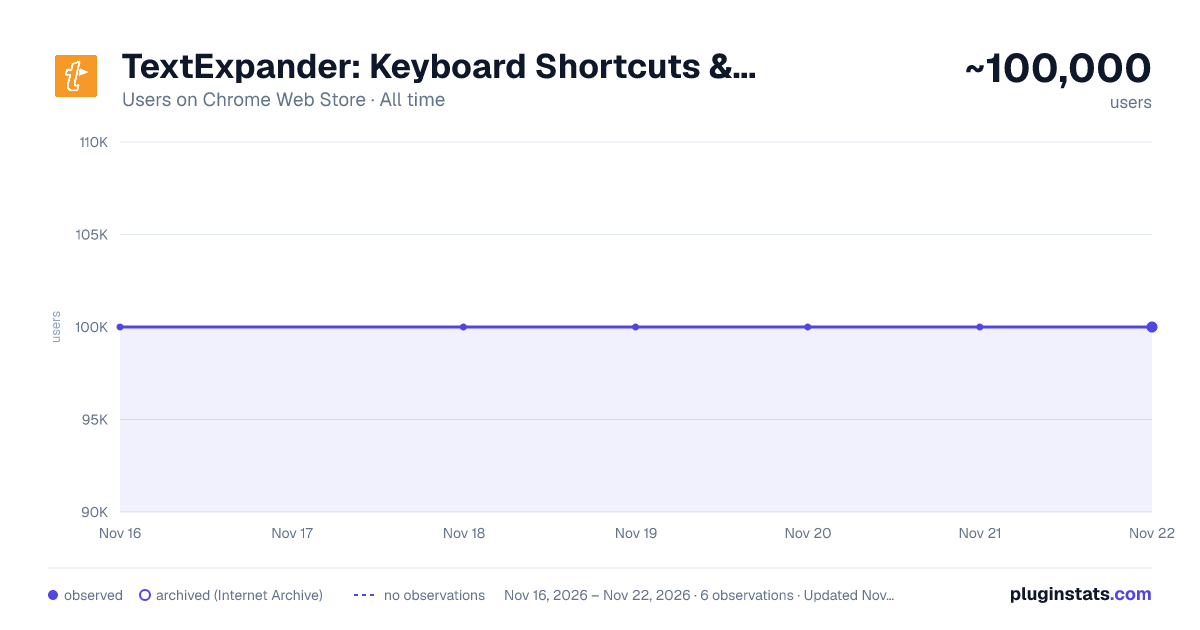
TextExpander: Keyboard Shortcuts & Templates has approximately 100,000 recorded users on Chrome Web Store, ranking #289 of 10,388 tracked listings.
Rating: 4.60 / 5 from 126 ratings
About TextExpander: Keyboard Shortcuts & Templates
Create and expand repetitive text anywhere on the web with custom keyboard shortcuts.
Free forever, no credit card required. Upgrade for more features when it earns a top spot in your workflow.
OVERVIEW: TextExpander boosts productivity by cutting the repetitive typing that creeps into every task. Customizable and shareable Snippets let you and your team fly through repetitive tasks with just a few keystrokes, and AI-powered Snippet Recommendations surfaces the right Snippet exactly when you need it, so you spend less time searching and more time working.
DETAILS: Save text snippets that sync across your devices and expand them in any app.
BENEFITS: Join amazing teams at companies like yours who have expanded millions of snippets worldwide and experienced these benefits:
⏳Time-saving power Streamline and speed up everything your team types: store common customer responses, signatures, and even forms in TextExpander, and anyone on the team can access them with just a few keystrokes.
📍Use anywhere you type TextExpander works on any system, any device, within any app, online or offline. Use it in any app or website where you already work like Gmail, Zendesk, LinkedIn and thousands more.
👥Share with your team Speak the same language and eliminate mistakes by sharing snippets across teams. Use data-driven insights to improve team productivity and time savings.
🛞Get started quickly No need to reinvent the wheel—subscribe to public groups for free snippets and templates created by the TextExpander community.
🔒Your data is secure TextExpander is SOC 2, GDPR, and CCPA compliant, so your team’s data is safe and secure. It never stores your keystrokes, and data is encrypted.
⭐Make it yours Customize each message you send using TextExpander features like fill-in fields, drop down menus, popup menus, and optional fields.
TEXTEXPANDER FOR TEAMS: Customer Support: Less repetition, more customer delight ➡️ Resolve customer requests more quickly and consistently ➡️ Allow every rep to communicate like your best rep without losing personalization ➡️ Create a knowledge base that expands with just a few keystrokes ➡️ Reduce burnout and onboard new reps in a fraction of the time
Recruiting: faster sourcing without losing the human touch ➡️ Respond to candidates quickly within any platform ➡️ Align & optimize your communication with candidates ➡️ Eliminate repetitive copy & paste responses across platforms ➡️ Access answers to FAQ’s with a quick keystroke or inline search
Sales: More prospects = more closed deals, faster ➡️ Send cold emails and follow up with leads in a flash ➡️ Get repetitive administrative work out of the way ➡️ Train new sales agents and keep messaging consistent ➡️ Create sales docs in record time
Description from the Chrome Web Store listing.
README badge
Show your rank in a README or on your website. The badge updates automatically.
Charts
Images: 30d · 1y · all time · 1600×900 dark
Adoption over time
7/30/90-day growth
Ranking history
Ratings over time
Listing placement
Listing placement
Filled points are observed values; hollow points come from Internet Archive snapshots of the listing page. Dashed segments span periods with no observations — values between points are not interpolated.
Each band is one page of 20. Users on a linear scale. Placement is projected from users, so it can differ from the marketplace's own sort order. Hover a dot to see the listing.
Recent observations
Full history (5)Similar Chrome Web Store Tools plugins
All 20 TextExpander: Keyboard Shortcuts & Templates alternatives



Data source
Covers every Chrome Web Store extension with at least 100 users, found through the store's public sitemap. User counts are read from public listing pages. The 10% most-used extensions are refreshed daily, the next 40% weekly and the next 40% monthly; the least-used 10% are not refreshed. Google displays rounded user counts (and caps the display at 10,000,000+), so small changes may not be visible. Rating counts above 1,000 are rounded (e.g. 1.6K).
Listing: https://chromewebstore.google.com/detail/textexpander-keyboard-sho/mmfhhfjhpadoefoaahomoakamjcfcoil. First seen Nov 16, 2026; last successful collection Nov 21, 2026. See the methodology.