 PluginStats

Macro Recorder for Chrome™ users statistics
By webservice2t (2 listings) · Chrome Web Store · Tools
Record and replay mouse movements, clicks and keyboard actions on any web page.
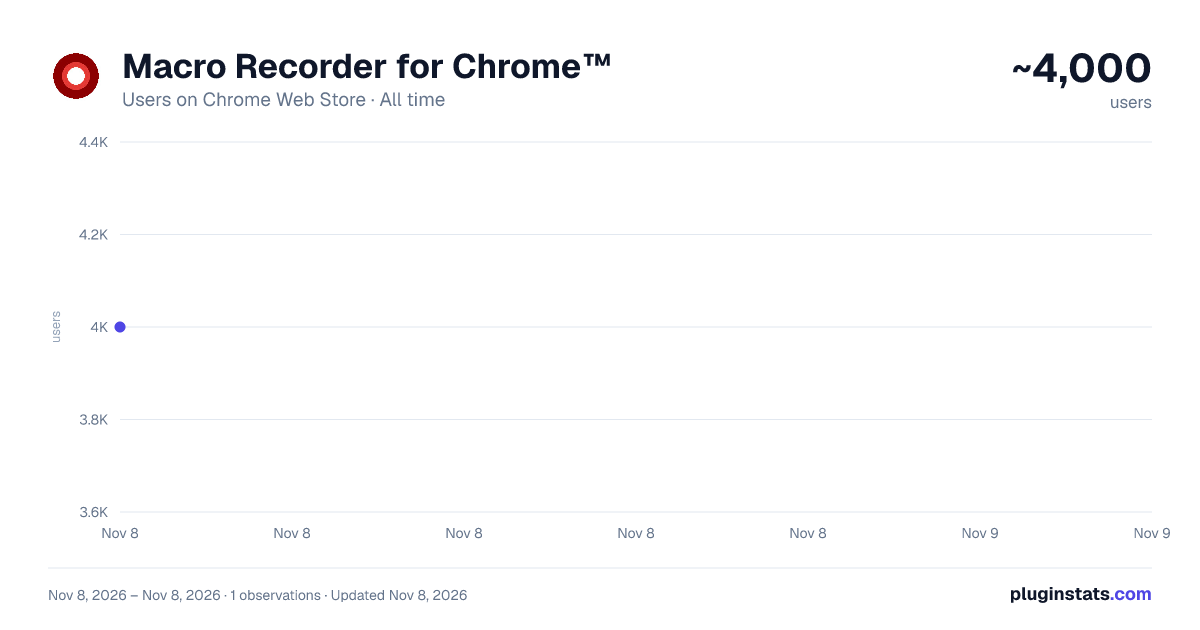
Macro Recorder for Chrome™ has approximately 4,000 recorded users on Chrome Web Store, ranking #1529 of 8,189 tracked listings.
Rating: 3.90 / 5 from 24 ratings
About Macro Recorder for Chrome™
Record and replay mouse movements, clicks and keyboard actions on any web page.
Macro Recorder is a powerful and easy-to-use chrome extension that lets you automate repetitive tasks directly in your browser. Record your mouse movements, clicks, keyboard inputs and page scrolling, then replay them at any speed with customizable repetitions.
Whether you're filling out forms, testing web applications, automating workflows, or performing repetitive clicks in browser-based games, MouseKey Recorder saves you time and effort.
★ KEY FEATURES
● Record Everything — Captures mouse movements, left/right clicks, double clicks, keyboard input, text field entries and page scrolling across multiple pages.
● Smart Playback — Replay your recorded macro with a visual cursor that follows the exact path you recorded. A red pointer shows every action in real time so you always know what's happening.
● Cross-Page Recording — Keep recording even when you navigate to a new page. MouseKey Recorder automatically continues capturing your actions across page transitions.
● Cross-Page Playback — Playback doesn't stop when a click leads to a new page. The macro seamlessly resumes on the new page right where it left off.
● Adjustable Speed — Speed up or slow down playback from 10% to 1000%. Run through your macro in a fraction of the time or slow it down for precise control.
● Custom Repetitions — Set the number of times your macro should repeat. Perfect for repetitive tasks that need to run multiple times in a row.
● Pause Between Repetitions — Add a custom delay (in milliseconds) between each repetition to give pages time to load or to pace your automation.
● Scheduler — Set a specific date and time to automatically start or stop macro playback. Walk away and let MouseKey Recorder do the work for you.
● Save & Load Macros — Export your recorded macros as JSON files and import them anytime. Share macros with your team or keep a library of your most-used automations.
● Clean Dark Interface — A sleek, modern dark-themed popup that's easy on the eyes and simple to navigate.
● Lightweight — No background resource usage when idle. Only activates when you need it.
★ HOW TO USE
-
Click the MouseKey Recorder icon in your Chrome toolbar to open the panel.
-
Press the Record button. The popup will close and a red "RECORDING" badge will appear in the top-right corner of the page.
-
Perform the actions you want to automate: move your mouse, click buttons, type text, scroll the page, navigate to other pages — everything is captured.
-
When you're done, press Ctrl+Space to stop recording. A blue confirmation message will appear showing how many events were captured.
-
Open the extension panel again. You'll see your macro is ready with the total number of recorded events.
-
Adjust settings if needed: set the number of repetitions, playback speed, or pause between repetitions.
-
Press the Play button. The popup will close and a green "PLAYING" badge will appear. A red visual cursor will replay all your recorded actions in real time.
-
Press Ctrl+Space at any time to stop playback.
-
Use Save to export your macro as a JSON file, or Load to import a previously saved macro.
★ KEYBOARD SHORTCUT
Ctrl+Space — Stop recording or stop playback at any time, even while interacting with the page.
★ SCHEDULER
Need your macro to run at a specific time? Open the Scheduler section in the panel, set a start date/time and click "Set". MouseKey Recorder will automatically begin playback at the scheduled time. You can also schedule an automatic stop time.
★ FREE vs PRO
The free version includes all core features with a limit of 5 repetitions per playback. Upgrade to PRO for unlimited repetitions — enter your unlock code directly in the extension panel.
★ PRIVACY
MouseKey Recorder works entirely locally on your browser. No data is collected, transmitted, or stored on external servers. Your macros and settings are saved only in your browser's local storage.
★ IDEAL FOR
• Automating repetitive form filling • Web application testing • Clicking through multi-step workflows • Browser-based game automation • Data entry tasks • Scheduled automated actions
Description from the Chrome Web Store listing.
README badge
Show your rank in a README or on your website. The badge updates automatically.
Charts
Images: 30d · 1y · all time · 1600×900 dark
Adoption over time
7/30/90-day growth
Ranking history
Ratings over time
Listing placement
Listing placement
Filled points are observed values; hollow points come from Internet Archive snapshots of the listing page. Dashed segments span periods with no observations — values between points are not interpolated.
Each band is one page of 20. Users on a linear scale. Placement is projected from users, so it can differ from the marketplace's own sort order. Hover a dot to see the listing.
Recent observations
Full history (1)Similar Chrome Web Store Tools plugins
All 20 Macro Recorder for Chrome™ alternatives



Data source
Covers every Chrome Web Store extension with at least 100 users, found through the store's public sitemap. User counts are read from public listing pages. The 10% most-used extensions are refreshed daily, the next 40% weekly and the next 40% monthly; the least-used 10% are not refreshed. Google displays rounded user counts (and caps the display at 10,000,000+), so small changes may not be visible. Rating counts above 1,000 are rounded (e.g. 1.6K).
Listing: https://chromewebstore.google.com/detail/macro-recorder-for-chrome/pfdjkddglgkfmlmfkajdiinkhgbiopfn. First seen Nov 8, 2026; last successful collection Nov 8, 2026. See the methodology.