 PluginStats

ChromeFlash users statistics
By Alain Picard IT · Chrome Web Store · Tools
Optimize Chrome's speed and RAM usage with intelligent tab management, network tuning, and performance monitoring.
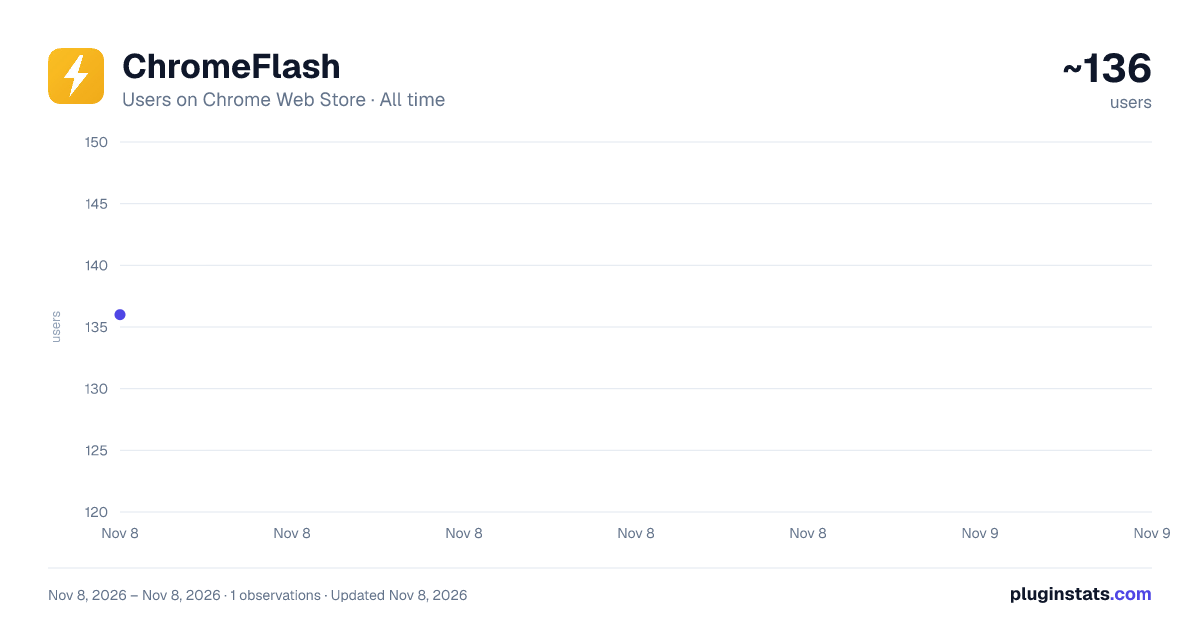
ChromeFlash has approximately 136 recorded users on Chrome Web Store, ranking #7227 of 8,189 tracked listings.
Rating: 5.00 / 5 from 2 ratings
About ChromeFlash
Optimize Chrome's speed and RAM usage with intelligent tab management, network tuning, and performance monitoring.
ChromeFlash — Speed & RAM Optimizer
Short Description (132 chars max)
Optimize Chrome's speed and RAM. Suspend tabs, monitor memory, toggle hidden settings, and boost performance with one-click profiles.
Detailed Description
ChromeFlash gives you full control over Chrome's performance. See exactly where your RAM is going, suspend tabs you're not using, and fine-tune hidden browser settings — all from a single popup.
━━━━━━━━━━━━━━━━━━━━━━━━━━━━━━━
CHROME RAM BREAKDOWN Stop guessing where your memory goes. ChromeFlash estimates Chrome's RAM usage and breaks it down by category: • Active Tabs — how much your open tabs are consuming • Pinned Tabs — lightweight pinned tab overhead • Media Tabs — tabs playing audio or video • Suspended Tabs — near-zero memory usage • Browser Core — Chrome's internal processes • Extensions — extension process overhead
━━━━━━━━━━━━━━━━━━━━━━━━━━━━━━━
INTELLIGENT TAB MANAGEMENT • Auto-suspend inactive tabs to free hundreds of MB • Set custom inactivity thresholds (1–120 minutes) • Protect pinned tabs and tabs playing audio • Detect and close duplicate tabs instantly • Suspend all inactive tabs with one click
━━━━━━━━━━━━━━━━━━━━━━━━━━━━━━━
ONE-CLICK OPTIMIZATION PROFILES Choose a profile and ChromeFlash configures everything for you:
⚡ Gaming — Maximum performance. Suspends all inactive tabs in 1 minute, disables 5 background services, clears cache. Saves ~500–2000 MB.
💼 Productivity — Balanced. 15-minute suspension threshold, keeps DNS prefetch and autofill active for faster workflows.
🔋 Battery Saver — Aggressive power saving. 5-minute suspension, disables background network activity, reduces CPU by 10–20%.
🛡️ Privacy — Disables Topics API, FLEDGE ads, spell check cloud service, translation, and autofill. Enables Do Not Track. Clears cache and service workers.
Each profile shows detailed stats: estimated RAM savings, CPU impact, which services are turned on/off, and what it's best for.
━━━━━━━━━━━━━━━━━━━━━━━━━━━━━━━
HIDDEN SETTINGS CONTROL Toggle Chrome privacy and network settings that are normally buried deep in chrome://settings: • DNS Prefetch & Preconnect — speed up or reduce background network calls • Spell Check Service — disable cloud-based spell checking • Translation Service — stop automatic page translation • Search Suggestions — control omnibox network requests • Autofill — toggle address and credit card autofill • Do Not Track — send DNT headers to websites • Topics API — disable interest-based ad tracking • FLEDGE / Protected Audiences — disable on-device ad auctions
━━━━━━━━━━━━━━━━━━━━━━━━━━━━━━━
CHROME FLAGS GUIDE A curated database of 21 performance-boosting chrome://flags, organized by category: • Rendering — GPU Rasterization, Zero-Copy, Skia Graphite • Network — QUIC Protocol, WebSocket over HTTP/2 • Memory — Tab Discarding, High Efficiency Mode, Heavy Ad Intervention • JavaScript — V8 Sparkplug, V8 Maglev compilers • Loading — Back/Forward Cache, Parallel Downloads, Lazy Image Loading
Each flag includes a description, risk level, impact rating, and a button to open it directly in chrome://flags.
━━━━━━━━━━━━━━━━━━━━━━━━━━━━━━━
PERFORMANCE DASHBOARD • Optimization score (0–100) based on memory, tabs, and settings • Real-time CPU and memory monitoring • Full-page dashboard with historical performance charts • Per-tab memory breakdown table
━━━━━━━━━━━━━━━━━━━━━━━━━━━━━━━
LIGHTWEIGHT & PRIVATE • Zero external dependencies — pure vanilla JavaScript • No data collection, no analytics, no remote servers • All settings stored locally on your device • Manifest V3 compliant • Under 50 KB total size
━━━━━━━━━━━━━━━━━━━━━━━━━━━━━━━
PERMISSIONS EXPLAINED ChromeFlash requests only the permissions it needs: • tabs — to monitor, suspend, and manage your tabs • storage — to save your settings and statistics locally • alarms — to schedule automatic tab suspension checks • system.memory / system.cpu — to display performance data • browsingData — to clear cache when requested or when applying profiles • privacy — to toggle the network and privacy settings listed above
━━━━━━━━━━━━━━━━━━━━━━━━━━━━━━━
Perfect for power users, developers, gamers, and anyone who keeps too many tabs open.
Description from the Chrome Web Store listing.
README badge
Show your rank in a README or on your website. The badge updates automatically.
Charts
Images: 30d · 1y · all time · 1600×900 dark
Adoption over time
7/30/90-day growth
Ranking history
Ratings over time
Listing placement
Listing placement
Filled points are observed values; hollow points come from Internet Archive snapshots of the listing page. Dashed segments span periods with no observations — values between points are not interpolated.
Each band is one page of 20. Users on a linear scale. Placement is projected from users, so it can differ from the marketplace's own sort order. Hover a dot to see the listing.
Recent observations
Full history (1)Similar Chrome Web Store Tools plugins
All 20 ChromeFlash alternatives



Data source
Covers every Chrome Web Store extension with at least 100 users, found through the store's public sitemap. User counts are read from public listing pages. The 10% most-used extensions are refreshed daily, the next 40% weekly and the next 40% monthly; the least-used 10% are not refreshed. Google displays rounded user counts (and caps the display at 10,000,000+), so small changes may not be visible. Rating counts above 1,000 are rounded (e.g. 1.6K).
Listing: https://chromewebstore.google.com/detail/chromeflash/pfjfdmnjcignndpnlggbfngfciojjoeh. First seen Nov 8, 2026; last successful collection Nov 8, 2026. See the methodology.