 PluginStats
Messages Saver for Facebook™ users statistics
By fattynoparents · Chrome Web Store · Social Networking
Downloads Facebook chats for reading offline and printing. Facebook chat downloader.
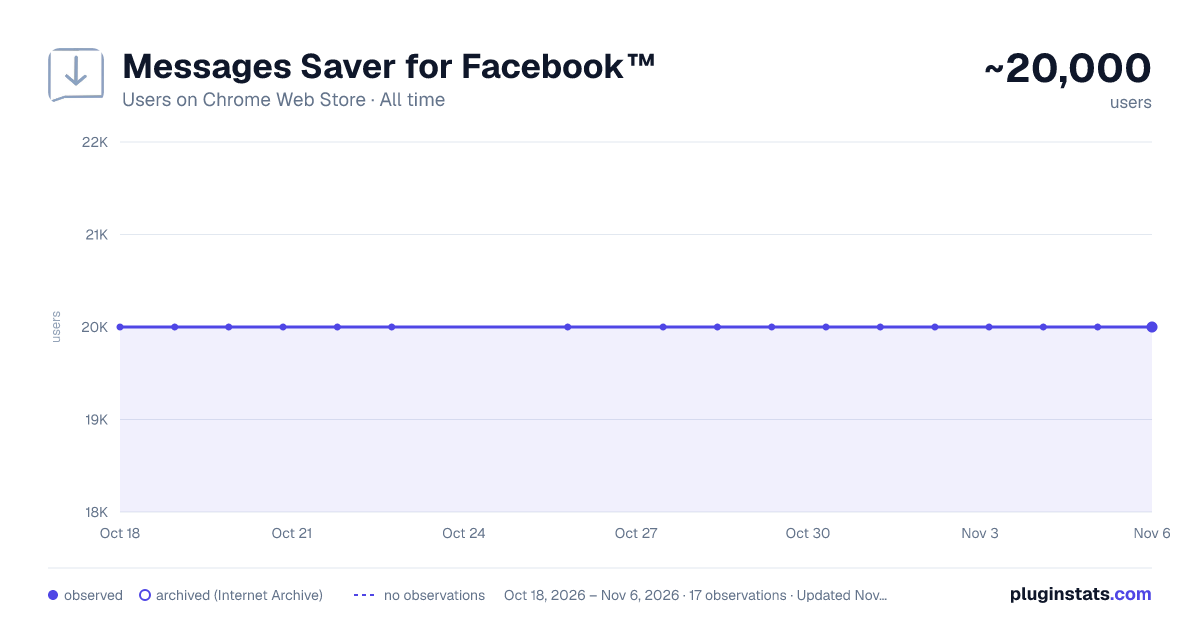
Messages Saver for Facebook™ has approximately 20,000 recorded users on Chrome Web Store, ranking #238 of 2,952 tracked listings.
Rating: 1.80 / 5 from 244 ratings
About Messages Saver for Facebook™
Downloads Facebook chats for reading offline and printing. Facebook chat downloader.
BEFORE BUYING PLEASE MIND THAT DUE TO LATEST CHANGES IN FACEBOOK API THE EXTENSION MIGHT NOT WORK RELIABLY FOR SOME ACCOUNTS. YOU CAN CONTACT US AND ASK FOR A TEST LICENSE KEY.
========================================================== Download Facebook chats to your computer in VARIOUS FORMATS
WHAT'S NEW
Version 15.1.1:
- Fixed files download Version 15.1.0:
- Changed background to vercel + fix small bugs Version 15.0.0:
- Changed payment method from Gumroad to Payhip Version 14.4.0:
- Fixed the broken extension caused by changes in Facebook API Version 14.3.0:
- Fixed the error in creating zip archive Version 14.2.4:
- Change in the error message, to make it more understandable for the users Version 14.2.3:
- Removed webrequest permission Version 14.2.2:
- Fixed a bug with the new domain Version 14.2.1:
- Changed the extension to work on the regular Facebook page facebook.com/messages Version 14.2.0:
- Moved to manifest 3 Version 14.1.0:
- Downgraded to manifest 2 due to many users reporting the extension unresponsive Version 14.0.0:
- Moved to manifest 3 Version 13.0.4:
- Fixed an error preventing normal download Version 13.0.2:
- Added download possibility from mobile.facebook.com Version 13.0.1:
- Removed webRequest permission from the manifest Version 13.0.0:
- Changed the payment system to Gumroad (please read more about buying from Gumroad here https://customers.gumroad.com/article/191-a-guide-to-buying-on-gumroad)
- Changed the way of getting messages, now one needs to use the mobile Facebook page Version 12.0.0:
- Changed the way of getting messages from Facebook because the old API stopped working Version 11.2.3:
- Fixed downloading from business pages in new Facebook look (functions get_doc_title in saveChat.js and set_my_id_and_token_fan_page in dateOptions.js) Version 11.2.2:
- Fixed downloading older chats from business pages
- Added the Time intervals option Version 11.1.8:
- Fixed downloading from business pages + downloading Filtered chats Version 11.1.7:
- Fixed fetching high resolution images Version 11.0.5:
- Fixed loading older chats. Version 11.0.1:
- Improved data loading, fixed extension hanging. Version 10.1.1:
- Added the display of reactions. Version 10.0.2:
- Updated the set of emoji.
- Added image names to CSV format.
HOW TO USE:
-
Go to the Facebook messages page (facebook.com/messages)
-
Choose the chat you want to save.
-
Right-click on the extension's icon and choose 'Options'. In the opened tab choose how you want your chat to be saved (as plain text, formatted HTML, CSV or a zip-file).
-
If you choose 'HTML' images, stickers and other files in the chat will be embedded in the HTML file. They will still be kept in Facebook servers and might stop being displayed after some time due to their tokens expiration.
-
If you choose the 'zip file' option, the chosen items (images, stickers, videos, etc.) will be saved locally to your computer and will be displayed in your chat as long as they are kept in the same folder as the HTML file. You can choose the type of files you want to save locally.
The Time Intervals option is for setting random time intervals between requests that the extension is sending to Facebook servers to fetch messages. The fastest option is No interval. However, with big chats Facebook might cut the extension requests if they are too many, because it considers them suspicious. In this case, try choosing another time interval from the options.
-
Return to the messages page and click the extension icon. You can choose the start and end dates of the download, to save a chat in parts.
-
When the chat is ready, it will either be saved automatically to the default folder for downloads, or you will be prompted to choose a folder on your computer to save the file to (this depends on the settings of your browser).
FAQ: https://chatsavers.org/faq.html
SUPPORT:
Description from the Chrome Web Store listing.
README badge
Show your rank in a README or on your website. The badge updates automatically.
Charts
Images: 30d · 1y · all time · 1600×900 dark
Adoption over time
7/30/90-day growth
Ranking history
Ratings over time
Listing placement
Listing placement
Filled points are observed values; hollow points come from Internet Archive snapshots of the listing page. Dashed segments span periods with no observations — values between points are not interpolated.
Each band is one page of 20. Users on a linear scale. Placement is projected from users, so it can differ from the marketplace's own sort order. Hover a dot to see the listing.
Recent observations
Full history (4)Similar Chrome Web Store Social Networking plugins
All 20 Messages Saver for Facebook™ alternatives



Data source
Covers every Chrome Web Store extension with at least 100 users, found through the store's public sitemap. User counts are read from public listing pages. The 10% most-used extensions are refreshed daily, the next 40% weekly and the next 40% monthly; the least-used 10% are not refreshed. Google displays rounded user counts (and caps the display at 10,000,000+), so small changes may not be visible. Rating counts above 1,000 are rounded (e.g. 1.6K).
Listing: https://chromewebstore.google.com/detail/messages-saver-for-facebo/oaimmbbnnhmibhbocchkfcakiankbnlk. First seen Oct 18, 2026; last successful collection Oct 21, 2026. See the methodology.