 PluginStats
Online Ruler users statistics
By columbia7755 · Chrome Web Store · Tools
Use online ruler, a tape measure app with an accurate ruler in inches and centimeters for precise screen measurements.
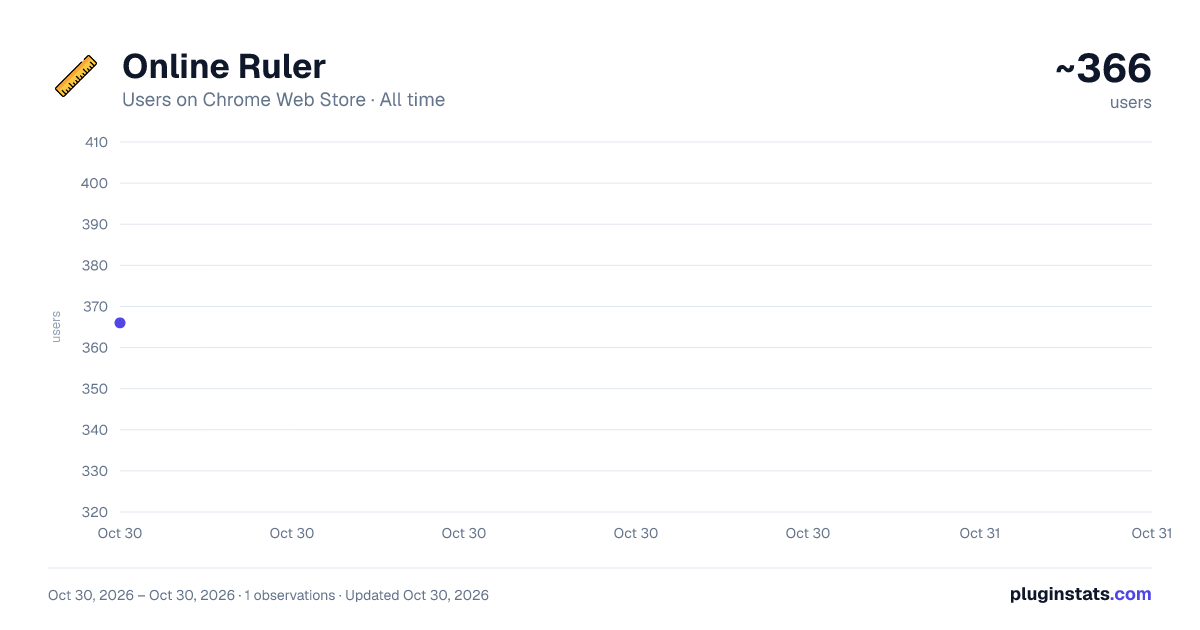
Online Ruler has approximately 366 recorded users on Chrome Web Store, ranking #3189 of 5,550 tracked listings.
About Online Ruler
Use online ruler, a tape measure app with an accurate ruler in inches and centimeters for precise screen measurements.
🤔 Need to quickly measure the length of a box, gadget, or any other small object, but don't have a ruler handy?
❓ Perhaps you need to measure the dimensions in centimeters, but only have an inch ruler on your desk. What should you do?
📏 Try online ruler, a measuring tape online tool that lets you measure objects directly on your laptop, notebook, or desktop screen.
👉 All you need to do is:
- Choose the online ruler inches or cm mode. 🕹️
- Place your object on the screen. 🤏
📌 The centimeter measuring option also supports millimeter units, so you don’t need an additional ruler mm online app.
ℹ️ This online lineal tool works on any desktop with a Google Chrome browser and provides a virtual tape measure up to 50 centimeters or 20 inches.
🛠️ How to tune the online measuring tape?
❕ If you’re using the application for the first time, we recommend calibrating it to ensure an online ruler actual size. Calibration ensures accurate measurements in both the online ruler inch mode and the mm online ruler mode.
🙏 This adjustment only needs to be performed once per device. On subsequent runs, the tape ruler app will use the previously calculated screen diagonal value. If you have multiple devices, please calibrate each one.
To get the ruler actual size, you need to specify or calculate the diagonal size of your screen in inches. Do this using one of the options below: ➤ using a bank card. ➤ selecting your display diagonal from the presets. ➤ manually entering your screen diagonal.
How to calibrate the virtual ruler using a bank card: 1️⃣ Click the "Calibrate using a bank card" button, located under the image of the bank card. 2️⃣ Place the card horizontally on the tape, starting at the zero mark. 3️⃣ Click the tape at the right edge of the card. 4️⃣ Done!
💳 Note that the internet ruler does not collect any data from the cards used for calibration. Only the physical plastic card matters, and the tape measure app uses the card’s standard dimensions.
How to calibrate using presets: 🔹 Find out the size of your monitor; it’s usually written on the device’s frame. You can also find it online based on your device model. 🔹 If this value is in the list: 11.6”, 13.3”, 15.6”, 17.3”, 18.5”, 21.5”, 24”, 27”, 32”, then simply click the corresponding button. 🔹 Done! Now your virtual tape app is a true to size ruler.
If your screen size is not among the presets, you can manually specify the display diagonal: ✦ Enter the diagonal value in inches in the input field 🙌 ✦ Click the ➡️ button
🎯 After calibrating the measuring tape app using one of the listed methods, you will have an accurate online ruler measure.
💬 Frequently Asked Questions ❓ Can this online ruler also be used for millimeter measurements? 💡 Yes, this ruler app can measure objects in millimeters.
❓ I’ve installed the ruler app on multiple devices. Is it enough to calibrate one device, or do I need to do it on each one? 💡 I need to calibrate each one device, because tape measure app stores settings locally on each device. This is necessary because devices typically have different screen sizes.
❓ I sign in with the same Google account on multiple devices. Why do I need to calibrate each device? 💡 Calibration on each device is necessary because each instance of application stores its settings locally. This is necessary because different devices typically have different screen sizes.
❓ I switched units of measurement from inches to centimeters/from centimeters to inches. Do I need to recalibrate the measuring tape? 💡 No, you don’t need to recalibrate the tape measure when switching between ruler online inches and online ruler cm modes.
❓ The item doesn't fit on the tape. It seems the tape isn't long enough. What should I do? 💡 Do the following: Maximize the Google Chrome browser window to full screen. If the item still doesn't fit, try to calibrate the application.
❓ I would like to use a bank card for calibration. Will online ruler charge the card? 💡 No. The measuring tape app does not charge the bank card for calibration.
❓ I have an inactive or closed bank card. Will it work for calibrating online measuring tape? 💡 Yes, any plastic bank card is suitable for this option.
❓ Can I use a card other than a bank card to calibrate the measure app? 💡 Yes, as long as it's the standard bank card length of 3.37 inches (3 3/8 inches) or 85.6 mm.
Description from the Chrome Web Store listing.
README badge
Show your rank in a README or on your website. The badge updates automatically.
Charts
Images: 30d · 1y · all time · 1600×900 dark
Adoption over time
7/30/90-day growth
Ranking history
Ratings over time
Listing placement
Listing placement
Filled points are observed values; hollow points come from Internet Archive snapshots of the listing page. Dashed segments span periods with no observations — values between points are not interpolated.
Each band is one page of 20. Users on a linear scale. Placement is projected from users, so it can differ from the marketplace's own sort order. Hover a dot to see the listing.
Recent observations
Full history (1)Similar Chrome Web Store Tools plugins
All 20 Online Ruler alternatives



Data source
Covers every Chrome Web Store extension with at least 100 users, found through the store's public sitemap. User counts are read from public listing pages. The 10% most-used extensions are refreshed daily, the next 40% weekly and the next 40% monthly; the least-used 10% are not refreshed. Google displays rounded user counts (and caps the display at 10,000,000+), so small changes may not be visible. Rating counts above 1,000 are rounded (e.g. 1.6K).
Listing: https://chromewebstore.google.com/detail/online-ruler/ckjbpihanehodkjddhhmheanciefdepg. First seen Oct 30, 2026; last successful collection Oct 30, 2026. See the methodology.