 PluginStats

WA Scheduler users statistics
By Cleverson Pelegrini · Chrome Web Store · Tools
Schedule messages for your WhatsApp contacts
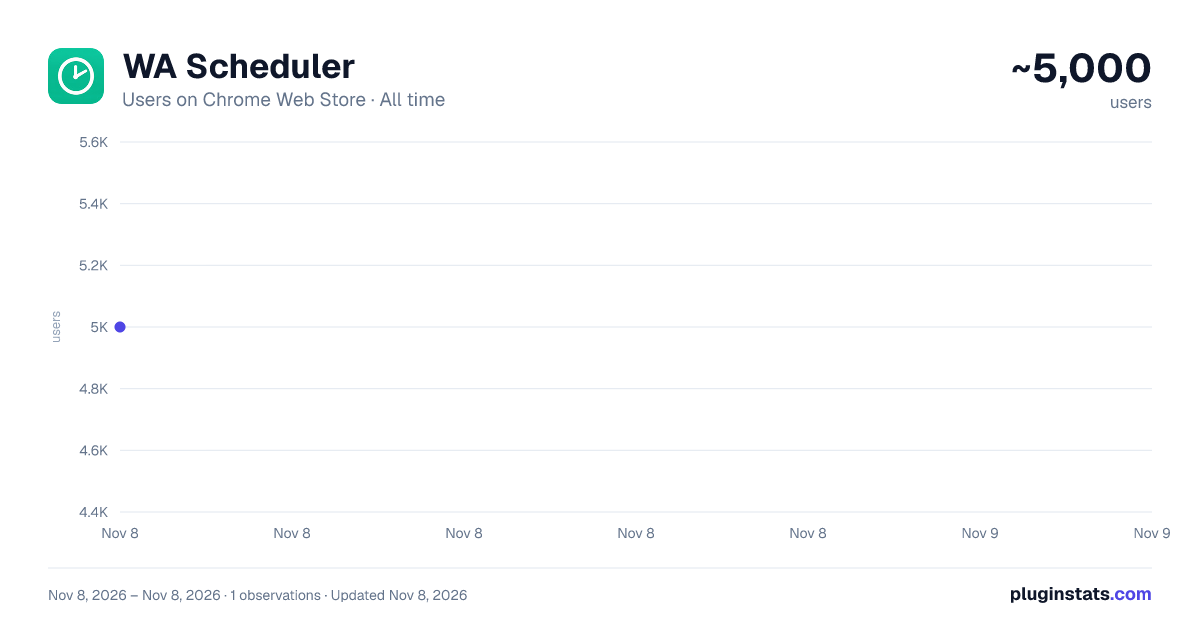
WA Scheduler has approximately 5,000 recorded users on Chrome Web Store, ranking #1351 of 8,189 tracked listings.
Rating: 4.30 / 5 from 37 ratings
About WA Scheduler
Schedule messages for your WhatsApp contacts
Schedule WhatsApp messages, automate replies, create message sequences, send bulk messages, schedule WhatsApp Status updates, and automate your WhatsApp Web.
WA Scheduler turns WhatsApp Web into a complete scheduling and automation tool. Schedule messages for one or multiple contacts, groups, and channels, set up keyword-based automatic replies, create sequences with text, audio, files, and polls, send recurring messages, run bulk campaigns to hundreds of contacts, and manage everything from one dashboard.
You can also import contacts from Excel, CSV, or TXT files, personalize messages with each contact's name, organize automations into folders, view your scheduled messages in a calendar, configure business hours, and monitor failed messages and retries.
No separate app is required. Install WA Scheduler, open WhatsApp Web, and automate your messages directly from your browser.
⭐ KEY FEATURES
✅ WhatsApp Message Scheduling
Schedule WhatsApp messages for a specific date and time or use relative scheduling such as:
• In 30 minutes • In 2 hours • In 3 days
Use scheduled messages for reminders, follow-ups, payment reminders, appointments, notifications, and recurring communication.
✅ Triggers and Automatic Replies
Automate WhatsApp replies based on what happens in each conversation.
Create triggers for:
• First contact: automatically send a welcome message to people who contact you for the first time or who have not messaged you for several days. • Keywords: automatically reply when a message contains words such as "price", "menu", "hours", or any other keywords you define. Uppercase letters and accents do not matter. • Away messages: automatically reply to people who contact you outside your business hours or activate a vacation mode.
Choose whether to reply immediately or after a delay of a few minutes, limit how many times the same contact can receive an automatic reply, and use complete sequences with text, audio, files, and polls.
The automation can automatically stop when the contact replies.
✅ WhatsApp Message Sequences
Create sequences containing multiple messages sent in order.
Combine different types of content in the same sequence:
• Text messages • Audio and voice messages • Images and videos • PDFs, documents, and other files • WhatsApp polls
Set a custom delay between each step.
For example: send a text message, wait 30 seconds, send an audio message, wait 2 minutes, then send a file or poll.
✅ WhatsApp Bulk Messaging
Send messages to hundreds of contacts with control over the sending pace.
Configure:
• Delays between messages • Randomized intervals • Pauses after each batch • Allowed sending hours
You can also use different text variations and monitor your campaign in real time, including contacts who received, read, or failed to receive the message.
✅ Multiple Recipients
Schedule messages, sequences, and automations for multiple WhatsApp contacts at once.
Select recipients individually, use saved lists, or import a list of phone numbers.
✅ Import Contacts from Excel, CSV, and TXT
Import phone numbers from Excel (.xlsx), CSV, or TXT files.
You can also paste a list of phone numbers directly into WA Scheduler.
The extension checks which numbers have WhatsApp before sending.
✅ Personalize Messages with Contact Names
Use {nome} in your messages to automatically personalize each message.
Example:
"Hello, {nome}! How are you?"
Each contact receives the message with their own name.
✅ WhatsApp Groups and Channels
Schedule messages for WhatsApp groups and channels as well as individual conversations.
Manage different types of recipients from the same scheduling dashboard.
✅ Recurring WhatsApp Messages
Create messages and sequences that repeat automatically.
Choose from:
• Every day • Specific days of the week • Every month • Custom intervals
Perfect for reminders, payment follow-ups, notifications, recurring updates, and other automated communication.
✅ Flexible Scheduling Rules
Choose exactly how and when a message should be sent:
• Specific date and time • Relative time • Specific days of the week • Daily repetition • Weekly repetition • Monthly repetition • Custom repeat intervals
✅ Business Hours
Define the hours when automated messages are allowed to be sent.
For example, you can configure business hours from 08:00 to 18:00.
When a message or sequence step falls outside the allowed hours, WA Scheduler can wait until the next available period before continuing the sequence.
Business hours are fully customizable.
✅ Cancel When Contact Replies
Automatically cancel a scheduled message or sequence when the contact sends a new message or replies to the conversation.
This is especially useful for automated follow-ups.
✅ Schedule WhatsApp Status
Schedule WhatsApp Status updates in advance.
Create text or media Status updates and customize:
• Text • Images and videos • Font • Background color
Plan your WhatsApp Status updates without having to publish them manually at the exact time.
✅ Calendar View
View your upcoming and recurring scheduled messages in a monthly calendar.
See what is scheduled for each day and easily organize your automated messages.
✅ Folders for Recurring Automations
Organize your recurring messages into folders.
Create categories for customers, payments, groups, campaigns, reminders, or any other type of automation.
Drag your scheduled items into folders to keep everything organized.
✅ Save Recipient Lists
Save contact lists and reuse them for new schedules, sequences, and bulk messages.
This makes it easier to repeatedly send messages to the same groups of contacts without selecting them again.
✅ Save Messages and Templates
Save frequently used messages and reuse them later.
Create message templates to use again in new schedules, automatic replies, and sequences.
✅ Search and Filters
Quickly find your scheduled messages using information such as:…
Description from the Chrome Web Store listing.
README badge
Show your rank in a README or on your website. The badge updates automatically.
Charts
Images: 30d · 1y · all time · 1600×900 dark
Adoption over time
7/30/90-day growth
Ranking history
Ratings over time
Listing placement
Listing placement
Filled points are observed values; hollow points come from Internet Archive snapshots of the listing page. Dashed segments span periods with no observations — values between points are not interpolated.
Each band is one page of 20. Users on a linear scale. Placement is projected from users, so it can differ from the marketplace's own sort order. Hover a dot to see the listing.
Recent observations
Full history (1)Similar Chrome Web Store Tools plugins
All 20 WA Scheduler alternatives



Data source
Covers every Chrome Web Store extension with at least 100 users, found through the store's public sitemap. User counts are read from public listing pages. The 10% most-used extensions are refreshed daily, the next 40% weekly and the next 40% monthly; the least-used 10% are not refreshed. Google displays rounded user counts (and caps the display at 10,000,000+), so small changes may not be visible. Rating counts above 1,000 are rounded (e.g. 1.6K).
Listing: https://chromewebstore.google.com/detail/wa-scheduler/pfffeiaafoehkmfjdnpdmoaikadfgdff. First seen Nov 8, 2026; last successful collection Nov 8, 2026. See the methodology.