 PluginStats
Save image as Type users statistics
By Chrome Extension Toolbox · Chrome Web Store · Functionality & UI
Save image as PNG, JPG or WebP by context menu on image.
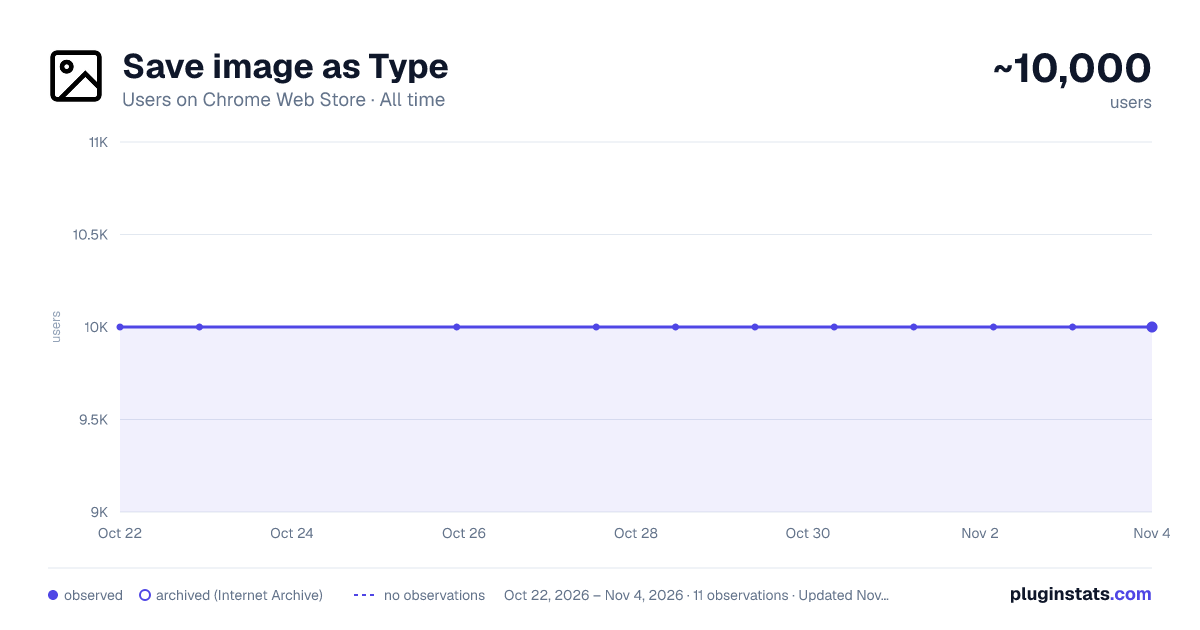
Save image as Type has approximately 10,000 recorded users on Chrome Web Store, ranking #419 of 3,404 tracked listings.
Rating: 3.90 / 5 from 14 ratings
About Save image as Type
Save image as PNG, JPG or WebP by context menu on image.
Save image as Type — Save Any Web Image as PNG, JPG, or WebP — Instantly, Privately, Locally
▶ TAKE CONTROL OF HOW YOU SAVE IMAGES FROM THE WEB
Tired of downloading images in the wrong format? Frustrated by websites forcing WebP files on you when you need a PNG or JPG? Fed up with uploading your private images to shady online converters just to change a file format?
Save image as Type puts you back in control. Right-click any image on any webpage and save it instantly as PNG, JPG, or WebP — converted on the spot, right inside your browser. No uploads. No servers. No nonsense.
▶ KEY FEATURES
• Right-click context menu integration — A clean submenu appears whenever you right-click an image: "Save as PNG", "Save as JPG", "Save as WebP". Fast, familiar, frictionless.
• True client-side conversion — Images are converted using the browser's own Canvas API. The conversion happens entirely inside your browser tab. Your images never leave your device.
• Set your default format — Open the extension popup and pick your preferred format once. From then on, a single right-click is all you need — your chosen format is always ready to go.
• Custom download subfolder — Specify a subfolder name (for example "Saved Images" or "Design Assets") and every image you save lands neatly in that folder inside your Downloads directory. No more hunting through a cluttered Downloads folder.
• Works on any image, on any webpage — Product photos, blog illustrations, social media images, banners, WebP thumbnails — if you can see it, you can save it in the format you want.
• Works 100% offline — No internet connection required for the conversion. Once the extension is installed, it works anywhere, anytime.
• Lightweight and fast — No background processes, no memory bloat. The extension does nothing until you actually right-click an image. Zero idle resource usage.
• No account, no sign-up, no setup — Install and go. There is nothing to configure beyond your optional format preference and subfolder name.
▶ SUPPORTED FORMATS
◉ PNG — Lossless compression. Perfect for screenshots, logos, icons, graphics with transparency, and any image where pixel-perfect quality matters.
◉ JPG / JPEG — Widely compatible, compact file size. Ideal for photographs, product images, and anything you plan to share or upload to a platform that expects JPEG.
◉ WebP — Google's modern format offering excellent compression with quality retention. Great when you want smaller files without visible quality loss.
▶ HOW IT WORKS
- Find any image on any webpage.
- Right-click the image to open the browser context menu.
- Hover over "Save image as Type" to see the format submenu.
- Click "Save as PNG", "Save as JPG", or "Save as WebP".
- The extension draws the image onto an invisible canvas inside your browser, exports it in your chosen format, and triggers an automatic download.
- The file lands in your Downloads folder — or in your custom subfolder if you set one up.
That's the entire workflow. No dialog boxes, no waiting, no redirects.
Want it even faster? Open the extension popup, set your default format, and from then on the very first option in the submenu is already your preferred format — one click and done.
▶ YOUR PRIVACY IS FULLY PROTECTED
This is where Save image as Type is fundamentally different from online image converters and many other extensions.
Zero server communication. The image data never leaves your browser. There are no API calls, no remote processing, no cloud storage. Everything happens locally using standard browser technology (the HTML5 Canvas API).
Minimal permissions. The extension requests only two permissions: — downloads — needed to save the converted file to your disk. — contextMenus — needed to add the right-click menu options.
That's it. No access to your browsing history. No access to your tabs or personal data. No reading of page content beyond the specific image you click on.
No analytics. No telemetry. No crash reporting. There are no hidden trackers, no usage statistics sent anywhere, no third-party SDKs phoning home. The extension is completely silent when you are not actively using it.
No account required. There is no sign-up, no login, no email address collected. You install it and it works — anonymously, always.
▶ WHY NOT JUST USE AN ONLINE CONVERTER?
Online image converters require you to upload your image to their server. This means:
✗ Your image leaves your device and is processed on someone else's computer. ✗ You have no control over how long they keep your file. ✗ You need an active internet connection for the conversion itself. ✗ You have to leave the page, open a new tab, upload, wait, download.
Save image as Type does none of that. The conversion is instant, local, and completely private. It is especially valuable for sensitive images — internal screenshots, confidential documents, personal photos — where you simply cannot afford to upload files to an unknown third party.
▶ WHY NOT JUST USE "SAVE IMAGE AS" IN THE BROWSER?
Chrome's built-in "Save image as" saves the file in whatever format the website serves it — often WebP, sometimes with a misleading extension. You get what the website decides to give you.
Save image as Type gives you the choice. You decide the format, every time, with one click.
▶ PERFECT FOR
• Designers and developers who need images in a specific format for their workflow • Anyone annoyed by WebP files that won't open in older software • Bloggers and content creators building image libraries • People who want organized downloads with automatic subfolders • Privacy-conscious users who refuse to upload personal images to online tools • Anyone who simply wants a faster, cleaner way to save web images
▶ GET STARTED IN SECONDS…
Description from the Chrome Web Store listing.
README badge
Show your rank in a README or on your website. The badge updates automatically.
Charts
Images: 30d · 1y · all time · 1600×900 dark
Adoption over time
7/30/90-day growth
Ranking history
Ratings over time
Listing placement
Listing placement
Filled points are observed values; hollow points come from Internet Archive snapshots of the listing page. Dashed segments span periods with no observations — values between points are not interpolated.
Each band is one page of 20. Users on a linear scale. Placement is projected from users, so it can differ from the marketplace's own sort order. Hover a dot to see the listing.
Recent observations
Full history (1)Similar Chrome Web Store Functionality & UI plugins
All 20 Save image as Type alternatives



Data source
Covers every Chrome Web Store extension with at least 100 users, found through the store's public sitemap. User counts are read from public listing pages. The 10% most-used extensions are refreshed daily, the next 40% weekly and the next 40% monthly; the least-used 10% are not refreshed. Google displays rounded user counts (and caps the display at 10,000,000+), so small changes may not be visible. Rating counts above 1,000 are rounded (e.g. 1.6K).
Listing: https://chromewebstore.google.com/detail/save-image-as-type/gbaamegjnjenmoleoebnoldggoeiohlg. First seen Oct 22, 2026; last successful collection Oct 22, 2026. See the methodology.