 PluginStats

Ping Test users statistics
By lavanda90 · Chrome Web Store · Tools
Use Ping Test - ping tester for check internet, network, wifi. With it you’ll know how to check your ping in your browser very fast.
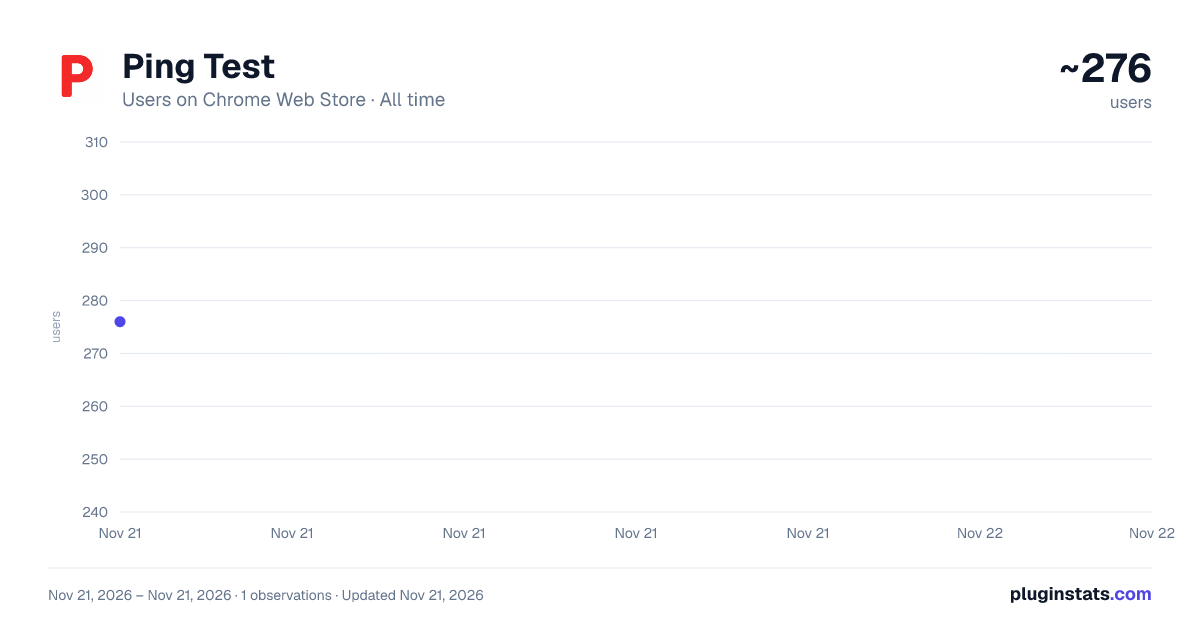
Ping Test has approximately 276 recorded users on Chrome Web Store, ranking #6816 of 10,388 tracked listings.
Rating: 5.00 / 5 from 1 ratings
About Ping Test
Use Ping Test - ping tester for check internet, network, wifi. With it you’ll know how to check your ping in your browser very fast.
🌐 Ping Test is a browser extension designed for clear and fast network diagnostics and website availability analysis. It works as a ping tester that helps users understand how online resources behave in real conditions and whether a website responds correctly at a given moment.
The extension is created for everyday situations when users want to observe connection behavior, response delays, or temporary access problems directly inside the browser interface. It can be used as a simple ping test without installing external software or dealing with complex setup. It also supports an online ping test directly inside the browser.
🚀 What users receive with our product
• Website availability information • Server response time displayed in milliseconds • HTTP status codes such as 200, 404, or 500 • Error type detection including timeout or blocked requests • Exact timestamp of the last request • Visual result states showing OK, ERROR, or RESP
All metrics are presented in a compact, readable, and easy-to-understand format.
💡 Why Ping Test is useful
1️⃣ Helps analyze website accessibility 2️⃣ Shows how fast a server responds 3️⃣ Detects unstable or interrupted connections 4️⃣ Works instantly without complex setup 5️⃣ Suitable for daily browsing diagnostics
This approach allows users to evaluate connection quality without technical complexity and makes internet ping test results easy to understand.
⚡ Core Ping Test functionality
➤ URL input field with automatic protocol normalization ➤ Default website for quick availability diagnostics ➤ Manual action button to start a request ➤ HTTP request with safe fallback logic ➤ Response timing based on browser performance metrics ➤ Ability to test ping internet or run a ping test internet for quick feedback about a public resource
📊 Visual feedback system
Results are displayed using simple color indicators: • Green — resource is available and responding normally • Yellow — response received with warning or non-standard status • Red — error, timeout, or blocked internet connection
This visual system allows users to understand results instantly, including during wifi ping test scenarios.
🔄 Convenience features
▸ Automatic URL correction when protocol is missing ▸ Cache-buster parameter to avoid cached responses ▸ Automatic insertion of the URL of the current page the user is on ▸ Saving the results of the previous test
These features improve usability during repeated diagnostics and ping check workflows.
🌍 Who may find it helpful
• Remote workers troubleshooting access issues • Developers verifying service availability and response behavior • IT specialists performing quick diagnostics • Everyday users who want to test my ping in a simple and visual way
The extension is accessible for all experience levels and does not require technical skills.
📈 Practical advantages
➤ Lightweight and fast execution ➤ No additional configuration required ➤ Clear metrics without technical overload ➤ Suitable for frequent daily use ➤ Operates fully inside the browser
It complements other diagnostic tools and works well as a lightweight internet pinger.
🧪 How it works
Ping Test sends lightweight HTTP requests to analyze server responsiveness and availability. This method respects browser security limitations while still providing meaningful timing and status information for public resources.
All operations are performed locally within the browser environment.
📌 When to use ping tester
• When a website loads slowly • When access problems appear • When connection stability matters • When verifying server availability • When learning how to test ping in a simple and visual way • When you're unsure about your Wi-Fi connection
It helps identify potential issues before they affect work, communication, or entertainment.
❓ Frequently asked questions
🔹 Can I check internet ping regularly Yes. You can repeat the same request and compare results over time.
🔹 Is this a replacement for command line tools It provides a browser-based alternative focused on clarity and speed.
🔹 Does the extension collect personal data No. All actions are performed locally, and no personal information is stored.
🔹 Can I check the ping for the same website multiple times Yes. You can repeat the same request and compare results over time.
🔹 Whats my ping showing in the extension The result reflects current response timing and availability at the moment of the request.
Description from the Chrome Web Store listing.
README badge
Show your rank in a README or on your website. The badge updates automatically.
Charts
Images: 30d · 1y · all time · 1600×900 dark
Adoption over time
7/30/90-day growth
Ranking history
Ratings over time
Listing placement
Listing placement
Filled points are observed values; hollow points come from Internet Archive snapshots of the listing page. Dashed segments span periods with no observations — values between points are not interpolated.
Each band is one page of 20. Users on a linear scale. Placement is projected from users, so it can differ from the marketplace's own sort order. Hover a dot to see the listing.
Recent observations
Full history (1)Similar Chrome Web Store Tools plugins
All 20 Ping Test alternatives



Data source
Covers every Chrome Web Store extension with at least 100 users, found through the store's public sitemap. User counts are read from public listing pages. The 10% most-used extensions are refreshed daily, the next 40% weekly and the next 40% monthly; the least-used 10% are not refreshed. Google displays rounded user counts (and caps the display at 10,000,000+), so small changes may not be visible. Rating counts above 1,000 are rounded (e.g. 1.6K).
Listing: https://chromewebstore.google.com/detail/ping-test/edijbiehpmekkleicpbpmojaffkidjjg. First seen Nov 21, 2026; last successful collection Nov 21, 2026. See the methodology.