 PluginStats

Sound booster by AudioMax users statistics
Boost sound, enhance bass, control volume, versatile equalizer & convenient volume control. Experience louder music or video volume.
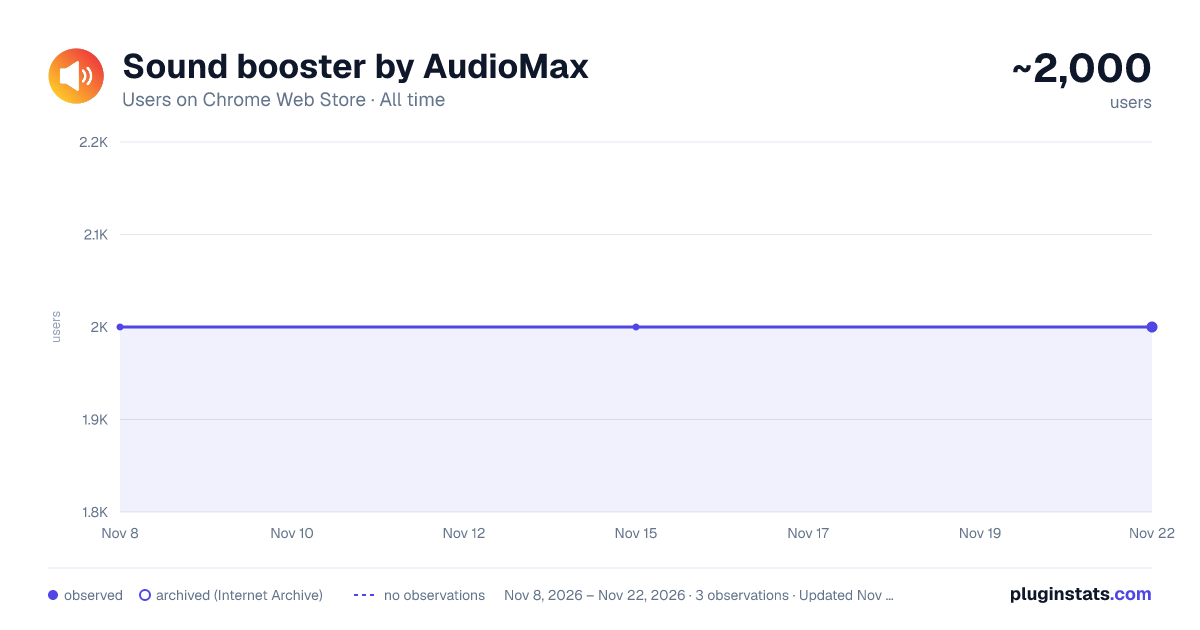
Sound booster by AudioMax has approximately 2,000 recorded users on Chrome Web Store, a change of 0.0% over the past 7 days, ranking #2587 of 10,388 tracked listings.
Rating: 4.40 / 5 from 13 ratings
About Sound booster by AudioMax
Boost sound, enhance bass, control volume, versatile equalizer & convenient volume control. Experience louder music or video volume.
Enhance your audio experience with Volume Booster by AudioMax, the ultimate Chrome extension for boosting sound, enhancing bass, and managing volume with precision. This powerful tool allows you to amplify the volume of videos, music, and games in any tab by up to 600%, transforming your listening and viewing experience. Whether you're enjoying content on YouTube, Vimeo, Dailymotion, Spotify, or any other platform, our extension ensures that you never miss a beat with its advanced bass booster technology and versatile equalizer settings.
Our user-friendly interface is designed for simplicity and efficiency, allowing you to easily control and customize your audio environment. With Volume Booster, you can fine-tune audio settings to your preference, ensuring brilliant sound quality for your favorite songs and videos. The stylish popup includes an interactive volume switch and a comprehensive list view, making it easier than ever to navigate and adjust audio across multiple tabs without the hassle of switching back and forth.
Getting started with Volume Booster is quick and effortless:
Install the extension and pin it to your toolbar for easy access. Click on the Volume Booster icon to enable volume boosting with a simple toggle button. Use the interactive slider to select your desired sound boost range. Enjoy enhanced sound quality tailored to the genre you're listening to or watching, with our equalizer settings optimized for the Chrome browser. But that's not all—Volume Booster is also a comprehensive audio management tool that allows you to set individual volume settings for each tab, giving you complete control over your audio landscape. Whether you're looking to increase volume, enhance bass, or achieve the perfect balance with our equalizer, Volume Booster by AudioMax is your go-to solution for a superior audio experience.
We're committed to providing you with the best possible audio enhancement tool. Download Volume Booster by AudioMax now for free, and elevate your audio to new heights. We value your feedback and ratings and are always here to assist with any issues or to help optimize your listening experience.
FAQ about Volume Booster
-
What is Volume Booster? Volume Booster is an innovative app designed to enhance the audio volume of music, videos, and games on your device. It allows users to amplify sound up to 600%, improving the listening experience across various media platforms.
-
How does Volume Booster work? Volume Booster adjusts the system audio settings to increase the volume beyond the default maximum. It employs advanced algorithms to boost sound while striving to maintain audio quality, minimizing distortion.
-
Is Volume Booster free to use? Yes, Volume Booster is available as a free download. Some versions or additional features might offer in-app purchases for advanced functionalities.
-
Can Volume Booster enhance bass? Absolutely! Volume Booster includes a bass boost feature that enhances the depth and richness of bass sounds, providing a more immersive audio experience.
-
How can I install Volume Booster? Volume Booster can be easily installed from the app store or extension marketplace relevant to your device. Simply search for "Volume Booster," and click on the install button.
-
Is Volume Booster compatible with all devices? Volume Booster is compatible with a wide range of devices, including smartphones, tablets, and computers. However, compatibility may vary based on the operating system and version. Please check the app requirements before installing.
-
Will using Volume Booster damage my speakers? When used responsibly, Volume Booster is safe for most devices. However, consistently playing audio at extremely high volumes may put extra strain on your speakers. It is recommended to use the booster judiciously and avoid excessive volumes for prolonged periods.
-
How do I use Volume Booster? Once installed, open Volume Booster and adjust the slider to increase the volume as desired. For specific features like bass boost or equalizer settings, navigate through the app’s interface to customize your audio experience.
-
Can Volume Booster improve audio quality? Volume Booster primarily amplifies volume. While it includes features like bass boost and equalizer settings to enhance audio quality, the primary function is to increase volume levels.
-
What should I do if Volume Booster isn’t working as expected? First, ensure your app is updated to the latest version. Check your device's audio settings and permissions granted to Volume Booster. If issues persist, contact the support team for further assistance.
-
Is it legal to use Volume Booster? Yes, using Volume Booster is legal. It modifies your device's audio output settings within the scope of user permissions and does not infringe on any copyright laws.
-
How can I provide feedback or report a problem? Feedback and reports can usually be submitted through the app’s settings menu, where you may find an option to contact the developer or support team. Your input is valuable for improving Volume Booster.
For any further questions or assistance, please reach out to our customer support. We're here to enhance your listening experience!
Description from the Chrome Web Store listing.
README badge
Show your rank in a README or on your website. The badge updates automatically.
Charts
Images: 30d · 1y · all time · 1600×900 dark
Adoption over time
7/30/90-day growth
Ranking history
Ratings over time
Listing placement
Listing placement
Filled points are observed values; hollow points come from Internet Archive snapshots of the listing page. Dashed segments span periods with no observations — values between points are not interpolated.
Each band is one page of 20. Users on a linear scale. Placement is projected from users, so it can differ from the marketplace's own sort order. Hover a dot to see the listing.
Recent observations
Full history (2)Similar Chrome Web Store Tools plugins
All 20 Sound booster by AudioMax alternatives



Data source
Covers every Chrome Web Store extension with at least 100 users, found through the store's public sitemap. User counts are read from public listing pages. The 10% most-used extensions are refreshed daily, the next 40% weekly and the next 40% monthly; the least-used 10% are not refreshed. Google displays rounded user counts (and caps the display at 10,000,000+), so small changes may not be visible. Rating counts above 1,000 are rounded (e.g. 1.6K).
Listing: https://chromewebstore.google.com/detail/sound-booster-by-audiomax/peohnbcnjfjodekofbgkfpjeeepfobaf. First seen Nov 8, 2026; last successful collection Nov 15, 2026. See the methodology.