 PluginStats

Video Screenshot users statistics
With Video Screenshot, capture photos from video, creating high-resolution youtube screenshots and screencap video to image.
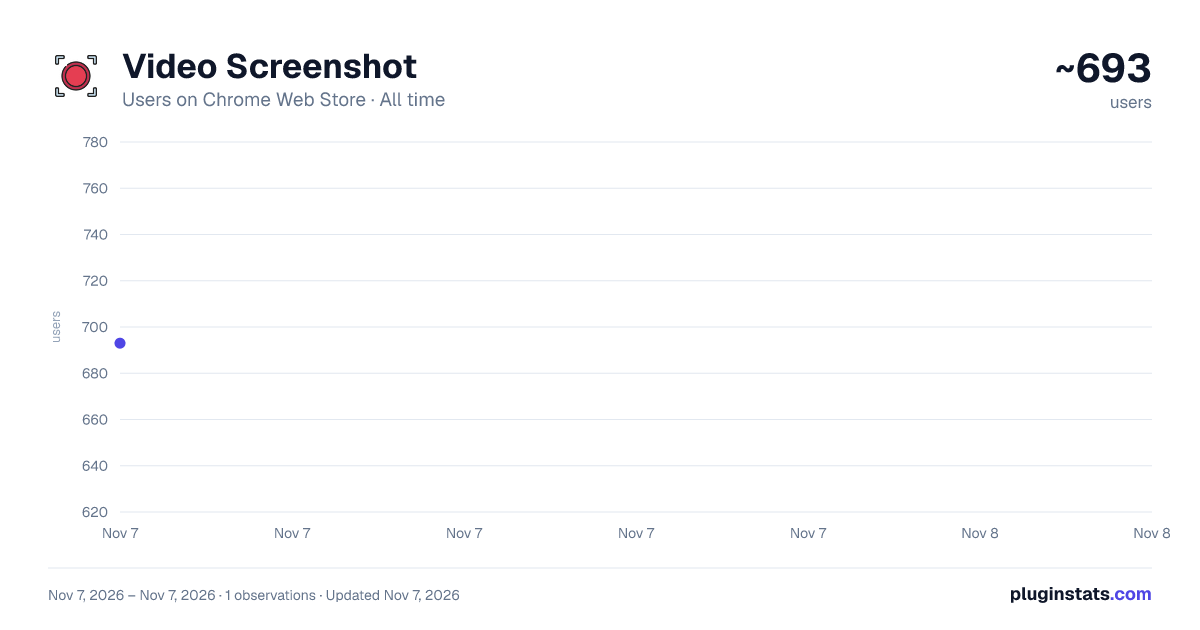
Video Screenshot has approximately 693 recorded users on Chrome Web Store, ranking #3428 of 7,934 tracked listings.
Rating: 4.50 / 5 from 8 ratings
About Video Screenshot
With Video Screenshot, capture photos from video, creating high-resolution youtube screenshots and screencap video to image.
Introducing video screenshot: screencap video easily with this easy to use tool 📸
Video Screenshot is a powerful Google Chrome extension designed to help you effortlessly capture image from video. Whether you need a screenshot for presentations, social media, or personal use, this extension simplifies the process and ensures excellent results.
How to Use it? 1️⃣ Install the Extension: Download Video Screenshot from the Chrome Web Store. 2️⃣ Press Play: Open the recording you want to capture. 3️⃣ Click to Start: Use the extension icon or a keyboard shortcut to capture picture of video content instantly. 4️⃣ Save and Share: Your screenshot from video is ready to be saved or shared.
Practical Applications ➤ Content Creation: 📸 Enhance your content by adding high-quality screen shots from video, perfect for blogs, articles, and social media posts. ➤ Educational Purposes: 📚take photo from video for study material, making it easier to remember key points and create effective learning aids. ➤ Social Media: 📲 Share captivating shots on social media platforms to engage your audience with visually appealing content. ➤ Professional Use: 💼 Use screenshot of video for presentations, reports, and marketing materials to illustrate your points with clear and relevant visuals.
And more applications: 📁 Content Analysis: Analyze content frame by frame for detailed studies, sports analysis, or quality checks. 📁 Creative Projects: Extract unique capture picture from video to use in creative projects, such as digital art, collages, and multimedia presentations. 📁 Marketing Campaigns: Enhance your marketing campaigns with high-quality screenshots from youtube video, product demos, and customer testimonials. 📁 Customer Support: Improve customer support by providing clear, visual instructions and how-to guides.
Why Choose Video Screenshot? Convenience: 🚀 Quickly learn how to screenshot a video with our straightforward guide.
Customizable Settings: 🎛️ Adjust capture settings to fit your specific needs, whether for personal or professional use.
Multi-Format Support: 📁 Supports various output formats, such as video to jpg, to cater to different requirements.
Quick Access: 🔍 Instant access to captured images directly from your browser, making it easy to manage and organize.
No Watermarks: 💧 Enjoy clean and professional capture from video without any watermarks, ensuring your images look polished.
Lightweight Extension: 🪶 The extension is lightweight and doesn’t slow down your browser, providing a seamless user experience.
Frequent Updates: 🔄 Regular updates ensure that Video Screenshot stays compatible with the latest platforms and includes new features.
Privacy Focused: 🔒 Your data and video snapshot are stored locally on your device, ensuring your privacy and security.
Customer Support: 🤝 Dedicated customer support to assist you with any issues or questions
Enhanced Productivity: ⏱️ Boost your productivity by quickly capturing and utilizing video to frames made content in your projects.
📄 Frequently Asked Questions 📹 Q: How to take a video screenshot? A: To understand how to do it just simply install the extension, play it, and click to capture. It’s that easy! 📹 Q: Can I screenshot a video mac? A: It is fully compatible with Mac. Find the extension on chrome browser and you are ready to use it. 📹 Q: Is it possible to screenshot a video windows? A: It works seamlessly on Windows. Just install the extension, play your input, and capture the frame you need. 📹 Q: How to video screenshot online? A: It works online including different platforms. 📹 Q: How can I ensure the possibility to take screenshot from video in high quality? A: Ensure your source is of high quality. Video Screenshot maintains the original resolution and clarity. 📹 Q: Can I use extension for professional purposes? A: Absolutely! To screen shot video it is perfect for professional use, including creating marketing materials, educational content, and technical documentation. 📹 Q: How do I access my captured images? A: Captured images are saved locally on your device and can be accessed directly from your browser or specified folder, ensuring easy organization and management.
Description from the Chrome Web Store listing.
README badge
Show your rank in a README or on your website. The badge updates automatically.
Charts
Images: 30d · 1y · all time · 1600×900 dark
Adoption over time
7/30/90-day growth
Ranking history
Ratings over time
Listing placement
Listing placement
Filled points are observed values; hollow points come from Internet Archive snapshots of the listing page. Dashed segments span periods with no observations — values between points are not interpolated.
Each band is one page of 20. Users on a linear scale. Placement is projected from users, so it can differ from the marketplace's own sort order. Hover a dot to see the listing.
Recent observations
Full history (1)Similar Chrome Web Store Tools plugins
All 20 Video Screenshot alternatives



Data source
Covers every Chrome Web Store extension with at least 100 users, found through the store's public sitemap. User counts are read from public listing pages. The 10% most-used extensions are refreshed daily, the next 40% weekly and the next 40% monthly; the least-used 10% are not refreshed. Google displays rounded user counts (and caps the display at 10,000,000+), so small changes may not be visible. Rating counts above 1,000 are rounded (e.g. 1.6K).
Listing: https://chromewebstore.google.com/detail/video-screenshot/alffiifkielhkcpbggjjkgmalohmdcja. First seen Nov 7, 2026; last successful collection Nov 7, 2026. See the methodology.