 PluginStats

Auto Typer & Typing Simulator for Google Docs, Slides & Word — Duey.ai users statistics
Human auto typer for Google Docs, Slides & Word Online. Types your text at real speed with typos, fixes and breaks. Free.
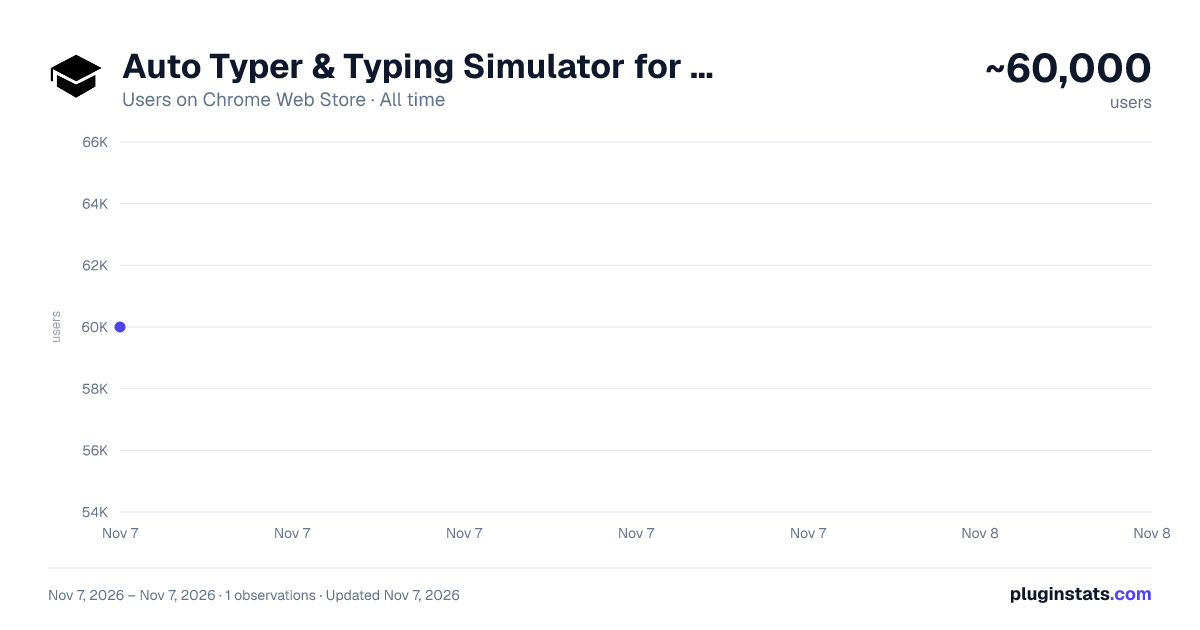
Auto Typer & Typing Simulator for Google Docs, Slides & Word — Duey.ai has approximately 60,000 recorded users on Chrome Web Store, ranking #328 of 7,934 tracked listings.
Rating: 4.20 / 5 from 53 ratings
About Auto Typer & Typing Simulator for Google Docs, Slides & Word — Duey.ai
Human auto typer for Google Docs, Slides & Word Online. Types your text at real speed with typos, fixes and breaks. Free.
Duey is a human auto typer for Google Docs, Google Slides and Microsoft Word Online. Paste your text, click Start and walk away. Duey types it in keystroke by keystroke at a real human pace, with natural pauses, typos that get caught and fixed, and breaks. Your document builds up the way a person writes it, with a full Version History.
Free. No account needed.
Nothing on your page
Duey works from a side panel next to your document. Nothing of Duey shows in the document while you work or while it types: no buttons, no overlays. Open it from the Duey icon in your toolbar, or with a keyboard shortcut you choose.
Why it looks human
Most auto typers enter text at a fixed, mechanical rate. Duey works like a typing simulator: speed drifts within a sentence, some words come quicker than others, and mistakes get fixed the way people fix them. Typos caught right away are backspaced and retyped. Ones noticed later are selected and retyped. You choose how human it looks:
- Speed from 15 to 150 WPM: slow enough to match a real writer, fast enough for long documents
- Mistakes: from clean typing to realistic slips and corrections
- Correction speed and breaks
Works where you write
- Google Docs, with multi-block typing: if your doc already has headings or questions, paste each part, click where it goes, and Duey fills them all in one run
- Google Slides: types into your slides and text boxes
- Word Online: free, with the same speed and mistake controls
Start it and walk away
- Keeps typing at full speed when you switch tabs, minimize the window or step away
- Pause, resume, or change the speed and mistakes mid-run from the side panel
- See the estimated finish time before you start, and get a notification when it's done
- If typing stops reaching your document (a view-only doc, say), Duey pauses and tells you how to fix it
- Emergency stop: one key pauses typing instantly from anywhere. Duey helps you choose it when you set up
- Optional: show progress in the tab title, like "[42%] My Doc"
How to use the auto typer
- Open your Google Doc, Slides deck or Word Online document.
- Click the Duey icon in your toolbar to open the side panel, and paste your text.
- Click in your document where the text should go.
- Set your speed and mistakes, then click Start.
Duey Pro For power users. $60/year or $9.99/month.
- Formatted typing: headings, bold, lists and links come through as real formatting in Google Docs
- Type in several documents at once
- Sessions: schedule a doc to be typed over hours or days, even with your laptop closed
- Humanizer and premium support
What's new in 3.5.1
- Hot fix for Slides typing issue.
What's new in 3.5
- Duey moved into a side panel: nothing of Duey shows in your document
- A one-minute set-up: an emergency stop key, how Duey shows on the page, and pinning it to your toolbar
- Duey pauses and helps when typing isn't reaching your document
- Lines that start with "- " or "1. " are typed exactly as written
- Formatted typing for Duey Pro, and multi-block fixes
Questions or feedback: hello@duey.ai
Description from the Chrome Web Store listing.
README badge
Show your rank in a README or on your website. The badge updates automatically.
Charts
Images: 30d · 1y · all time · 1600×900 dark
Adoption over time
7/30/90-day growth
Ranking history
Ratings over time
Listing placement
Listing placement
Filled points are observed values; hollow points come from Internet Archive snapshots of the listing page. Dashed segments span periods with no observations — values between points are not interpolated.
Each band is one page of 20. Users on a linear scale. Placement is projected from users, so it can differ from the marketplace's own sort order. Hover a dot to see the listing.
Recent observations
Full history (1)Similar Chrome Web Store Education plugins
All 20 Auto Typer & Typing Simulator for Google Docs, Slides & Word — Duey.ai alternatives



Data source
Covers every Chrome Web Store extension with at least 100 users, found through the store's public sitemap. User counts are read from public listing pages. The 10% most-used extensions are refreshed daily, the next 40% weekly and the next 40% monthly; the least-used 10% are not refreshed. Google displays rounded user counts (and caps the display at 10,000,000+), so small changes may not be visible. Rating counts above 1,000 are rounded (e.g. 1.6K).
Listing: https://chromewebstore.google.com/detail/auto-typer-typing-simulat/ilamopeagajnekeaogejpdmffneankjf. First seen Nov 7, 2026; last successful collection Nov 7, 2026. See the methodology.