 PluginStats

PDF to JPG users statistics
By convertpdfonline.net (3 listings) · Chrome Web Store · Tools
PDF to JPG – your top solution to convert PDF to JPG in a flash! Achieve impeccable quality anytime, anywhere!
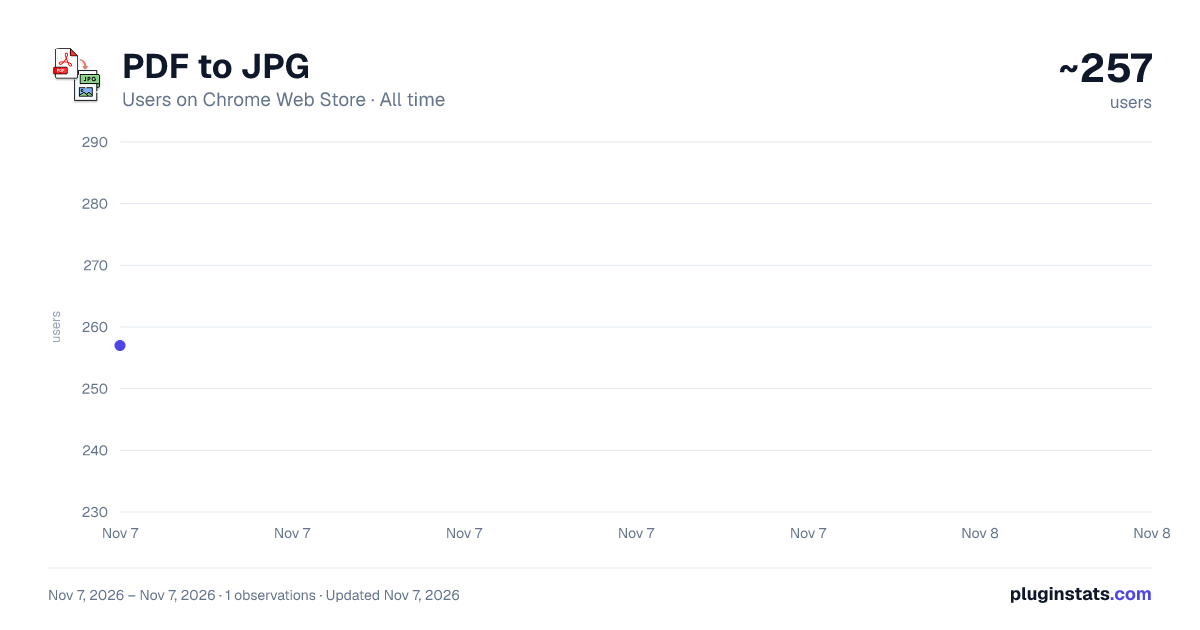
PDF to JPG has approximately 257 recorded users on Chrome Web Store, ranking #5334 of 7,934 tracked listings.
About PDF to JPG
PDF to JPG – your top solution to convert PDF to JPG in a flash! Achieve impeccable quality anytime, anywhere!
Welcome to PDF to JPG Extension! ✨ Get ready for an incredible adventure that empowers you to transform documents into vibrant images with utmost precision, speed, and safety. Whether you’re a graphic designer, a business professional, an educator, or simply curious about optimizing your digital tasks, PDF to JPG is here to save the day! ⚡
In a world where seamless file conversion is essential, this extension redefines convenience by letting you convert PDF to JPG, handle batch processes, maintain top-notch image quality, and so much more. Let’s dive into a comprehensive overview that matches the style of our beloved extension guides, complete with tips, pro tricks, and a sprinkle of fun! 🤩✨
🌟 Introduction to Our Vision We believe that every PDF should flow effortlessly into high-grade image formats. By providing a hassle-free platform to convert PDF to JPG, we aim to simplify your digital workflows while ensuring your output remains crisp and clear. Think of those presentations, marketing materials, scanned documents, or creative artworks – imagine flipping them into stunning JPG images without juggling multiple software tools. 🎨 From day one, our focus is on stability, security, and user-friendliness. PDF to JPG stands as your trustable ally whenever you need to integrate visuals into slideshows, compile assets, or even preserve creative designs. Whether you seek a straightforward convert PDF file to JPG method or advanced features like color calibration, we’ve got you covered. ⚙️
⚡ Key Highlights Below are the powerhouse features that make PDF to JPG the extension you’ve always dreamed of:
- ✨ Lightning-Fast Conversions o Engage instant conversions with minimal waiting time. Whether it’s a single page or a massive file, you can swiftly transform PDF to JPG free. ⏱️ o Perfect for bustling professionals, students on deadlines, or anyone craving a quick and reliable tool! 🚀
- 🏆 Intuitive Interface o The extension boasts an uncluttered design, ensuring even novices can figure out how to convert PDF to JPG in a snap! 👩💻 o Handy tooltips, prominent action buttons, and streamlined menus guide you each step of the way. 🎉
- 🔒 Secure & Private o Your data is processed with robust security measures. Rest assured that sensitive files stay confidential during PDF document to JPG transformations. 👓 o Our team is committed to privacy, ensuring no unauthorized access to your files at any point. 🤫
- 💯 Quality Preservation o No more grainy or faded images! Each conversion to PDF a JPG retains clarity, color accuracy, and detail so your visuals always stand out. 🌈 o Curious about advanced resolution settings? We’ve got built-in options to calibrate your final output, guaranteeing impeccable results. 🏞️
- 🌐 Cross-Platform Freedom o Whether you’re on Windows, macOS, Linux, or Chrome OS, PDF to JPG adapts effortlessly. 🌍 o Integrate with cloud storage or local drives to handle tasks like change PDF to JPG without skipping a beat. ☁️
🚀 Top Advantages for Modern Workflows
- Single-Stop Efficiency ⚙️ o Why scramble between different apps when one extension does it all? Combine documents, tweak settings, and promptly convert PDF to JPG for immediate use. 🚀 o Ideal for time-sensitive projects, letting you finalize conversions in just a few clicks! ⌛
- Broad Customization ⚒️ o Adjust resolution, color profiles, or page selection, we provide flexible solutions. 🖼️ o Perfect for professional portfolios, eBooks, or brand assets that demand top-tier visuals. 🌟
- Budget-Friendly 💸 o Users often wonder if there’s a free PDF to JPG converter that doesn’t skimp on quality. Rejoice – we’re here to prove you can have it all without hidden fees! 🎁
- Collaboration Simplified 🤝 o Sharing JPGs fosters wide-ranging compatibility, ensuring recipients can view them on virtually any device. 📱 o Team members can easily annotate or incorporate converted visuals into presentations. No more PDF on JPG confusion during collaborative tasks! 📂
- Future-Driven Updates 🔮 o As tech evolves, so do we! Expect frequent releases that enhance features, optimize performance, and address user feedback. 🔧 o From exploring PDF PDF to JPG concepts to refining cloud integrations, we continuously invest in your success! 🌈
💼 Who Benefits from This Extension?
- Graphic Designers & Artists 🖌️ o Showcase your creative pieces, concept sketches, or brand elements by converting your PDF of JPG references into refined image outputs. 🎆 o If you’re pondering how to change a PDF to a JPG for a digital portfolio, your worries end here. ✂️
- Business Professionals & Entrepreneurs 🏦 o Keep track of invoices, proposals, or official documents. With PDF to JPG editor, you can swiftly adapt them for multiple use-cases. 📊 o Consolidate client proposals or internal notes seamlessly by harnessing to PDF to JPG transformations, ensuring universal readability. 🤓
- Teachers & Students 📖 o Convert lectures, worksheets, or scanned notes into easy-to-manage images. 🧑🎓 o The question how to convert a PDF to JPG for a presentation? is answered with just a few clicks! 🏫
- Photographers & Image Editors 📸 o Sometimes photographers prefer quick conversions to preserve file integrity. By using PDF in to JPG, you can keep resolution crisp, ensuring each pixel shines. 🌟 o Consolidate entire albums or project proofs into stunning, easily shareable JPG sets. 🌠
- Everyday Enthusiasts 🤗 o Sharing personal documents or storing them as images can be handy for casual tasks. 🏠 o If you need a PDF to to JPG approach that’s simple and effective, look no further! ❤️…
Description from the Chrome Web Store listing.
README badge
Show your rank in a README or on your website. The badge updates automatically.
Charts
Images: 30d · 1y · all time · 1600×900 dark
Adoption over time
7/30/90-day growth
Ranking history
Ratings over time
Listing placement
Listing placement
Filled points are observed values; hollow points come from Internet Archive snapshots of the listing page. Dashed segments span periods with no observations — values between points are not interpolated.
Each band is one page of 20. Users on a linear scale. Placement is projected from users, so it can differ from the marketplace's own sort order. Hover a dot to see the listing.
Recent observations
Full history (1)Similar Chrome Web Store Tools plugins
All 20 PDF to JPG alternatives



Data source
Covers every Chrome Web Store extension with at least 100 users, found through the store's public sitemap. User counts are read from public listing pages. The 10% most-used extensions are refreshed daily, the next 40% weekly and the next 40% monthly; the least-used 10% are not refreshed. Google displays rounded user counts (and caps the display at 10,000,000+), so small changes may not be visible. Rating counts above 1,000 are rounded (e.g. 1.6K).
Listing: https://chromewebstore.google.com/detail/pdf-to-jpg/ilanjmpgmgfnkljbehifilbihciamaah. First seen Nov 7, 2026; last successful collection Nov 7, 2026. See the methodology.