 PluginStats
Flowster Capture: screenshots, training, SOPs users statistics
Chrome Web Store · Workflow & Planning
Automate screen capture & screenshots for training & standard operating procedure (SOP) workflows.
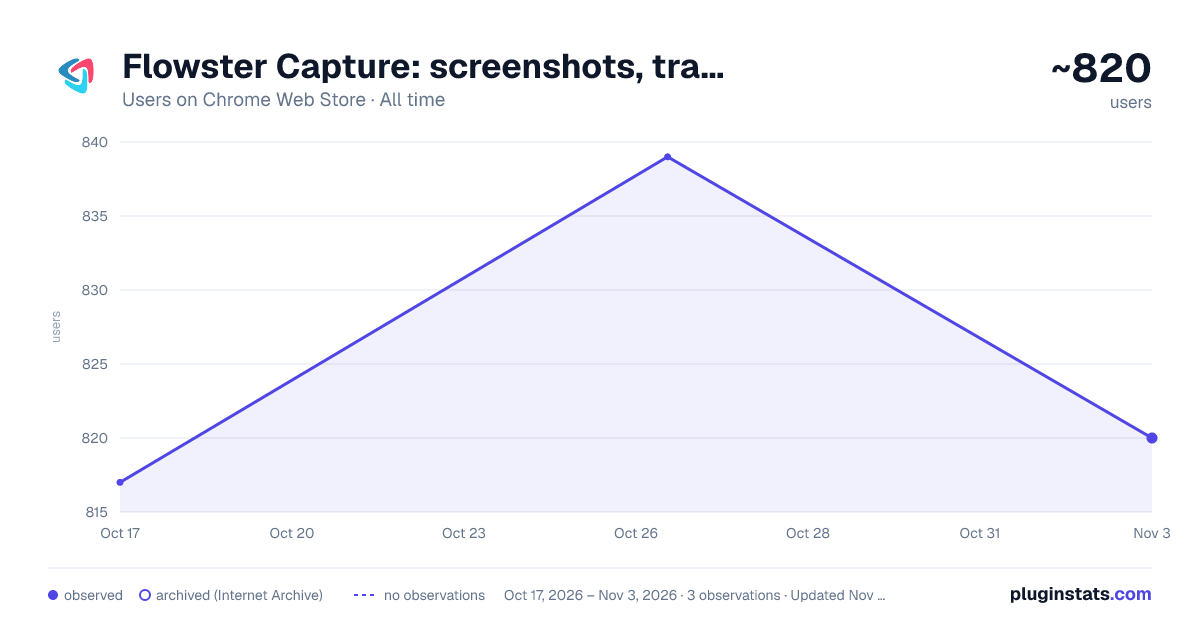
Flowster Capture: screenshots, training, SOPs has approximately 817 recorded users on Chrome Web Store, ranking #999 of 2,495 tracked listings.
Rating: 5.00 / 5 from 7 ratings
About Flowster Capture: screenshots, training, SOPs
Automate screen capture & screenshots for training & standard operating procedure (SOP) workflows.
Note: this extension is currently in BETA. That means there could be some bugs, but there's an easy-to-use button to submit any questions or concerns to support :)
Are you looking for a super fast way to document your processes?
We have good news! With the Flowster Capture extension, creating your own fully-customized workflows has never been easier or faster.
Flowster Capture generates screenshots each time you click your mouse or use your keyboard. These screen grabs are more easily-editable than screen recordings, plus if you pair Flowster Capture with Flowster.app (optional), you can build out fully-functional templates and SOPs.
The Flowster Capture Chrome Extension is way less time-consuming than recording yourself talking over video, or taking screenshots and manually annotating them. Plus, by avoiding video-based screen recordings and workflows, you will also avoid the painful process of having to re-shoot or edit all your videos to keep them up-to-date.
Ready to speed up your business process creation? Start using Flowster Capture today!
Note: Flowster Capture does not require you to have a separate account at Flowster.app; however, if you do decide to get a free account at Flowster.app, you will unlock even more functionality and get access to hundreds of pre-made (fully customizable) workflow templates.
Description from the Chrome Web Store listing.
README badge
Show your rank in a README or on your website. The badge updates automatically.
Charts
Images: 30d · 1y · all time · 1600×900 dark
Adoption over time
7/30/90-day growth
Ranking history
Ratings over time
Listing placement
Listing placement
Filled points are observed values; hollow points come from Internet Archive snapshots of the listing page. Dashed segments span periods with no observations — values between points are not interpolated.
Each band is one page of 20. Users on a linear scale. Placement is projected from users, so it can differ from the marketplace's own sort order. Hover a dot to see the listing.
Recent observations
Full history (1)Similar Chrome Web Store Workflow & Planning plugins
All 20 Flowster Capture: screenshots, training, SOPs alternatives



Data source
Covers every Chrome Web Store extension with at least 100 users, found through the store's public sitemap. User counts are read from public listing pages. The 10% most-used extensions are refreshed daily, the next 40% weekly and the next 40% monthly; the least-used 10% are not refreshed. Google displays rounded user counts (and caps the display at 10,000,000+), so small changes may not be visible. Rating counts above 1,000 are rounded (e.g. 1.6K).
Listing: https://chromewebstore.google.com/detail/flowster-capture-screensh/pdcecemoemegcljjfiojljdmbaleicmc. First seen Oct 17, 2026; last successful collection Oct 17, 2026. See the methodology.