 PluginStats

Volume Booster Pro users statistics
By IKS Apps · Chrome Web Store · Tools
Advanced volume booster with voice boost, bass boost, and per-tab control up to 800%
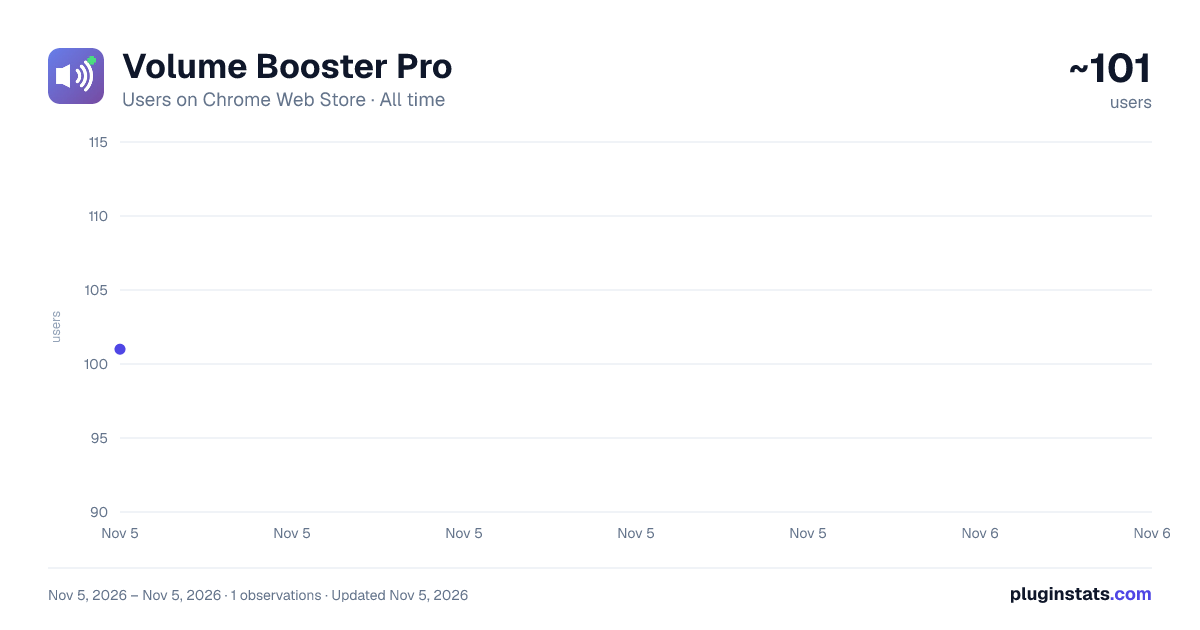
Volume Booster Pro has approximately 101 recorded users on Chrome Web Store, ranking #7300 of 7,342 tracked listings.
Rating: 5.00 / 5 from 2 ratings
About Volume Booster Pro
Advanced volume booster with voice boost, bass boost, and per-tab control up to 800%
Volume Booster Pro - Advanced Audio Amplifier up to 800%
Transform your browsing experience with the most powerful volume booster for Chrome. Amplify any audio or video up to 800% with crystal-clear quality, professional audio presets, and intelligent per-tab control.
🔊 KEY FEATURES
Powerful Volume Amplification ✅ Boost audio from 0% to 800% (8x amplification) ✅ Smooth, responsive slider control with real-time feedback ✅ Professional-grade audio processing prevents distortion ✅ Works on ALL websites playing media: YouTube, Netflix, Spotify, Twitch, and more
Professional Audio Presets 🔊 Default Mode: Clean amplification with balanced sound 🎤 Voice Boost: Enhances mid-range frequencies for crystal-clear speech in podcasts, lectures, and videos 🎵 Bass Boost: Deep, powerful low-frequency enhancement for music and movies
Smart Tab Management ✅ Auto-cleanup: When you close a tab, its settings are removed ✅ Badge per tab: Each tab shows its own volume in the badge ✅ New tabs: Start with default 100% volume ✅ See which tabs are currently playing audio in real-time ✅ Live monitoring updates every 2 seconds ✅ Visual badge shows current boost percentage
One-Click Controls ✅ No page refresh or clicking needed ✅ Quick reset button returns to 100% instantly ✅ Real-time badge indicator on extension icon ✅ Green badge for boosted volume, orange for reduced ✅ Intuitive, modern interface
💡 Perfect For ✅ Quiet YouTube videos and online lectures ✅ Low-volume podcasts and audiobooks ✅ Netflix and streaming content with poor audio ✅ Video calls and online meetings ✅ Music streaming (Spotify, SoundCloud, YouTube Music) ✅ Gaming streams and Twitch ✅ News websites and video content ✅ Any web-based media playback
🎯 How It Works ✅ Install the extension and click the icon in your toolbar ✅ Open any website with audio or video content ✅ Use the slider to adjust volume from 0% to 800% ✅ Choose an audio preset (Default, Voice Boost, or Bass Boost) ✅ Play your media - enjoy enhanced, crystal-clear audio! ✅ If a media is already playing in a tab and then this extension is installed, you may need to refresh the media page to activate the boost function of this extension.
🔧 Advanced Technology ✅ Exponential Gain Scaling: Provides natural-sounding amplification at all levels ✅ Dynamic Compression: Prevents audio clipping and distortion at high volumes ✅ Professional EQ Filters: Biquad filters for voice and bass enhancement ✅ Pre-Amplification Stage: Dual-gain architecture for maximum power ✅ Web Audio API: Industry-standard audio processing for premium quality
🛡️ Privacy & Security ✅ Zero Data Collection: We don't collect, store, or transmit any personal information ✅ Local Processing: All audio enhancement happens in your browser ✅ No Tracking: No analytics, no user tracking, no third-party services ✅ Secure: Open-source technology with no hidden features ✅ Settings Saved Locally: Your preferences stay on your device
⚡ Performance ✅ Lightweight and fast - no impact on browser speed ✅ Instant activation after user interaction ✅ Low CPU usage with optimized audio processing ✅ Works seamlessly across all tabs ✅ Automatic detection of new media elements
📋 Usage Tips ✅ Start with moderate boost levels (200-300%) and increase as needed ✅ Use Voice Boost for podcasts, lectures, and dialogue-heavy content ✅ Use Bass Boost for music, movies, and entertainment ✅ The extension badge shows your current boost percentage ✅ Reset to 100% if you experience any audio issues ✅ Refresh already-open tabs after installation for the extension to work
⚠️ Important Notes ✅ Use responsibly to protect your hearing and speakers ✅ Start with lower boost levels and increase gradually ✅ Maximum boost (800%) is very loud - use with caution ✅ Browser security requires clicking on the page before audio processing begins ✅ Not recommended to use maximum boost for extended periods ✅ Set your system volume to a comfortable level first
🎓 USE CASES
Students & Educators ✅ Amplify quiet online lectures and educational videos ✅ Enhance audio in recorded presentations ✅ Boost volume in video tutorials and courses
Entertainment ✅ Enjoy movies and TV shows at perfect volume ✅ Boost music streaming quality ✅ Enhance gaming audio and live streams
Professionals ✅ Improve audio in video conferences ✅ Amplify webinar and training content ✅ Enhance presentation audio
Content Consumers ✅ Listen to podcasts at ideal volume ✅ Watch YouTube videos with clear audio ✅ Stream music with enhanced bass or vocals
🌟 Why Choose Volume Booster Pro? ✅ Higher boost range than competitors (up to 800%) ✅ Professional audio presets for different content types ✅ Real-time tab monitoring and control ✅ Clean, modern interface with intuitive controls ✅ No ads, no tracking, no subscriptions ✅ Completely free to use ✅ Regular updates and improvements ✅ Responsive developer support
🔄 How to Get Started ✅ Click "Add to Chrome" to install ✅ The extension icon appears in your toolbar ✅ Navigate to any website with audio/video ✅ Click the extension icon to open controls ✅ Adjust volume and select your preferred preset ✅ Click on the page to activate ✅ Enjoy enhanced audio!
📞 Support Having issues or suggestions? We're here to help! Email: iksappsdev@gmail.com
Report bugs or request features Rate and review to support development
Transform your web audio experience today with Volume Booster Pro - the most powerful and feature-rich volume amplifier for Chrome.
Description from the Chrome Web Store listing.
README badge
Show your rank in a README or on your website. The badge updates automatically.
Charts
Images: 30d · 1y · all time · 1600×900 dark
Adoption over time
7/30/90-day growth
Ranking history
Ratings over time
Listing placement
Listing placement
Filled points are observed values; hollow points come from Internet Archive snapshots of the listing page. Dashed segments span periods with no observations — values between points are not interpolated.
Each band is one page of 20. Users on a linear scale. Placement is projected from users, so it can differ from the marketplace's own sort order. Hover a dot to see the listing.
Recent observations
Full history (1)Similar Chrome Web Store Tools plugins
All 20 Volume Booster Pro alternatives



Data source
Covers every Chrome Web Store extension with at least 100 users, found through the store's public sitemap. User counts are read from public listing pages. The 10% most-used extensions are refreshed daily, the next 40% weekly and the next 40% monthly; the least-used 10% are not refreshed. Google displays rounded user counts (and caps the display at 10,000,000+), so small changes may not be visible. Rating counts above 1,000 are rounded (e.g. 1.6K).
Listing: https://chromewebstore.google.com/detail/volume-booster-pro/daplhnfigdgjfipibomoddkkadgcakdh. First seen Nov 5, 2026; last successful collection Nov 5, 2026. See the methodology.