 PluginStats
ProWritingAid: Grammar Checker & Paraphrasing Tool users statistics
Chrome Web Store · Workflow & Planning
Gain confidence in your writing with the best grammar checker and paraphrasing tool that works wherever you do.
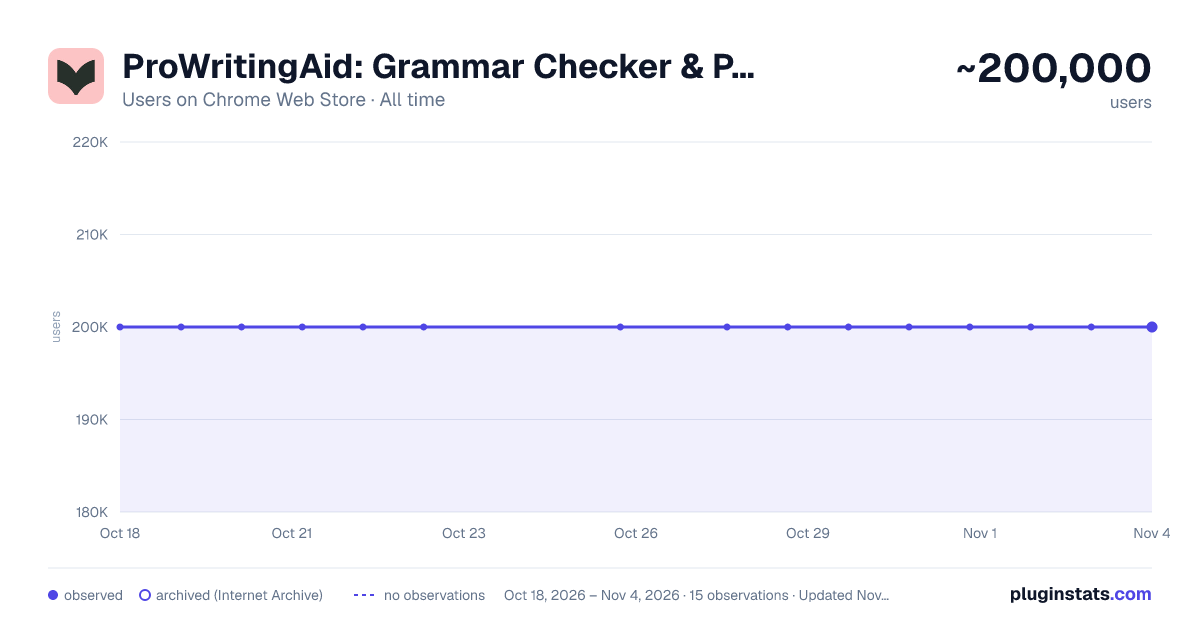
ProWritingAid: Grammar Checker & Paraphrasing Tool has approximately 200,000 recorded users on Chrome Web Store, ranking #83 of 3,404 tracked listings.
Rating: 4.60 / 5 from 7,000 ratings
About ProWritingAid: Grammar Checker & Paraphrasing Tool
Gain confidence in your writing with the best grammar checker and paraphrasing tool that works wherever you do.
ProWritingAid is a self-editing tool that helps you feel confident in your writing, by providing instant analysis and improvements. Alongside a grammar checker and paraphrasing tool, you get 25+ writing reports to ensure error-free, engaging, and memorable writing.
📝How It Works ProWritingAid provides grammar corrections and style improvements you can either accept, deny, or click to learn more about. You can customize your dictionary and style guide and personalize your settings to receive relevant suggestions that are tailored to your writing style and goals.
To get started: • Install the extension, then open Google Docs or any writing website. • Look for the ProWritingAid icon. The icon turns pink when ProWritingAid finds potential improvements in your writing. It turns green when you've accepted all suggestions. • Click to move the ProWritingAid icon so it doesn’t get in the way of what you’re writing. Activate “focus mode” by clicking on the “eye” icon in the menu, to avoid distractions while drafting.
💻Where It Works ProWritingAid works in all major writing apps, including Google Docs, Notion, Atticus, Campfire, and more.
📚Key Features • Grammar checker • Spelling checker • Punctuation checker • Paraphrasing tool • Proofreading tool • Line editor • Story editor • 25+ writing reports to analyze all aspects of your writing, including:
- Readability grade
- Complex and sticky sentences
- Overused and repeated words
- Pacing
- Dialogue tags and tense inconsistencies • Author comparisons • Built-in learning resources
🔐As a company run by writers, we know how important your writing is. We only use your text to help you improve your writing, never to train our AI, so your data is safe with us.
👩🏻🤝👩🏻Trusted by over 3 million writers to edit their work, from NY bestselling authors to those just getting started.
Description from the Chrome Web Store listing.
README badge
Show your rank in a README or on your website. The badge updates automatically.
Charts
Images: 30d · 1y · all time · 1600×900 dark
Adoption over time
7/30/90-day growth
Ranking history
Ratings over time
Listing placement
Listing placement
Filled points are observed values; hollow points come from Internet Archive snapshots of the listing page. Dashed segments span periods with no observations — values between points are not interpolated.
Each band is one page of 20. Users on a linear scale. Placement is projected from users, so it can differ from the marketplace's own sort order. Hover a dot to see the listing.
Recent observations
Full history (5)Similar Chrome Web Store Workflow & Planning plugins
All 20 ProWritingAid: Grammar Checker & Paraphrasing Tool alternatives



Data source
Covers every Chrome Web Store extension with at least 100 users, found through the store's public sitemap. User counts are read from public listing pages. The 10% most-used extensions are refreshed daily, the next 40% weekly and the next 40% monthly; the least-used 10% are not refreshed. Google displays rounded user counts (and caps the display at 10,000,000+), so small changes may not be visible. Rating counts above 1,000 are rounded (e.g. 1.6K).
Listing: https://chromewebstore.google.com/detail/prowritingaid-grammar-che/npnbdojkgkbcdfdjlfdmplppdphlhhcf. First seen Oct 18, 2026; last successful collection Oct 22, 2026. See the methodology.