 PluginStats
Atlassian Mermaid Viewer users statistics
By Amit G. · Chrome Web Store · Developer Tools
Renders Mermaid diagrams in Confluence and Jira, with quick actions to open in Mermaid Live Editor and copy diagram source code.
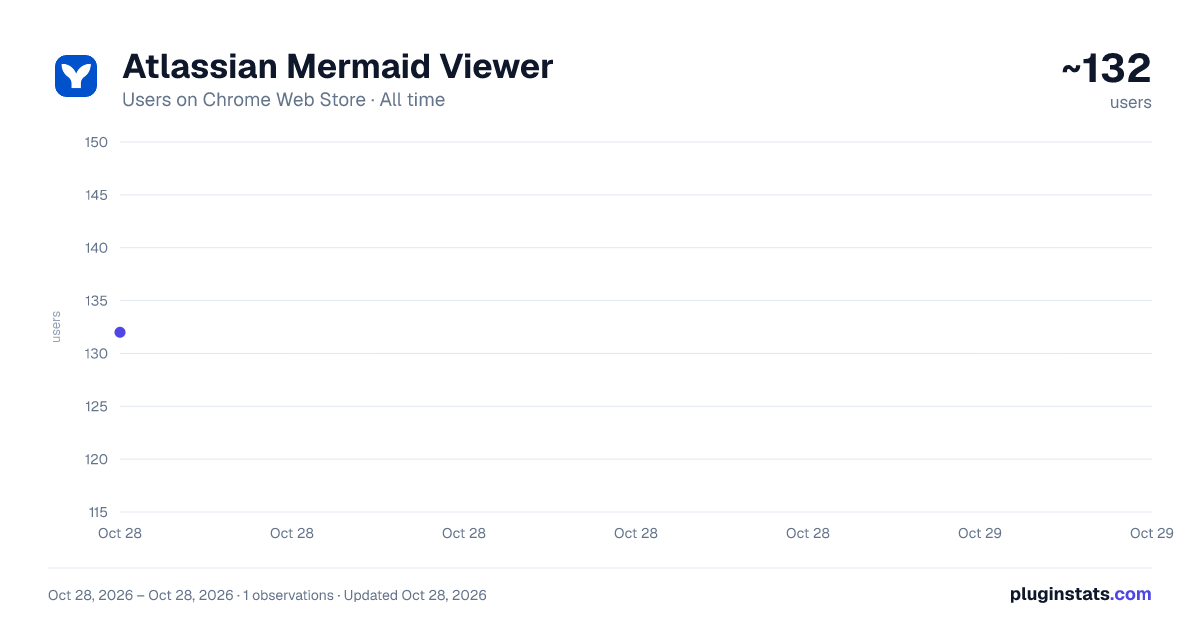
Atlassian Mermaid Viewer has approximately 132 recorded users on Chrome Web Store, ranking #4350 of 4,880 tracked listings.
Rating: 5.00 / 5 from 1 ratings
About Atlassian Mermaid Viewer
Renders Mermaid diagrams in Confluence and Jira, with quick actions to open in Mermaid Live Editor and copy diagram source code.
Mermaid Diagrams for Confluence & Jira If your team documents architecture, workflows, or data models in Confluence or Jira using Mermaid syntax, you already know the problem: the platforms display raw code blocks where a diagram should be. This extension fixes that. It automatically detects and renders Mermaid diagram source code directly on the page - no copy-pasting into external tools, no manual rendering steps, no context switching.
Install once, and every Mermaid code block in Confluence and Jira becomes a fully rendered, interactive diagram. Works on Chrome, Edge, and Firefox.
What it does The extension scans Confluence pages and Jira issues for code blocks written in Mermaid syntax and silently replaces them with rendered SVG diagrams. It handles Confluence's single-page application architecture, meaning diagrams render correctly even when navigating between pages without a full browser reload - no manual refresh required.
When you hover over any rendered diagram, a compact toolbar appears with two quick actions:
- Open in Mermaid Live - launches the diagram in the official Mermaid Live Editor (mermaid.live) in a new tab, pre-loaded with the source code. Edit, refine, and share directly from there.
- Copy source code - copies the raw Mermaid syntax to your clipboard with a single click, confirmed by a brief checkmark animation.
Supported diagram types
- Flowcharts (
graphandflowchart) - Sequence diagrams
- Class diagrams
- Entity-relationship diagrams
- Gantt charts
- Pie charts
- State diagrams
- Git graphs
Why it works well in Confluence Confluence Cloud applies its own global CSS rules that interfere with how Mermaid renders node labels, text alignment, and diagram sizing. This extension corrects those conflicts, ensuring that node labels are centered correctly, diagrams scale to fill the content column without overflowing, and small diagrams render at their natural size rather than being stretched or clipped. Both light and dark color schemes are supported.
Organisation-wide configuration (for admins) A space admin can define a shared Mermaid rendering configuration - theme, visual style, font, and security level - in a single Confluence page. The extension picks it up automatically across all Atlassian surfaces, including Jira, with no per-member setup and no changes to diagram source. Members install the extension and get the org baseline immediately.
Configuration is stored in a dedicated Confluence space (AMVCENTRAL). Whoever controls that space controls the rendering baseline for the entire organisation. If no configuration page exists, the extension falls back to sensible built-in defaults and continues to work normally.
Who this is for This extension is built for software engineers, architects, and technical writers who use Confluence or Jira as a documentation platform and write diagrams as code using Mermaid syntax. If your team stores flowcharts, sequence diagrams, or system architecture diagrams as text in Confluence pages, this extension removes the friction of rendering them manually every time you need to read or review them.
For IT admins and Confluence space owners, the central configuration feature makes it possible to roll out a consistent rendering baseline across the entire organisation with a single page edit - no distribution of config files, no per-user instructions.
Privacy This extension operates entirely within your browser. It does not transmit any page content, diagram source code, or usage data to any external server. The only outbound action it performs is opening mermaid.live in a new tab when you explicitly click the "Open in Mermaid Live" button - and only the diagram you clicked is included in that URL.
Permissions The extension requests access to Confluence and Jira domains in order to detect and render diagrams on those pages. No other sites are accessed.
Description from the Chrome Web Store listing.
README badge
Show your rank in a README or on your website. The badge updates automatically.
Charts
Images: 30d · 1y · all time · 1600×900 dark
Adoption over time
7/30/90-day growth
Ranking history
Ratings over time
Listing placement
Listing placement
Filled points are observed values; hollow points come from Internet Archive snapshots of the listing page. Dashed segments span periods with no observations — values between points are not interpolated.
Each band is one page of 20. Users on a linear scale. Placement is projected from users, so it can differ from the marketplace's own sort order. Hover a dot to see the listing.
Recent observations
Full history (1)Similar Chrome Web Store Developer Tools plugins
All 20 Atlassian Mermaid Viewer alternatives



Data source
Covers every Chrome Web Store extension with at least 100 users, found through the store's public sitemap. User counts are read from public listing pages. The 10% most-used extensions are refreshed daily, the next 40% weekly and the next 40% monthly; the least-used 10% are not refreshed. Google displays rounded user counts (and caps the display at 10,000,000+), so small changes may not be visible. Rating counts above 1,000 are rounded (e.g. 1.6K).
Listing: https://chromewebstore.google.com/detail/atlassian-mermaid-viewer/fpfcpjfohjfplfhfkihncaghkhgfccjp. First seen Oct 28, 2026; last successful collection Oct 28, 2026. See the methodology.