 PluginStats

Easy for X users statistics
Chrome Web Store · Social Networking
Ex Twitter, now X for Chrome. A low profile and compact client with full X - Twitter features. Mobile interface now on X
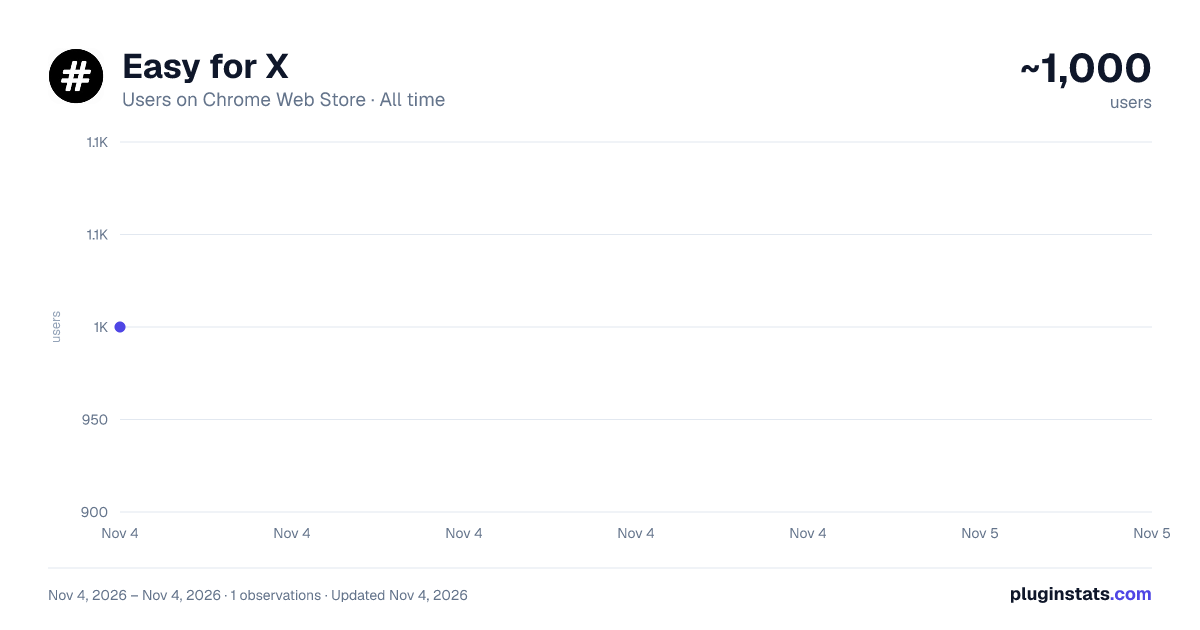
Easy for X has approximately 1,000 recorded users on Chrome Web Store, ranking #2536 of 7,072 tracked listings.
Rating: 5.00 / 5 from 7 ratings
About Easy for X
Ex Twitter, now X for Chrome. A low profile and compact client with full X - Twitter features. Mobile interface now on X
★★★★★ X (formerly Twitter), like a desktop app: click the toolbar icon and it opens in a compact window of its own, always one click away 🚀 Follow the news and the people you like as it happens, post your thoughts, photos and videos, repost, like and reply, and chat in your messages 📰 New messages and notifications show on the icon, and two accounts can run side by side, all on the official site 🔓 It opens X's mobile view in a compact window: a cleaner interface that's lighter on CPU, RAM and network than a full browser tab 🍃
FEATURES ✔ Your X timeline, trends and breaking news: post, repost, like and reply 📰 ✔ Messages with your friends, and videos and live streams 💬 ✔ The badge on the icon shows your new messages and notifications (for example 2|4) 🔔 ✔ Light and compact: the site's mobile view in a small window, easy on CPU, RAM and network 🍃 ✔ SideBar or WideBar in one click, and back to the default size and place 📐 ✔ Multi Window - Account: a second window, or 2 different accounts at the same time, side by side 👥 ✔ NEW modern look and NEW Dark Mode: AUTO (like your computer), ON or OFF 🌙 ✔ Theme - Skin Color: 9 skins, including the NEW Dark skin for light pages 🎨 ✔ Window Screenshot: save the whole window as an image in one click 📷 ✔ Video of the Window: record it for 5, 15 or 30 seconds or your own time, saved as MP4 🎥 ✔ Emoji Keyboard: put emojis in your messages in one click 😀 ✔ Incognito mode: the page stays dimmed until you point at it 🕶️ ✔ Auto-Start with the browser, and right-click a link to open it here 🚀
ANDROID APP 📱 Also available as an Android App for Smartphone/Tablet devices. Get it on Google Play: https://jitt.wwevents.fun/project/easy-twitter/#download
PREMIUM FEATURES ⭐ Premium Level 1 · free with 3 of our extensions installed 📸 Window screenshots · 🎥 Window videos up to 10 min · 📰 Multi Window - Account · 💧 Theme - Skin Color
👑 Premium Level 2 · optional, paid (yearly or lifetime), one purchase for all our extensions ✅ Everything in Level 1, without installing other extensions 🚫 No pop-ups or promotions 🤖 AI Assistant: summarize, translate and help write, on your computer 🔀 Quick Switch · 📌 Always on Top · 🎥 Window videos up to 30 min 🪟 Split/Multi View: any website beside this window 🚀 New Premium features, with early access · 💬 Priority support by email
All other features are free. Premium Level 2 is sold by WWEvents, not by Google, on our website, with payments by Stripe. Prices are on the Premium page in the extension. Terms of sale and refunds: https://jitt.wwevents.fun/privacy-policy/#terms-of-sale
📌 This extension includes promotion to other WWEVENTS extensions to increase awareness of other work that we produce, you may find some very useful 😀 All our extensions are free to install and use; only Premium Level 2 is paid 📌
———————————————————— ABOUT WWEVENTS ————————————————————
💎 Building Apps and Extensions for Chrome and Android 🔥📣
———————————————————— CHANGELOG & RELEASE NOTES ————————————————————
📔 Available on the product page: https://jitt.wwevents.fun/project/easy-twitter/#changelog
———————————————————— LEGAL ————————————————————
X™ is a trademark of X Corp., registered in the U.S. and other countries. This is an independent project developed by WWEvents and has no relationship to that company.
———————————————————— PRIVACY POLICY & TERMS OF SERVICE ————————————————————
By installing this product you agree to our privacy policy & terms of service: https://jitt.wwevents.fun/privacy-policy/
———————————————————— REQUIRED PERMISSIONS ————————————————————
You may consult the list of permissions and the reason why they are required on the product page: https://jitt.wwevents.fun/project/easy-twitter/#permissions
“notifications” – Used to send desktop notifications. For example when a new message arrives or the App is updated. “contextMenus” – Allows adding more settings when you right-click the App icon in the browser toolbar and in the browser context menu, for example to open links in the App when you right-click them. “storage” – Used to save settings on your local computer (for example Theme - Skin Color, incognito mode, the hidden top bar and the size and position of the Extension window). “scripting” – Used to be able to insert JS or CSS on the required host/domains: the Extension top bar, side menu, themes and the layout fixes that make the site fit the Extension window. “system.display” – Used to detect the display size and position the Extension window (SideBar, WideBar and the second window of Multi Window - Account). “unlimitedStorage” – Storage is limited to 5MB of data that may not be enough to store all configs. “host_permissions” – Permission to access some hosts/domains that we must modify in order to provide the desired functionality detailed above. It also allows you to share content (links or text) from other pages directly inside the App and send it as a Chat to a friend for example. Also used to allow intercommunication with other WWEvents Apps (i.e. Emojis) and to count your new messages and notifications for the badge on the icon. “activeTab” – Permission to access the window where the Extension is running and that is shown to the user, for example to take a screenshot of it. “all_urls” – Permission required for users to be able to take screenshots of the current window – captureVisibleTab.
———————————————————— FINAL NOTES ————————————————————
This information is also available inside the App: Options -> About
Description from the Chrome Web Store listing.
README badge
Show your rank in a README or on your website. The badge updates automatically.
Charts
Images: 30d · 1y · all time · 1600×900 dark
Adoption over time
7/30/90-day growth
Ranking history
Ratings over time
Listing placement
Listing placement
Filled points are observed values; hollow points come from Internet Archive snapshots of the listing page. Dashed segments span periods with no observations — values between points are not interpolated.
Each band is one page of 20. Users on a linear scale. Placement is projected from users, so it can differ from the marketplace's own sort order. Hover a dot to see the listing.
Recent observations
Full history (1)Similar Chrome Web Store Social Networking plugins
All 20 Easy for X alternatives



Data source
Covers every Chrome Web Store extension with at least 100 users, found through the store's public sitemap. User counts are read from public listing pages. The 10% most-used extensions are refreshed daily, the next 40% weekly and the next 40% monthly; the least-used 10% are not refreshed. Google displays rounded user counts (and caps the display at 10,000,000+), so small changes may not be visible. Rating counts above 1,000 are rounded (e.g. 1.6K).
Listing: https://chromewebstore.google.com/detail/easy-for-x/dahcpdmnbfoceimaadohmmbgjdjmfiba. First seen Nov 4, 2026; last successful collection Nov 4, 2026. See the methodology.