 PluginStats

ePub Reader for Google Chrome™ users statistics
By Quick Simple Apps · Chrome Web Store · Workflow & Planning
View ePUB files right in your browser.
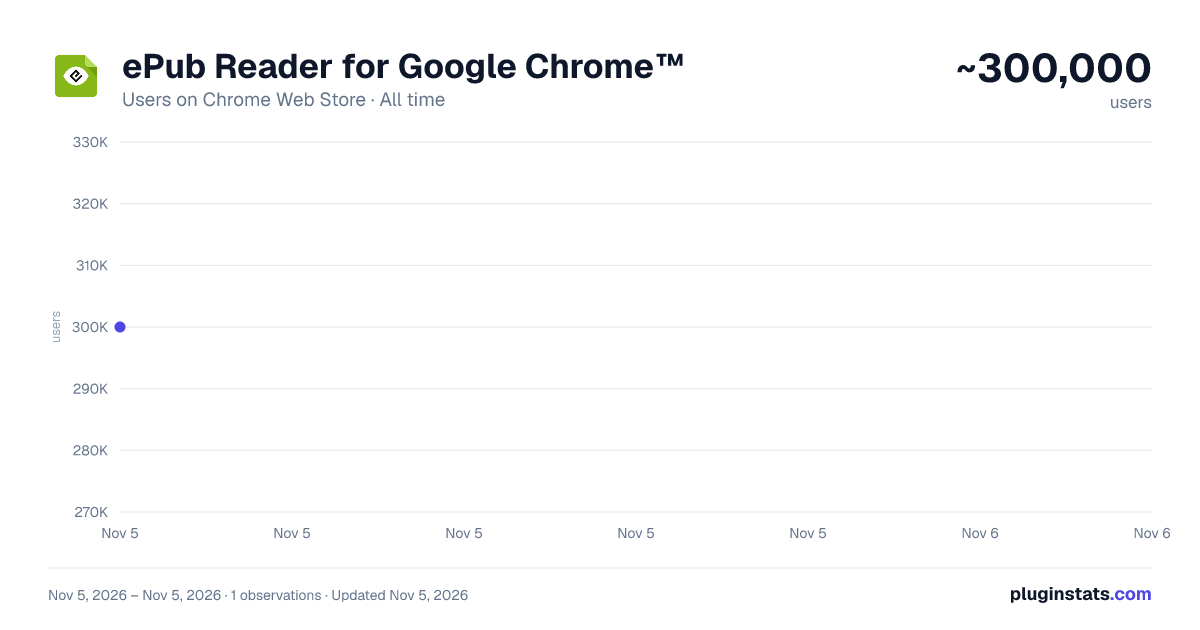
ePub Reader for Google Chrome™ has approximately 300,000 recorded users on Chrome Web Store, ranking #123 of 7,342 tracked listings.
Rating: 2.40 / 5 from 421 ratings
About ePub Reader for Google Chrome™
View ePUB files right in your browser.
ePub Reader for Google Chrome™ — Read, Highlight & Listen. Completely Private.
Turn your browser into a beautiful, full-featured ebook reader. ePub Reader opens standard EPUB 2 and EPUB 3 books right in Chrome — no account, no uploads, no tracking. Everything happens on your computer: your books, your notes, and your reading position never leave your device.
Version 4.0 is a complete rebuild on Manifest V3. We read every review you left us, and this release is our answer: your reading position is never lost, settings apply instantly without resetting your page, search actually finds every match, and large books open reliably.
YOUR PERSONAL LIBRARY • Import books with one click or simply drag and drop an .epub file onto the page • A visual library shelf with covers, titles, authors, and your reading progress for every book • Books are stored locally in your browser — reopen any book instantly, even offline • Continue exactly where you left off: your position is saved continuously and restored every time
A READER THAT RESPECTS YOUR PLACE The most common complaint about ebook extensions? Changing a setting throws you back to page one. Not here. Fonts, themes, layout, and spacing all apply live, in place. Switch from paginated to scrolled view, or from single to double-column layout, and you stay on the exact sentence you were reading.
MAKE IT YOURS • Four reading themes: Light, Sepia, Dark, and pure-black OLED • Font choices including a bundled OpenDyslexic typeface for dyslexia-friendly reading • Fine control over font size, line height, letter spacing, word spacing, and margins • Paginated or scrolled reading, single or double-page columns — the two-column book view our readers asked for most
FIND ANYTHING IN YOUR BOOK Browser search only sees the current chapter. Our in-book search scans the entire book, chapter by chapter, and returns every match with a context snippet. Click any result to jump straight to that exact spot, with the match highlighted in the text. A clean table-of-contents sidebar tracks your current chapter and takes you anywhere in one click.
HIGHLIGHT, ANNOTATE, EXPORT Studying, researching, or just collecting favorite passages? Select any text to highlight it in four colors, attach personal notes, and bookmark whole pages. Every highlight and note is listed in a dedicated sidebar panel — click to jump back to the passage. When you're done, export all your highlights and notes to a clean Markdown file, ready for your study notes, Obsidian, Notion, or anywhere else.
LISTEN TO YOUR BOOKS Built-in read-aloud turns any EPUB into an audiobook. The reader speaks sentence by sentence, highlights each sentence as it is spoken, turns pages automatically, and continues seamlessly into the next chapter. Choose your preferred voice and adjust the reading speed from 0.5x to 2x — no separate text-to-speech extension needed.
ON-DEVICE AI — NO CLOUD, NO COST On supported devices, ePub Reader uses Chrome's built-in Gemini Nano AI to make you a smarter reader: • Generate a key-points summary of the current chapter in seconds • Ask questions about what you're reading — "What does this term mean?" "Who is this character?" — and get answers grounded in the chapter text All AI runs entirely on your own computer. Nothing is sent to any server, there is no API key, no subscription, and it even works offline. On devices that don't support on-device AI, the rest of the reader works exactly the same.
PRIVATE BY DESIGN We collect zero data. No analytics, no accounts, no remote servers. Your books are parsed and rendered locally; your annotations and settings are stored in your own browser. The extension works fully offline. That's not a setting — it's the architecture.
EASY TO START A built-in onboarding guide walks you through importing your first book, customizing the layout, highlighting, and read-aloud. Stuck on opening local files? The guide shows you exactly how to enable "Allow access to file URLs" so you can drag books straight from your desktop.
WHAT'S NEW IN 4.0 • Rebuilt for Manifest V3 — works on current and future versions of Chrome • Reading position preserved through every settings change • Full-book search with exact-match jumping • Highlights, notes, bookmarks, and Markdown export • Read-aloud with sentence highlighting and auto page turn • Double-page view, OLED theme, OpenDyslexic font • On-device AI chapter summaries and Q&A (Chrome 138+, supported hardware) • Clear error messages for damaged or DRM-protected files • Localized store listing in 36 languages
PERMISSIONS, EXPLAINED ePub Reader requests only storage permissions: "storage" to remember your settings and reading positions, and "unlimitedStorage" so your personal library of books fits comfortably. No access to your browsing, no access to other websites.
Note: ePub Reader supports DRM-free EPUB files. Books protected by Adobe DRM cannot be opened — the reader will tell you clearly instead of failing silently.
Open a book. Pick your theme. Start reading — or listening. Your library is waiting.
================================================== Disclaimer: Please note this extension is NOT made by Google and is made by an independent development team. All copyrights belong to their respective owners. Google doesn’t endorse or sponsor this Chrome extension. ePub Reader for Google Chrome™ is not owned by, is not licensed by and is not a subsidiary of Google Inc.
Description from the Chrome Web Store listing.
README badge
Show your rank in a README or on your website. The badge updates automatically.
Charts
Images: 30d · 1y · all time · 1600×900 dark
Adoption over time
7/30/90-day growth
Ranking history
Ratings over time
Listing placement
Listing placement
Filled points are observed values; hollow points come from Internet Archive snapshots of the listing page. Dashed segments span periods with no observations — values between points are not interpolated.
Each band is one page of 20. Users on a linear scale. Placement is projected from users, so it can differ from the marketplace's own sort order. Hover a dot to see the listing.
Recent observations
Full history (1)Similar Chrome Web Store Workflow & Planning plugins
All 20 ePub Reader for Google Chrome™ alternatives



Data source
Covers every Chrome Web Store extension with at least 100 users, found through the store's public sitemap. User counts are read from public listing pages. The 10% most-used extensions are refreshed daily, the next 40% weekly and the next 40% monthly; the least-used 10% are not refreshed. Google displays rounded user counts (and caps the display at 10,000,000+), so small changes may not be visible. Rating counts above 1,000 are rounded (e.g. 1.6K).
Listing: https://chromewebstore.google.com/detail/epub-reader-for-google-ch/fnplkbhndemgbopkkpmpnfklkhphpneg. First seen Nov 5, 2026; last successful collection Nov 5, 2026. See the methodology.