 PluginStats
AI Meeting Notes Taker & Screen Recorder users statistics
By berrycast · Chrome Web Store · Workflow & Planning
Berrycast screen recorder records, transcribes and generates AI meeting summaries for Zoom, Google Meet and MS Teams.
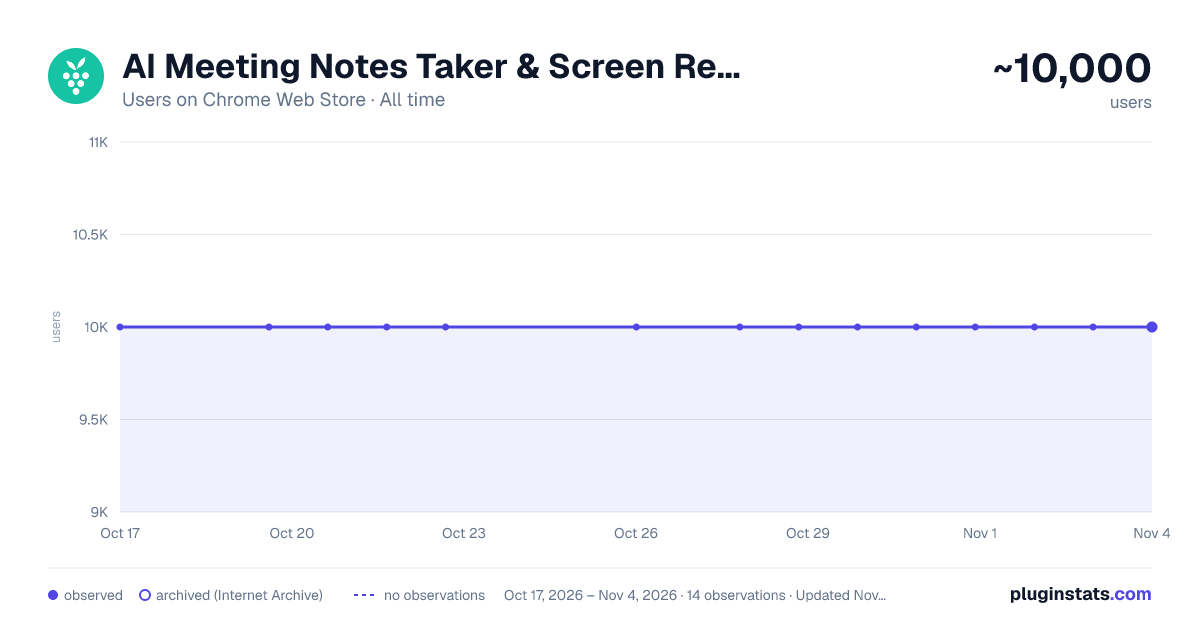
AI Meeting Notes Taker & Screen Recorder has approximately 10,000 recorded users on Chrome Web Store, ranking #257 of 2,495 tracked listings.
Rating: 4.60 / 5 from 28 ratings
About AI Meeting Notes Taker & Screen Recorder
Berrycast screen recorder records, transcribes and generates AI meeting summaries for Zoom, Google Meet and MS Teams.
Berrycast is an AI powered screen recording and video messaging platform (used by 100,000+ Users) Our platform allows you to automatically record and transcribe your meeting conversations, then use AI to summarize the discussion. Afterward, share a link of the video with ease via email, instant message, or in your task management tool. Even if you are not the host of the meeting. You can also use Berrycast to communicate more effectively, efficiently, and expressively with everyone using Berrycast for creating and requesting screen recorded video messages as well.
Here is how the Berrycast AI meeting notes taker and screen recorder works?
➕Install Chrome extension or Desktop application ⏺️Launch recorder & select recording mode - Screen + Camera or Camera Only ⏹️Stop recording. Video gets immediately uploaded to the cloud. 🎥Now video is available with transcripts (we detect 60+ languages) to review 🤖Use AIWriter to summarize video conversation or use different prompts 🔗 Now share video via direct link, email and social media with transcripts and AI summary
Berrycast also supports the following features:
🎥 Screen + Face recorder ✂️ Trim your video 📑 Transcripts (60+ languages) 🤖 ChatGPT powered AIWriter ⬇️ Download your video 📧 Email integrations (Gmail and Outlook) 👀 See who has viewed your video 📺 Video replies and comments
Who is using Berrycast?
More than 100,000 people use Berrycast every day to capture their meetings, record screen and video messages including project managers, marketers, sales people, recruiters, developers and engineers without worrying about note taking.
How does an AI note taking feature really work?
You need to simply launch the recorder and your video will start recording with the transcript. Then once the video is recorded and available to view, you can use our AIWriter feature to do the following to generate meeting notes:
👉 Meeting key points - Summarize entire meeting conversation in key points.
👉 Summarize Conversation - Generate a quick summary out of the entire meeting in one or two paragraphs.
👉 Summarize in Bullet-points - Summarize entire meeting conversation in easy to digest bullet points.
👉 Define Action Items & To-dos - Summarize entire meeting conversation in the form of actions items and to-dos.
👉 Clean my transcript - Simply correct the meeting (grammar and spelling mistakes) transcripts through AI.
👉 Email ready to send - Get ready to send email draft that is pre-written and can be sent immediately.
People ask questions. So, We figured why not turn them into FAQs?
❓ How do I record screens on Windows & Mac? 👉 You can install the Chrome extension or you can install our desktop application as well.
❓ Is Berrycast a free screen recorder tool? 👉 Yes. We offer a 14 day full feature trial.
❓ Does the Berrycast screen recorder record audio and video? 👉 Yes. Our tool records both system and microphone audio.
❓ Is it possible to record meetings without noticing anyone? 👉 Yes. Our recorder is bot free. Hence nobody would notice your video being recorded.
❓ Can I edit my screen recording videos? 👉 Yes. We offer video trim/edit functionalities.
❓ Can I add custom thumbnails to videos? 👉 Yes.
❓ Can I add custom CTA buttons to videos? 👉 Yes.
❓ Can I download a video in HD? 👉 Yes
❓ Can I edit/correct transcripts? 👉 Yes. You can edit and update the transcript to correct your mistakes.
❓ Can I download the transcripts? 👉 Yes. You can download the transcripts.
❓ Can I use AIWriter multiple times? 👉 Yes. You can use the prompts unlimited times.
❓ Can I share videos with others? 👉 Yes. You can copy the direct link, send email and embed it on an external website.
❓ Can I invite my team members to try the Berrycast tool? 👉 Yes. If you are on a pro plan.
❓ Which browsers does your online screen recorder work with? 👉 Berrycast works with Chromium based browsers & Safari.
❓ Does Berrycast offer a mobile recorder? 👉No
Description from the Chrome Web Store listing.
README badge
Show your rank in a README or on your website. The badge updates automatically.
Charts
Images: 30d · 1y · all time · 1600×900 dark
Adoption over time
7/30/90-day growth
Ranking history
Ratings over time
Listing placement
Listing placement
Filled points are observed values; hollow points come from Internet Archive snapshots of the listing page. Dashed segments span periods with no observations — values between points are not interpolated.
Each band is one page of 20. Users on a linear scale. Placement is projected from users, so it can differ from the marketplace's own sort order. Hover a dot to see the listing.
Recent observations
Full history (2)Similar Chrome Web Store Workflow & Planning plugins
All 20 AI Meeting Notes Taker & Screen Recorder alternatives



Data source
Covers every Chrome Web Store extension with at least 100 users, found through the store's public sitemap. User counts are read from public listing pages. The 10% most-used extensions are refreshed daily, the next 40% weekly and the next 40% monthly; the least-used 10% are not refreshed. Google displays rounded user counts (and caps the display at 10,000,000+), so small changes may not be visible. Rating counts above 1,000 are rounded (e.g. 1.6K).
Listing: https://chromewebstore.google.com/detail/ai-meeting-notes-taker-sc/pdcdbpcmjffmfmcolgnnigdadkhiadlo. First seen Oct 17, 2026; last successful collection Oct 20, 2026. See the methodology.