 PluginStats
Follower Insights for LinkedIn users statistics
Chrome Web Store · Social Networking
Show the number of followers of a LinkedIn profile at relevant positions.
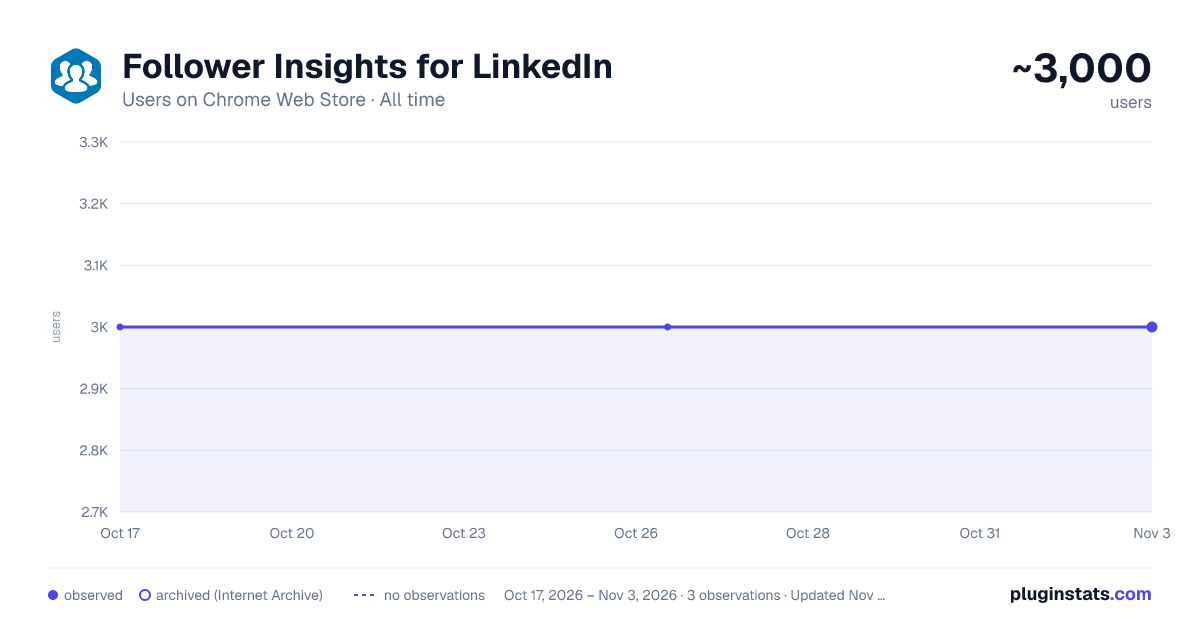
Follower Insights for LinkedIn has approximately 3,000 recorded users on Chrome Web Store, ranking #514 of 2,495 tracked listings.
Rating: 4.10 / 5 from 15 ratings
About Follower Insights for LinkedIn
Show the number of followers of a LinkedIn profile at relevant positions.
🎯 LinkedIn tells you who commented on your post. It does not tell you whether that person has 80 followers or 80,000.
So you click the profile. Then back. Then the next one. Twenty tabs later you have a rough idea of which conversation was actually worth your time.
✨ Follower Insights puts the number right next to the name. In your feed, under every comment, on everyone who reacted, in your search results, in your invitations. Before you click, not after.
👀 You see the counts where you already are:
📰 Every post in your feed, next to the author 💬 Every comment and every reply ❤️ Everyone who reacted to a post 🔁 Repost and profile-view lists too 🔍 Search results, so you can rank people search by reach ✉️ Incoming connection requests 🤝 My Network and the "People you may know" cards 📋 Your own connections list
🤫 Profile pages are deliberately left alone. A profile already shows its own follower count, and everything on it belongs to that one person, so there is nothing there worth counting twice.
⭐ A star marks accounts above 10,000 followers, 💎 a diamond above 50,000. The thresholds, the colours and the icons are all yours to change, so you can set them to whatever "big" means in your market.
🔽 Rank any list by reach with one click. Three small buttons sit on the list itself: most followers first, fewest first, or back to LinkedIn's own order. Each set of buttons ranks only its own list, so sorting the reactions box does not reshuffle the feed behind it. 300 people reacted to that post and you want the top twenty, not the first twenty LinkedIn happened to load.
⏳ The buttons show up the moment the list does, and they tell you how many counts have arrived so far. Click while it is still loading and it will rank the whole list anyway, as soon as the rest land.
🧩 On the reactions, reposts and profile-view lists you also get 1st, 2nd and 3rd+ filters. Press the degrees you want and the rest step aside. Filter to 2nd degree, then sort by followers, and you have a warm-intro list in two clicks. The people worth reaching out to are the ones you are not connected to yet, and they are always buried under the colleagues you already know.
🙈 A row LinkedIn does not label is never hidden, and the tooltip tells you how many of those there are. A filter that quietly swallows rows it could not read is worse than no filter at all.
📈 With the full version you also see whether an account is growing: a small green or red change next to the count, measured over the last 7, 30 or 90 days, with a tiny trend line once there is enough history. Hover it for the exact numbers. 12,000 followers means something very different for an account that had 8,000 in spring than for one that had 11,900.
🕰️ Counts are recorded quietly while you browse, so a change appears from your second visit onwards. Nothing to import, nothing to set up. And it stays quiet rather than guessing: no number if the readings are too close together, and none if the count has not actually moved.
🆓 The free version gives you:
✅ Follower counts everywhere in the list above ✅ Star and diamond tiers, with your own thresholds and colours ✅ Sorting any list by follower count ✅ The 1st / 2nd / 3rd+ filters 🔹 Counts above 1,000 are shown as "1,000+"
💡 Two things worth knowing about the free version: sorting still ranks by the real number behind the "1,000+", so the order is correct even where the figure itself is hidden. And your follower history is recorded from the first day either way, so if you upgrade in three months, three months of history is already there waiting for you.
🔓 The full version unlocks:
✨ Exact follower counts, with no cap at all 📈 Follower growth over time, with the trend line 🔗 One click from any count straight to that person's follower list
👉 Compare both versions here: https://jens.marketing/follower-insights-fuer-linkedin https://jens.marketing/en/follower-insights-for-linkedin/
⚙️ Click the toolbar icon to set your tier thresholds, colours and icons, switch the growth display on or off, pick the window it is measured over, or switch the sort buttons off entirely if you would rather have counts and nothing else. Your license key goes in the same place. One field, no account, no sign-up. Everything applies to what is already on your screen the moment you save.
🔒 The counts come from LinkedIn itself, requested by your own browser under your own session. Nothing about your browsing leaves your machine: no analytics, no tracking, no server of mine that sees who you looked at. Your follower history is stored locally in the browser and forgotten after 180 days. The extension asks for local storage, a periodic license check and access to linkedin.com. Nothing else, and no access to any other website.
🆕 Recently improved: profile pages are now completely quiet, the Activity section on a profile renders properly again, filters stop early instead of loading forever when nothing matches, your own row is left out while a filter is on, and lists hold still instead of jumping while a filter sets itself up.
⚠️ This extension is not affiliated with LinkedIn. I built it independently because I kept missing this feature and nobody else had built it.
🛠️ LinkedIn changes its interface often, and when it does, an extension that reads that interface can break. This one is built to survive it, but nothing is immune. If something stops working, just reach out and I will fix it as fast as I can.
Description from the Chrome Web Store listing.
README badge
Show your rank in a README or on your website. The badge updates automatically.
Charts
Images: 30d · 1y · all time · 1600×900 dark
Adoption over time
7/30/90-day growth
Ranking history
Ratings over time
Listing placement
Listing placement
Filled points are observed values; hollow points come from Internet Archive snapshots of the listing page. Dashed segments span periods with no observations — values between points are not interpolated.
Each band is one page of 20. Users on a linear scale. Placement is projected from users, so it can differ from the marketplace's own sort order. Hover a dot to see the listing.
Recent observations
Full history (1)Similar Chrome Web Store Social Networking plugins
All 20 Follower Insights for LinkedIn alternatives



Data source
Covers every Chrome Web Store extension with at least 100 users, found through the store's public sitemap. User counts are read from public listing pages. The 10% most-used extensions are refreshed daily, the next 40% weekly and the next 40% monthly; the least-used 10% are not refreshed. Google displays rounded user counts (and caps the display at 10,000,000+), so small changes may not be visible. Rating counts above 1,000 are rounded (e.g. 1.6K).
Listing: https://chromewebstore.google.com/detail/follower-insights-for-lin/kkbaccngljoklnejedmjicfdfkhgblnd. First seen Oct 17, 2026; last successful collection Oct 17, 2026. See the methodology.