 PluginStats
Ad block & Adblocker - No Ads extension users statistics
By NoAds application · Chrome Web Store · Accessibility
Block ads and popunders on social websites. Removing ads makes websites work faster. Youtube Adblocker for pre-roll, banners
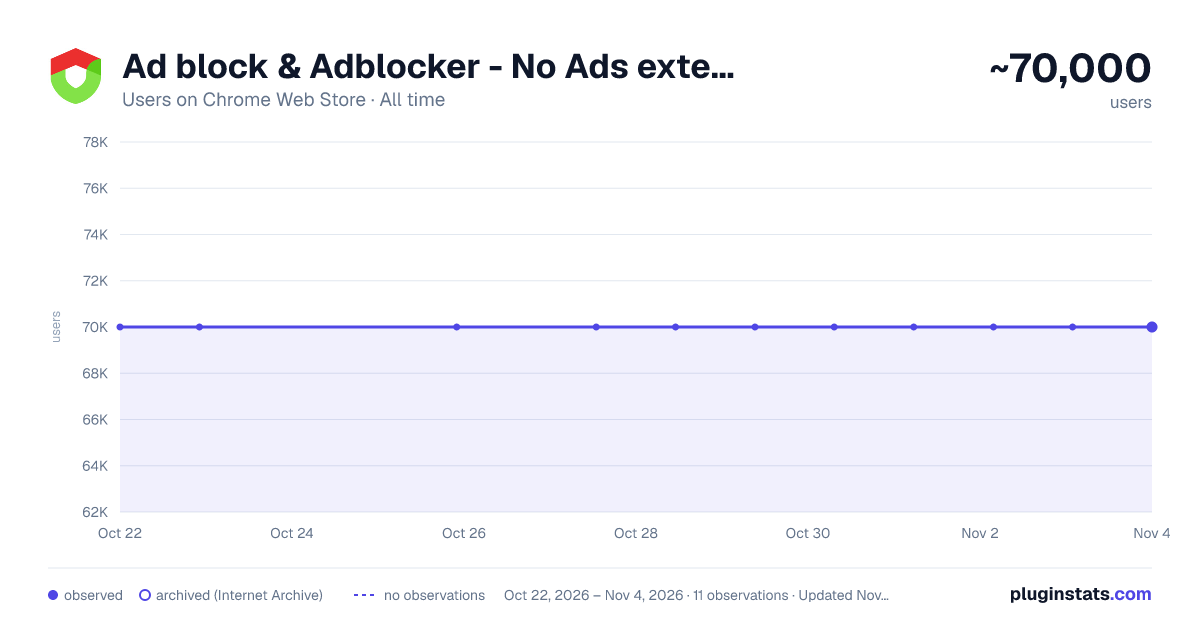
Ad block & Adblocker - No Ads extension has approximately 70,000 recorded users on Chrome Web Store, ranking #155 of 3,853 tracked listings.
Rating: 3.90 / 5 from 532 ratings
About Ad block & Adblocker - No Ads extension
Block ads and popunders on social websites. Removing ads makes websites work faster. Youtube Adblocker for pre-roll, banners
Adblock is the extension is essential in your browser as it will let all the sites you enjoy browsing without advertisements and unwanted ads. Install now and watch the magic happen :)
Block annoying and intrusive ads while browsing
We will block advertisements from all sites, but you can refer to us sites to the extension not to block either. Websites are prone to an abundance of ads and distract from important content, to avoid this you have to install and use an extenssion called No ads - adblock. It's all very simple.
Ad blocker blocks ads, popunder, banners advertisements, adult & gambling websites and malicious websites. It can also prevent advertisers from tracking your behavior, improves privacy and data protection. Remove annoying ad to stay focused on content you was looking for. Website blocking intrusive ads minimizes the risk of “malvertising” infections. Ad block disable known malware domains and makes protecting yourself from malware easy. This Chrome extension ad blocker is the solution to block and remove all ads.
You don't need to change your favorite browser for private and secure browsing. This extension runs on all your favorite chromium based browsers.
The best features at a glance:
- The application supports every chromium based web browser and adblock everything in.
- Blocks sites that distribute malicious content, viruses and fraudulent websites.
- Safe browsing * Some websites may contain hidden links that force you to click and may lead you to suspicious Virus and Malware installations. So we also block these links and act as a kind of extra protection with algorithms built into adblocker.
Element block After installing the extension, simply click on the extension icon. You can then hover the cursor around, and the extension will highlight all blockable elements within a page. Click on an undesirable element, and the extension should block it immediately.
Adblock ON mode - when green color in UI Ad block OFF mode - when red color in UI
Types of ads it blocks:
- Pop-up ads blocker
- Banner adblocking
- Video adblock
- Tracking cookies
- Text advertisement
- Animation ad blocker
- Facebook ads blocking
- Makes YouTube banners unseened
- YouTube pre-roll ads block*
- Webmail advertisement block
- Overlay ads block
- Other types of annoying ads
- Webpage element blocking
*Extension speeds up playing video ads on YouTube and/or skip it after 5 sec playing. It do not block it permanently. It uses only allowed on YouTube service methods.
The most compatible ad blocker on the market!
The extension can track the URLs you visit in order to collect and analyze information about ads that are blocked automatically and/or by using an element blocker. By installing the extension, you are giving your consent to these actions and agreeing to our policy.
Description from the Chrome Web Store listing.
README badge
Show your rank in a README or on your website. The badge updates automatically.
Charts
Images: 30d · 1y · all time · 1600×900 dark
Adoption over time
7/30/90-day growth
Ranking history
Ratings over time
Listing placement
Listing placement
Filled points are observed values; hollow points come from Internet Archive snapshots of the listing page. Dashed segments span periods with no observations — values between points are not interpolated.
Each band is one page of 20. Users on a linear scale. Placement is projected from users, so it can differ from the marketplace's own sort order. Hover a dot to see the listing.
Recent observations
Full history (2)Similar Chrome Web Store Accessibility plugins
All 20 Ad block & Adblocker - No Ads extension alternatives



Data source
Covers every Chrome Web Store extension with at least 100 users, found through the store's public sitemap. User counts are read from public listing pages. The 10% most-used extensions are refreshed daily, the next 40% weekly and the next 40% monthly; the least-used 10% are not refreshed. Google displays rounded user counts (and caps the display at 10,000,000+), so small changes may not be visible. Rating counts above 1,000 are rounded (e.g. 1.6K).
Listing: https://chromewebstore.google.com/detail/ad-block-adblocker-no-ads/gbdjcgalliefpinpmggefbloehmmknca. First seen Oct 22, 2026; last successful collection Oct 23, 2026. See the methodology.