 PluginStats
Dual Subtitles for Netflix users statistics
By DeeFrancois · Chrome Web Store · Accessibility
Helps you learn languages using Netflix. Uses your browser's Auto-Translator to ensure direct translations.
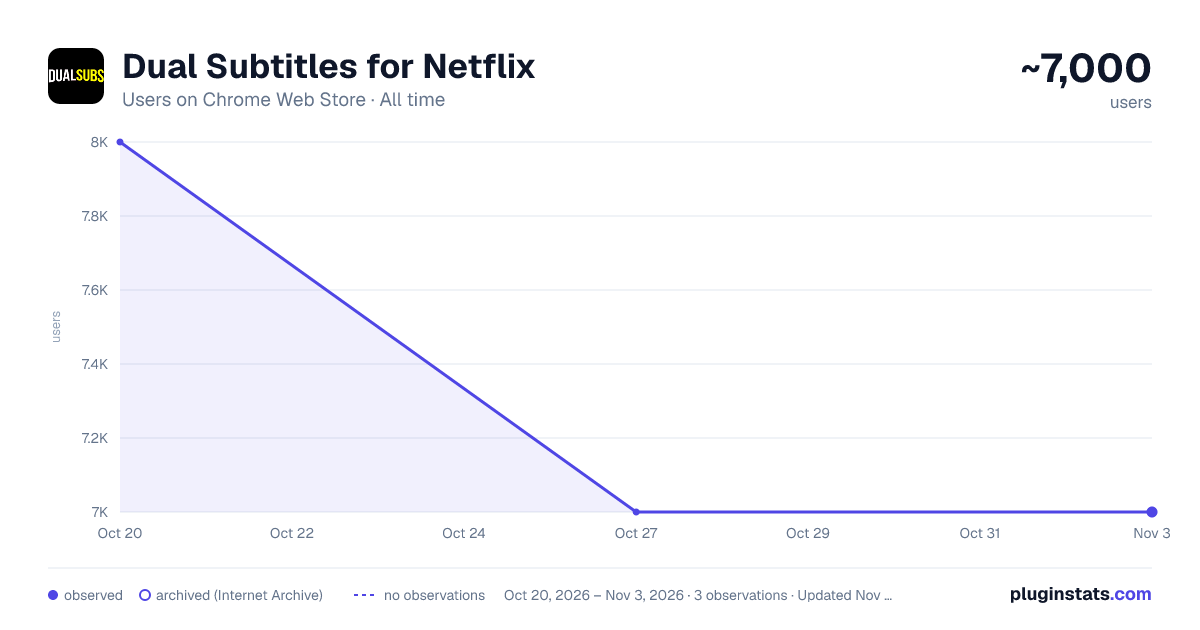
Dual Subtitles for Netflix has approximately 8,000 recorded users on Chrome Web Store, ranking #546 of 3,853 tracked listings.
Rating: 3.90 / 5 from 28 ratings
About Dual Subtitles for Netflix
Helps you learn languages using Netflix. Uses your browser's Auto-Translator to ensure direct translations.
Update: This still works as of October 16, 2023!
Recommended Method:
- Turn on the subtitles for your Target Language
- Right Click the page --> "Translate to [Native Language]"
Alternate Method (If target language subtitles aren't available): 1.Turn on the subtitles in your Native Language 2. Right Click --> Translate to your Target Language
(Note: Some shows in the following languages may use hardcoded subtitles which means the extension won't work: Arabic, Hebrew, Hindi, Japanese, Korean, Persian, Thai, Chinese, Vietnamese. However, Netflix seems to have updated them all so it should be fine, I just can't make any guarantees. If it is the case though, the alternate method will still work)
You can click the extension icon at the top right to customize text color, size, and opacity. There's also an on/off button up there too. Don't forget to turn off Browser Translation as well when turning off the extension (or just refresh the page).
Honestly, the Alternate Method is not ideal for me since the audio likely won't match the target language text. Other people have told me they still find it very useful though so you can decide for yourself.
Other things I should mention: This works on Microsoft Edge but I don't know how their translator compares to Chrome's
*The accuracy is determined by Google Translate, not me! *
If you care, this is open source (the website link is the GitHub repo).
I prefer to keep this a simple and unobtrusive extension but feel free to email me if you really think there's a feature I should add. Or you can just message me on Reddit at /u/DuhMeTreeUs
Description from the Chrome Web Store listing.
README badge
Show your rank in a README or on your website. The badge updates automatically.
Charts
Images: 30d · 1y · all time · 1600×900 dark
Adoption over time
7/30/90-day growth
Ranking history
Ratings over time
Listing placement
Listing placement
Filled points are observed values; hollow points come from Internet Archive snapshots of the listing page. Dashed segments span periods with no observations — values between points are not interpolated.
Each band is one page of 20. Users on a linear scale. Placement is projected from users, so it can differ from the marketplace's own sort order. Hover a dot to see the listing.
Recent observations
Full history (1)Similar Chrome Web Store Accessibility plugins
All 20 Dual Subtitles for Netflix alternatives



Data source
Covers every Chrome Web Store extension with at least 100 users, found through the store's public sitemap. User counts are read from public listing pages. The 10% most-used extensions are refreshed daily, the next 40% weekly and the next 40% monthly; the least-used 10% are not refreshed. Google displays rounded user counts (and caps the display at 10,000,000+), so small changes may not be visible. Rating counts above 1,000 are rounded (e.g. 1.6K).
Listing: https://chromewebstore.google.com/detail/dual-subtitles-for-netfli/ljnmedkgcgidbbjhbkdonempgcgdhjfl. First seen Oct 20, 2026; last successful collection Oct 20, 2026. See the methodology.