 PluginStats
Label Sheets - Print labels and stickers at home users statistics
Chrome Web Store · Workflow & Planning
Easily print labels at home on standard Letter or A4 label sheet templates from any brand around the world.
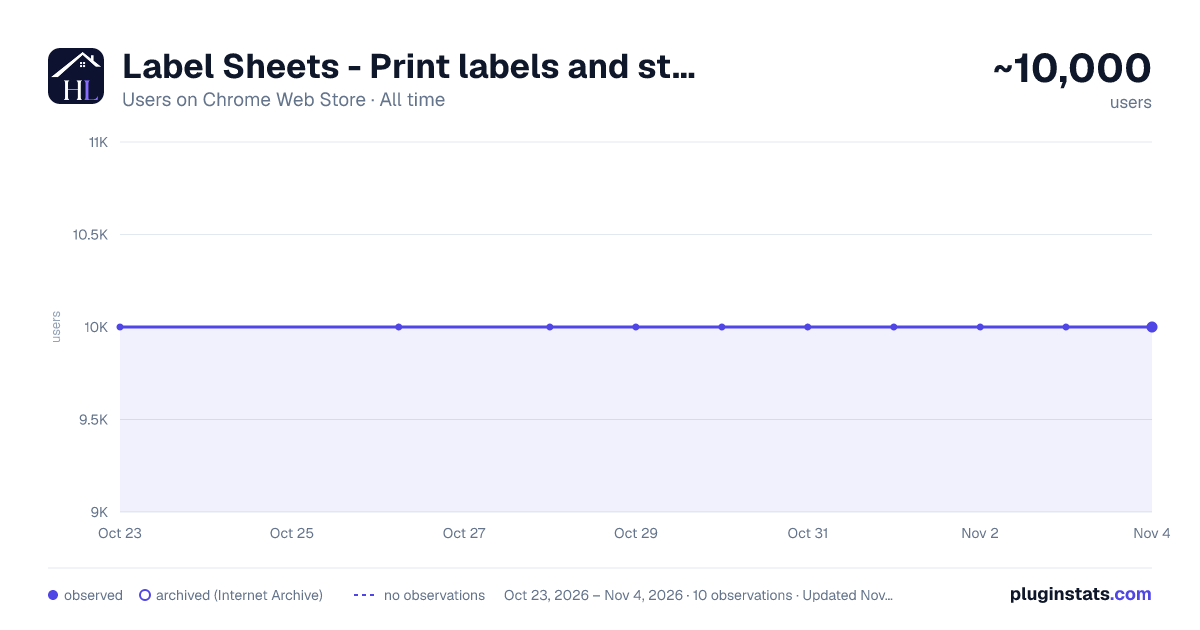
Label Sheets - Print labels and stickers at home has approximately 10,000 recorded users on Chrome Web Store, ranking #478 of 3,853 tracked listings.
Rating: 3.90 / 5 from 14 ratings
About Label Sheets - Print labels and stickers at home
Easily print labels at home on standard Letter or A4 label sheet templates from any brand around the world.
This extension from Hlabels.com offers the quickest and simplest way to print your own labels and stickers on common home or office inkjet and laser printers — without leaving your browser.
Print on label sheet templates from major and niche label manufacturers around the world — in both Letter and A4 standard paper formats — as well as on custom label sheet templates that you can set up and cut out yourself.
Best for product labels, personal and business use, stickers, school projects, parties, and more. No matter where you design your labels, you can simply upload them into this extension and print them right away. If you design them in Canva, Adobe Express, Google Docs™, or mail merge from Google Sheets™, this service — offered by Hlabels.com — is available there as well. Just search for “Label Sheets” in Canva Apps, Adobe Express Add-ons, or Google Docs and Sheets Add-ons.
HOW TO USE
Right-click on an empty space on a web page, scroll down the popup menu, and select the newly added menu item: “Print your own labels and stickers”
You will see two options:
1 - "Upload label designs" This option asks you to upload one or more label designs from your computer and then print them on labels.
2 - "Print the QR code of this page" This option generates the QR code of that page and immediately allows you to print it on labels. If you need to download the QR code image, just click on it. If you right-click over a .jpg, .png or .webp online image on any web page, you will see another option: "Print this image on labels" which allows you to print that image on labels.
After selecting the label sheet product you’re printing on and clicking the Print button, this extension will generate a PDF file where the images are laid out exactly according to that label sheet template. Because browsers have different predefined print settings, make sure that "Page margins" are set to zero and "Page scaling" is set to either “Actual size” or “100%.” You can also save the PDF printout to your computer and print it at any later time.
WHY THIS EXTENSION
To this day, home/office printing on labels and stickers is done through either Word processing templates or proprietary software. Users are tied up to one system and often to one label maker's brand only. This extension is a universal DIY label printing tool that can be used by anyone, anywhere, without the need for any software or template downloads. You can upload and print any label design, regardless of its source.
Additionally, you can directly print the QR code of any web page. This extension automatically generates the QR code and lets you print it on the label sheet template of your chosen brand — no other software or systems required.
Blank label sheets are available online and in office supply stores. If your preferred brand isn’t supported yet, just let us know.
This service is free and unlimited. Frequent users will start getting a small footer-mark, which can be removed by subscribing to a paid plan.
YOUR PRIVACY
We are committed to protecting and respecting your privacy. This extension does not collect personal data and does not use cookies to collect personally identifiable information about you.
Description from the Chrome Web Store listing.
README badge
Show your rank in a README or on your website. The badge updates automatically.
Charts
Images: 30d · 1y · all time · 1600×900 dark
Adoption over time
7/30/90-day growth
Ranking history
Ratings over time
Listing placement
Listing placement
Filled points are observed values; hollow points come from Internet Archive snapshots of the listing page. Dashed segments span periods with no observations — values between points are not interpolated.
Each band is one page of 20. Users on a linear scale. Placement is projected from users, so it can differ from the marketplace's own sort order. Hover a dot to see the listing.
Recent observations
Full history (1)Similar Chrome Web Store Workflow & Planning plugins
All 20 Label Sheets - Print labels and stickers at home alternatives



Data source
Covers every Chrome Web Store extension with at least 100 users, found through the store's public sitemap. User counts are read from public listing pages. The 10% most-used extensions are refreshed daily, the next 40% weekly and the next 40% monthly; the least-used 10% are not refreshed. Google displays rounded user counts (and caps the display at 10,000,000+), so small changes may not be visible. Rating counts above 1,000 are rounded (e.g. 1.6K).
Listing: https://chromewebstore.google.com/detail/label-sheets-print-labels/colpnndkegeigagfbaclnblkphgccoej. First seen Oct 23, 2026; last successful collection Oct 23, 2026. See the methodology.