 PluginStats
SlitherPlus - Zoom, Skin Creator, Mod, Bots users statistics
The Worlds Best Slither.io Mod Zoom and Extension! Hundreds of custom skins! Skin Creator!
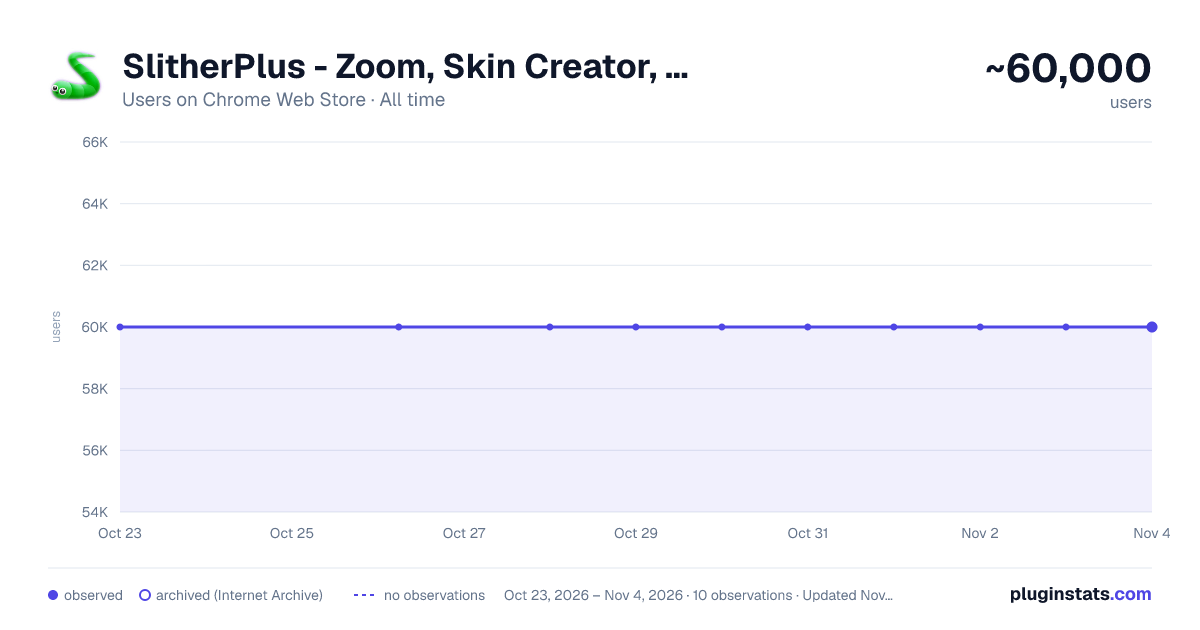
SlitherPlus - Zoom, Skin Creator, Mod, Bots has approximately 60,000 recorded users on Chrome Web Store, ranking #174 of 3,853 tracked listings.
Rating: 3.30 / 5 from 2,800 ratings
About SlitherPlus - Zoom, Skin Creator, Mod, Bots
The Worlds Best Slither.io Mod Zoom and Extension! Hundreds of custom skins! Skin Creator!
The Slither.io Mods SlitherPlus is a script that modifies the Slither.io (slither io).
EXTENSION IS WORKING AGAIN 2025
SlitherPlus [7.1]
- Fixed Rendering Bugs
- Optimised Client
- Added Clan Tag System for Chat
SlitherPlus [7.0.0]
- WebGL Render Added
- Optimised Client
- Added chat support
- Manifest v3
Version 6.6 Can customise snake antenna! FREE BOTS!
---SlitherPlus MOD Lastest Updates--- illuminati, pink sheep, venom extreme skins added [5.9.0] garfield, sonic, pink panther, smurf skins added [5.9.0] soldier, rome soldier, rome shield skins added [5.9.0] tazmania, avatar airbender, south park, chaki, minion, shrek, frankenstein, thor skins added [5.9.0] sonic 2, garfield 2, mike, sulley skins added & some mini fixs. [5.9.0]
This extension now adds additional skins in the game Slitner.io. In the future releases, SlitherPlus will allow generating custom skins. Meanwhile, you can use several predefined skins. All skins from this extension can be only seen by users of this extension.
- Trail/Draw Mode Added!
This features allows for a client side trail of food, meaning, that other players can not see it. This can be used for fun purposes. Press F to toggle and G to change colors and H for size and J for crazy mode
Features Country Flag Skins • Team Logo Skins • Create your Skins • Mouse zoom in , zoom out control • See your current X/Y Position • See your FPS • See your Best Score • Connect with your friends to same server • Direct connect server list • Auto Nick and Settings Saving
- Use your mouse to zoom in and zoom out
- You know your current position.
- Track your FPS with the FPS counter
- Track the IP of your friends’ server with your current server’s IP address.
- Connect to your friends’ IP and play together.
- Owning a low-end system? No worries. The plain background makes it compatible with - any system.
- Glow also lessened to support low end systems.
- Choose your own graphic mode compatible with your system.
- Play with friends (direct connect to the servers)
- Saving nick and settings.
- Selecting a Server.
- Toogle Snake Skin Rotator New!
- Background Changer New!
- Respawn [ESC] New!
- Live Update! New!
- Toggle HUD - [TAB] New!
- New UI
- All permission, bugs and issues fixed!
The Slither.io mod is a script that modifies the Slither.io (slither io) client that rarely needs updating, and doesn't contain any cheats. This was originally a Tampermonkey script, but we created an extension for ease of access.
You can disable the mod to play normally by clicking the Logo in the right side of the address bar.
If you are feeling a little bit mean, you can choose to take the unfair path and choose to modify your game with hacks or advantages. This way, it is easier for you to win, at the cost of other players! No need to have skill, you just install Slither.io hacks and voila! Easier to see players for example, by zooming out. This way, you see them earlier than they see you, and this gives you an advantage.
If you are looking Slither.io Mods "slither io" "slitherio" for modifications of the game, which aid you in playing, but do not give you an unfair advantage, you can check out this category. Here are things such as graphics quality mods, connect with friends mods and background changers and more skins. Without giving you an unfair advantage, they are nice modifications to the game, so check it out!
Go to https://slitherplus.io for more info.
UNINSTALL an Extension To REMOVE an Extension from Google Chrome:
1- On your browser, click menu . 2- Select More tools > Extensions. 3- On the extension you want to remove, click Remove from Chrome . 4- A notice to remove the extension will appear. Click Remove. 5- If an extension has an icon in your Chrome toolbar, you can right-click on the icon and select Remove from Chrome to uninstall the extension.
Description from the Chrome Web Store listing.
README badge
Show your rank in a README or on your website. The badge updates automatically.
Charts
Images: 30d · 1y · all time · 1600×900 dark
Adoption over time
7/30/90-day growth
Ranking history
Ratings over time
Listing placement
Listing placement
Filled points are observed values; hollow points come from Internet Archive snapshots of the listing page. Dashed segments span periods with no observations — values between points are not interpolated.
Each band is one page of 20. Users on a linear scale. Placement is projected from users, so it can differ from the marketplace's own sort order. Hover a dot to see the listing.
Recent observations
Full history (1)Similar Chrome Web Store Games plugins
All 20 SlitherPlus - Zoom, Skin Creator, Mod, Bots alternatives



Data source
Covers every Chrome Web Store extension with at least 100 users, found through the store's public sitemap. User counts are read from public listing pages. The 10% most-used extensions are refreshed daily, the next 40% weekly and the next 40% monthly; the least-used 10% are not refreshed. Google displays rounded user counts (and caps the display at 10,000,000+), so small changes may not be visible. Rating counts above 1,000 are rounded (e.g. 1.6K).
Listing: https://chromewebstore.google.com/detail/slitherplus-zoom-skin-cre/cpbghpalffgmgocmnigfhalghmaemffo. First seen Oct 23, 2026; last successful collection Oct 23, 2026. See the methodology.