 PluginStats

TAKO - Read it later users statistics
By optimUTZ · Chrome Web Store · Tools
TAKO is the successor to 'Pocket Item Viewer' (formerly for Pocket.com) and saves interesting pages to read later.
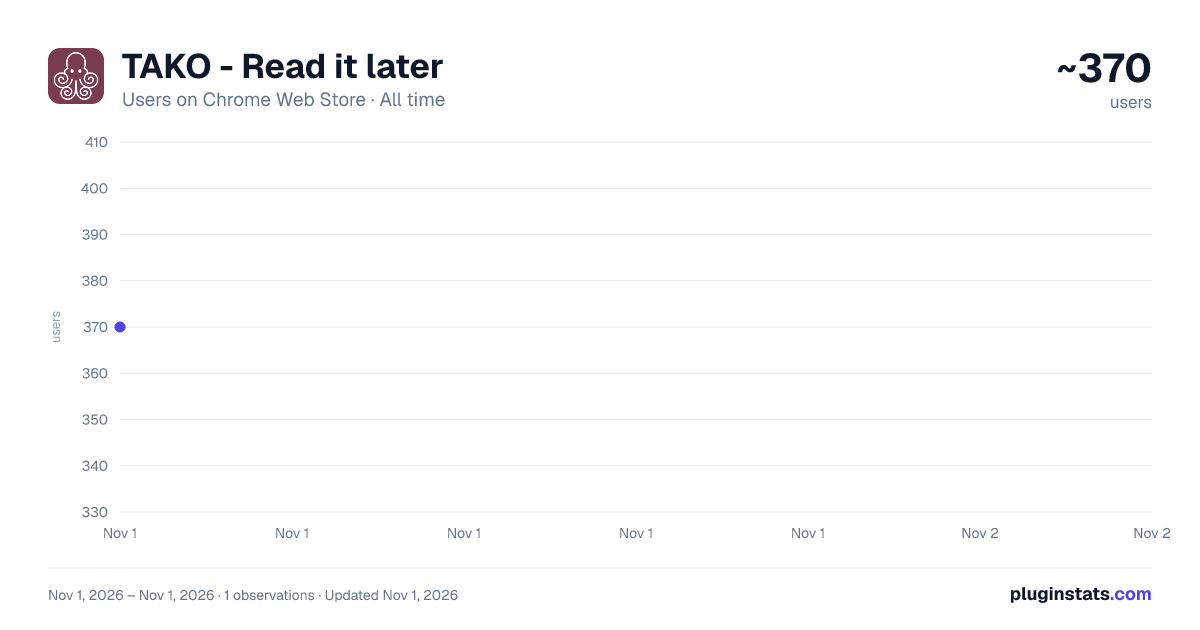
TAKO - Read it later has approximately 370 recorded users on Chrome Web Store, ranking #3863 of 6,786 tracked listings.
Rating: 4.30 / 5 from 6 ratings
About TAKO - Read it later
TAKO is the successor to 'Pocket Item Viewer' (formerly for Pocket.com) and saves interesting pages to read later.
📚 TAKO - Read it later: Your clever Pocket replacement for Chromium browsers! 📚
You know the feeling: while surfing, you come across exciting articles but don't want to read them immediately. That's exactly what TAKO is for! As the official successor to "Pocket Item Viewer" and a direct replacement for Pocket, this slim Chromium browser extension (for Edge, Chrome, Vivaldi, Opera, and Brave) helps you quickly buffer interesting websites and read them later at your leisure. No more forgotten links and overloaded bookmarks – with TAKO, you have everything under control! 💪
✳️ Your most important functions at a glance
Directly from the popup, you have full access to your saved entries:
- 🚀 Quick Open: One click is enough to open your saved website.
- 📌 Pinning: Mark important pages so they are always visible at the top.
- ⭐ Favorites: Give hearts to your favorite articles that you want to find again and again.
- #️⃣ Assign tags: Organize your links with individual tags. This way you can find exactly what you are looking for in a flash!
- 📦 Archive: Hide read entries from your active list while keeping them safe in your database.
- 🗑️ Delete entries: No longer relevant? Simply delete and make room.
- ↕️ Sort & 🔍 Filter: Arrange and filter your entries flexibly per view (A-Z, favorites, tags). Best of all: You can filter popup and Fullview independently of each other or synchronize both views as you wish!
- 💾 Save website: Save any website with just one click or a keyboard shortcut directly into the TAKO popup. Save links on a website with a right-click.
- 📝 Create Note: Create standalone notes directly in TAKO, completely independent of saved web pages.
- ✅ To-Do Lists: As part of the notes feature, you can create interactive checklists directly inside your notes, check off tasks, and keep track of your progress.
✳️ The new Fullview – More space, more overview! 🖥️ Experience your bookmarks in full screen! Use the full width of your browser for maximum control over your collection:
- 🖼️ Grid & List View: Choose between a stylish grid view with large preview images or a clear, quiet list.
- 🔍 Integrated Search: Find your entries in Fullview in a flash using the new, dedicated search function.
- ↕️ Independent Control: Filter and sort your entries in Fullview independently of the popup – or synchronize both according to your wishes.
⚙ Customize TAKO to your needs!
🛠️ On the settings page, you can tailor TAKO optimally to you and adjust the user experience:
- Enable or disable functions like pinning, archiving, deleting, favorites, and tags.
- Choose between pagination (7 entries per page, optimal for many tabs) or scrolling for a complete overview.
- Decide whether you want to see thumbnails or favicons.
- Adjust the width of the popup window.
- Export all your entries as a CSV or JSON file for backups or moving.
- Have all existing saved entries/pages checked for completeness and automatically supplemented with info where possible.
- Use automatic Cloud Sync via your browser account (supported in Chrome, Edge, and Brave) for seamless cross-device syncing – no extra login needed.
- Alternatively, connect TAKO with Notion to synchronize your entries with unlimited capacity across all devices.
⚠️ Pocket users take note! You can easily import all your previous Pocket entries into TAKO. To do this, export your Pocket list as described at https://support.mozilla.org/en-US/kb/exporting-your-pocket-list. Only official Pocket exports are supported.
✨ Install TAKO now and experience how easy "read later" can be! ✨
I am working on new features and improvements! Do you have wishes, are you missing a function or your language? Feel free to contact me via the "Support Hub" of the Chrome Web Store or by email!
ℹ️ MORE ABOUT TAKO: https://optimutz.ch/tako ℹ️ NEWSLETTER: https://optimutz.ch/tako-newsletter
ℹ️ CHANGELOG: https://optimutz.ch/tako-changelog ℹ️ TERMS OF USE: https://optimutz.ch/tako-terms-of-use ℹ️ DATA PRIVACY: https://optimutz.ch/tako-data-privacy
Description from the Chrome Web Store listing.
README badge
Show your rank in a README or on your website. The badge updates automatically.
Charts
Images: 30d · 1y · all time · 1600×900 dark
Adoption over time
7/30/90-day growth
Ranking history
Ratings over time
Listing placement
Listing placement
Filled points are observed values; hollow points come from Internet Archive snapshots of the listing page. Dashed segments span periods with no observations — values between points are not interpolated.
Each band is one page of 20. Users on a linear scale. Placement is projected from users, so it can differ from the marketplace's own sort order. Hover a dot to see the listing.
Recent observations
Full history (1)Similar Chrome Web Store Tools plugins
All 20 TAKO - Read it later alternatives



Data source
Covers every Chrome Web Store extension with at least 100 users, found through the store's public sitemap. User counts are read from public listing pages. The 10% most-used extensions are refreshed daily, the next 40% weekly and the next 40% monthly; the least-used 10% are not refreshed. Google displays rounded user counts (and caps the display at 10,000,000+), so small changes may not be visible. Rating counts above 1,000 are rounded (e.g. 1.6K).
Listing: https://chromewebstore.google.com/detail/tako-read-it-later/gefofbdkchdikipjbbaeppdhpkklaaih. First seen Nov 1, 2026; last successful collection Nov 1, 2026. See the methodology.