 PluginStats
Linqin: AI LinkedIn Comments, Post Writer & Job Search users statistics
Chrome Web Store · Social Networking
AI comments and posts for LinkedIn, plus job search, match scores, cover letters, and recruiter outreach. Free AI daily.
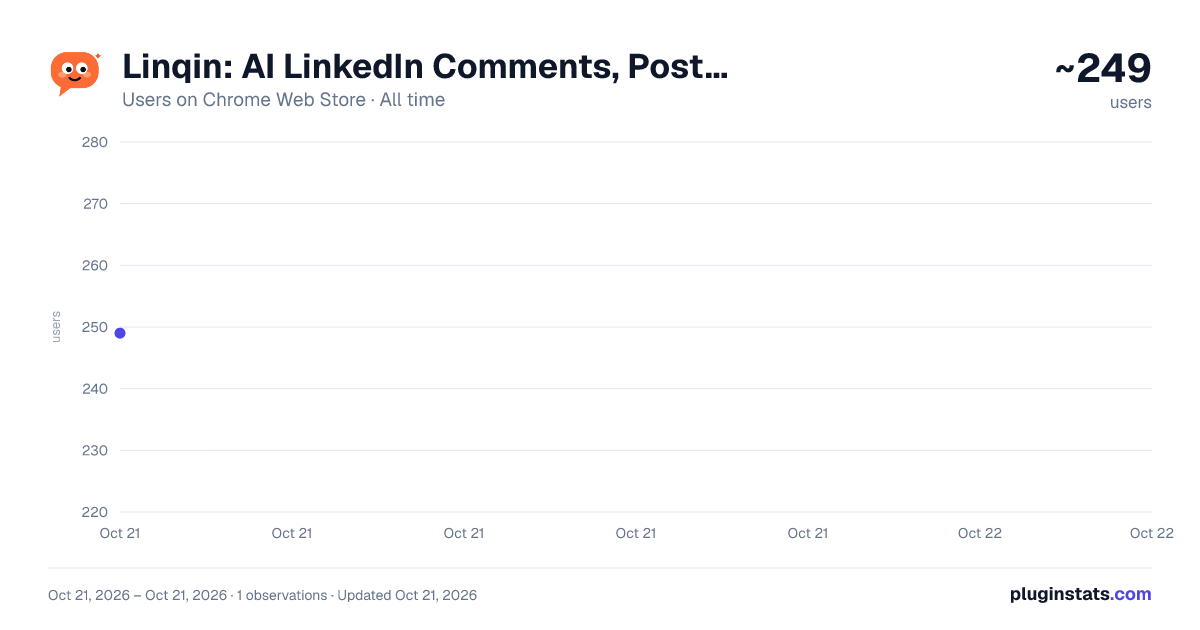
Linqin: AI LinkedIn Comments, Post Writer & Job Search has approximately 249 recorded users on Chrome Web Store, ranking #2618 of 3,853 tracked listings.
Rating: 5.00 / 5 from 1 ratings
About Linqin: AI LinkedIn Comments, Post Writer & Job Search
AI comments and posts for LinkedIn, plus job search, match scores, cover letters, and recruiter outreach. Free AI daily.
Linqin is an AI-powered LinkedIn assistant that helps you comment smarter, rewrite posts, create fresh content ideas, connect with relevant people, and find recruiters or hiring managers behind LinkedIn job posts.
Write better comments in seconds, turn LinkedIn posts into your own content, discover who to reach out to, and grow your network without spending hours scrolling.
It starts free. 5 AI comments and 2 post rewrites every day, no credit card needed.
WHAT YOU CAN DO
✦ AI COMMENTS IN ONE CLICK
Hit the Linqin button on any LinkedIn post and get a smart comment that actually fits the conversation.
Linqin reads the post content and helps you generate a thoughtful response you can edit before posting.
No more staring at an empty comment box. No more generic “Great post” replies. No more wasting time thinking of what to say.
You stay in control. Review, edit, regenerate, and post only when you are ready.
✦ REWRITE LINKEDIN POSTS IN YOUR VOICE
See a post doing big numbers? Remix it.
Linqin helps you turn LinkedIn posts into fresh content written from your own angle, tone, and style.
Add your own direction, use your saved brand details, and create a version that sounds like you.
You can also generate an AI image and save the rewritten post as a draft inside your Linqin dashboard, so you can polish it later before publishing.
✦ CONNECT WITH POST AUTHORS
Found someone interesting in your feed?
Linqin helps you send a thoughtful connection request right from the post.
Pick one of your saved notes or write a custom message. Linqin can personalize the note with the author’s name and context, then you review it before anything is sent.
Requests go through your own LinkedIn session, one at a time.
No bulk automation. No spammy outreach. No sending without confirmation.
✦ FIND RECRUITERS AND HIRING MANAGERS FROM LINKEDIN JOBS
Applying to jobs on LinkedIn is easier when you know who is behind the role.
Linqin helps you discover relevant people connected to a job, such as recruiters, hiring team members, hiring managers, talent partners, or company people who may be worth contacting.
Use it on supported LinkedIn job pages or company people pages to help surface potential recruiter or hiring-team profiles, then decide who you want to contact.
This is useful for job seekers who want to go beyond “Apply” and build a real connection with the people involved in the hiring process.
You can review the people found, write a personalized message, and decide whether to connect.
Nothing is sent automatically.
✦ KNOW WHAT TO POST TODAY
Stuck staring at a blank composer?
Linqin can read your LinkedIn profile and your own recent posts, then suggest fresh post ideas that fit what your audience already follows you for.
You get 3 fresh ideas in a batch.
Pick one idea and Linqin can write the full post in your voice, then save it as a draft inside your Linqin dashboard so you can review, edit, and publish later.
✦ TRACK YOUR LINKEDIN GROWTH
Linqin gives you a clean LinkedIn performance snapshot inside the extension popup.
Track useful profile metrics such as:
• Post impressions • Total followers • Profile viewers • Search appearances
This helps you understand whether your LinkedIn activity is turning into visibility, profile visits, and audience growth.
✦ CHOOSE YOUR AI OUTPUT LANGUAGE
Linqin can help you create AI output in the language that fits your workflow.
Use your account default, match the post language, or choose a specific language when available.
This is useful if you engage with international audiences or create LinkedIn content in more than one language.
HOW IT WORKS
- Install Linqin.
- Create a free Linqin account or sign in.
- Open LinkedIn.
- Click the Linqin button on a post to comment, rewrite, or connect.
- Use Linqin on supported job or company people pages to discover recruiters and hiring-team contacts.
- Review the result.
- Edit, regenerate, copy, save, post, connect, or send only when you are ready.
WHO LINQIN IS FOR
Linqin is built for people who use LinkedIn to grow, sell, hire, get hired, or build relationships.
It is useful for:
• Founders building a personal brand • Freelancers looking for clients • Consultants sharing expertise • Marketers creating LinkedIn content • Sales professionals building warm relationships • Recruiters engaging candidates • Job seekers reaching recruiters and hiring managers • Creators who want to post more consistently • Agency owners and solo entrepreneurs • Anyone who wants to show up on LinkedIn without spending hours writing
If you know LinkedIn can help you grow, but you do not always have time to write thoughtful comments, create posts, or find the right people to contact, Linqin helps you move faster.
FREE PLAN
Free accounts include:
✓ 5 AI comments per day ✓ 2 post rewrites per day ✓ LinkedIn post idea generation ✓ Connection requests with saved notes ✓ LinkedIn stats tracking ✓ Basic comment style settings
Want more? Upgrade any time from your Linqin dashboard at linqin.ai.
YOU STAY IN CONTROL
Linqin is built for reviewed, intentional LinkedIn workflows.
Linqin does not post comments on its own. Linqin does not publish posts on its own. Linqin does not send connection requests without your confirmation. Linqin does not send messages without your confirmation. Linqin does not bulk-message people. Linqin does not run scheduled spam automation. Linqin does not ask for your LinkedIn password.
You review and approve what goes out.
PRIVACY
Linqin works inside your own browser session.
It only uses the LinkedIn content needed to support the feature you are using, such as post content for comments, recent activity for post ideas, dashboard metrics for growth tracking, or job/company page information for recruiter and hiring-team discovery.…
Description from the Chrome Web Store listing.
README badge
Show your rank in a README or on your website. The badge updates automatically.
Charts
Images: 30d · 1y · all time · 1600×900 dark
Adoption over time
7/30/90-day growth
Ranking history
Ratings over time
Listing placement
Listing placement
Filled points are observed values; hollow points come from Internet Archive snapshots of the listing page. Dashed segments span periods with no observations — values between points are not interpolated.
Each band is one page of 20. Users on a linear scale. Placement is projected from users, so it can differ from the marketplace's own sort order. Hover a dot to see the listing.
Recent observations
Full history (1)Similar Chrome Web Store Social Networking plugins
All 20 Linqin: AI LinkedIn Comments, Post Writer & Job Search alternatives



Data source
Covers every Chrome Web Store extension with at least 100 users, found through the store's public sitemap. User counts are read from public listing pages. The 10% most-used extensions are refreshed daily, the next 40% weekly and the next 40% monthly; the least-used 10% are not refreshed. Google displays rounded user counts (and caps the display at 10,000,000+), so small changes may not be visible. Rating counts above 1,000 are rounded (e.g. 1.6K).
Listing: https://chromewebstore.google.com/detail/linqin-ai-linkedin-commen/dkfniobcojgefphpldbeechbjelpicpa. First seen Oct 21, 2026; last successful collection Oct 21, 2026. See the methodology.