 PluginStats

MultiField CopyCat - Copy, Paste & Autofill Forms Instantly users statistics
Chrome Web Store · Workflow & Planning
Copy, paste & autofill multiple form fields instantly. Saves hours on repetitive form filling, data entry & QA testing.
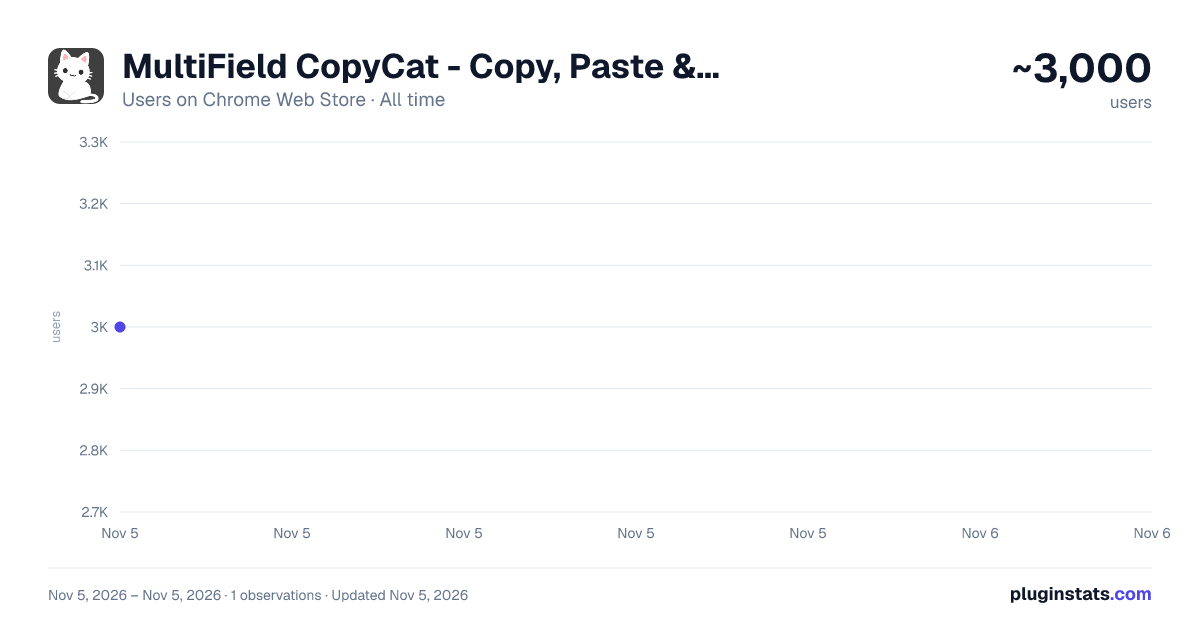
MultiField CopyCat - Copy, Paste & Autofill Forms Instantly has approximately 3,000 recorded users on Chrome Web Store, ranking #1578 of 7,342 tracked listings.
Rating: 4.30 / 5 from 29 ratings
About MultiField CopyCat - Copy, Paste & Autofill Forms Instantly
Copy, paste & autofill multiple form fields instantly. Saves hours on repetitive form filling, data entry & QA testing.
Tired of filling the same forms? MultiField CopyCat is a form-filler chrome extension to bulk copy, paste, and autofill web forms instantly. Drag to select fields to copy and paste them into other forms in seconds. Save form data once for future autofills. Save time & energy on every web form! 🐱⚡
⭐ Benefits ——— ⏱️ Save time filling forms – Copy, paste & autofill forms in seconds! No manual typing every field 🚀 Boost productivity – Do more in less time for work, testing, or data entry 🧠 Reduce mental & physical fatigue – Free yourself from wrist fatigue & brain draining repetitive typing 🔒 Privacy first – Your data stays local. We never share or sell your information 🐱 A cat companion in your browser – Pin Meow Meow to your toolbar for a cute productivity buddy
⚡ Key Features ——— 📄 Copy & paste form fields in selected area – Drag over target area to copy or paste multiple fields at once 📋 Copy & paste all form data on page – Grab or fill an entire form with one click. Perfect for data migration or repeated entries 🧠 Smart Match form-filling – Automatically matches fields even when form fields aren't in the same order (works best with standard web forms) 🔀 Two Paste modes – Use default Sequential Mode for forms with identical layouts (Smart Match off), or Smart Match Mode for forms with different field positions (Smart Match on) 🏄 Auto-Scroll Dragbox (Pro) – Drag your selection area beyond the visible screen, and the page scrolls automatically. Perfect for long forms or CMS pages 🐱 Smart autofill – Save & reuse your form data with instant autofill. Great for repetitive tasks, or saving draft copies on web entries ✌️ Apply saved autofill on demand – One click to fill the current page with a selected saved setting ⚙️ Full control over autofill – Easily toggle autofill on or off for each saved setting 💎 Custom field groups (Pro) – Match similar fields across different websites for maximum flexibility 🗂️ Multiple form sets per autofill setting (Pro) – Easily switch between saved form sets under one autofill setting ⏱️ Custom autofill delay (Pro) – Ensure reliable autofill timing on slow-loading or dynamic pages 🛠️ Edit & manage saved settings – Update field values, or edit URL patterns to extend autofill on more pages 💳 Built-in Stripe test-mode checkout autofill – Perfect for developers & QA testers ⌨️ Customizable keyboard shortcuts – Use default hotkeys or set your own for faster workflow 🧩 Works with all standard fields – Works seamlessly with text inputs, checkboxes, radio buttons, dropdowns, content-editable fields, and more 📊 Usage insights – Track actions performed and time saved, right from the profile page (click the cat in the popup 🐱) 🔒 Privacy-first storage – All data stays local on your device. We connect only to our official site to verify login/subscription status
⭐ How It Works ——— MultiField CopyCat lets you copy, paste, and autofill form fields on any webpage in seconds.
📄✨ Copy form data in selected area – Press Alt+C / Option+C to start copy mode, then drag to select fields 📋✨ Paste form data in selected area – Press Alt+V / Option+V to start paste mode, then drag to paste into fields 📄✨ Copy all form data on page – Press Alt+Shift+C / Option+Shift+C 📋✨ Paste all form data on page – Press Alt+Shift+V / Option+Shift+V 🧠✨ Smart match vs default sequential mode during paste – Switch modes via the 'Enable Smart Match' button in the extension popup. Default Sequential Mode pastes fields in the same order as copied, perfect for identical form layouts. Smart Match Mode helps automatically match fields based on form field similarity when field order differs 🐱✨ Save autofill setting – Fill out a form as usual, then press Alt+A / Option+A to save it. Next time you visit, forms will be autofilled instantly on page load. You can also manually apply saved form values on current page anytime from the extension popup ✅✨ All actions are accessible via buttons in the extension popup
You can manage saved autofill settings, toggle autofill on/off, or view usage stats from the extension popup or options page.
📘 For a step-by-step guide, check out our Onboarding Guide: https://multifield-copycat.com/get-started
💡 If the default shortcuts don't work, they may be overridden by other extensions. You can check & update them in chrome://extensions/shortcuts and try again. Or checkout our Onboarding Guide on how to customize shortcuts.
👨💻 Who is MultiField CopyCat for? ——— MultiField CopyCat is useful for anyone who regularly works with online forms. Whether you're entering data into business tools, testing web applications, updating product listings or website content, or completing repetitive applications, you can copy multiple form fields at once and reuse saved data with autofill to reduce manual typing.
Join 3,000+ users and start saving time today ⚡
⭐ All Plans ——— 💛 Free – 10 copy & paste actions per week – Unlimited autofill usage with up to 3 saved settings
💝 Pro – Unlimited copy & paste actions – Unlimited autofill usage without restrictions – Auto-Scroll Dragbox for copying & pasting fields beyond the viewport – Custom field groups in Smart Match – Save multiple form sets per autofill setting – Custom autofill delay for slow-loading pages – Priority support
🔒 Privacy & Security ——— We respect your privacy — MultiField CopyCat does not track your browsing activity or collect any personal information. All data is stored locally in your browser. While no encryption is applied, we recommend avoiding the storage of sensitive data like passwords or credit card numbers when using autofill.
📧 Contact us ——— Need help, got a feature idea or find out any issues? Please contact us via email at contact@multifield-copycat.com or join our Discord listed on our official site for support…
Description from the Chrome Web Store listing.
README badge
Show your rank in a README or on your website. The badge updates automatically.
Charts
Images: 30d · 1y · all time · 1600×900 dark
Adoption over time
7/30/90-day growth
Ranking history
Ratings over time
Listing placement
Listing placement
Filled points are observed values; hollow points come from Internet Archive snapshots of the listing page. Dashed segments span periods with no observations — values between points are not interpolated.
Each band is one page of 20. Users on a linear scale. Placement is projected from users, so it can differ from the marketplace's own sort order. Hover a dot to see the listing.
Recent observations
Full history (1)Similar Chrome Web Store Workflow & Planning plugins
All 20 MultiField CopyCat - Copy, Paste & Autofill Forms Instantly alternatives



Data source
Covers every Chrome Web Store extension with at least 100 users, found through the store's public sitemap. User counts are read from public listing pages. The 10% most-used extensions are refreshed daily, the next 40% weekly and the next 40% monthly; the least-used 10% are not refreshed. Google displays rounded user counts (and caps the display at 10,000,000+), so small changes may not be visible. Rating counts above 1,000 are rounded (e.g. 1.6K).
Listing: https://chromewebstore.google.com/detail/multifield-copycat-copy-p/alglchohmdikgdjhafiicilegegieafa. First seen Nov 5, 2026; last successful collection Nov 5, 2026. See the methodology.