 PluginStats

Error Tracker users statistics
By dnzsener2 · Chrome Web Store · Developer Tools
Track and report errors on web pages with detailed information and screenshots
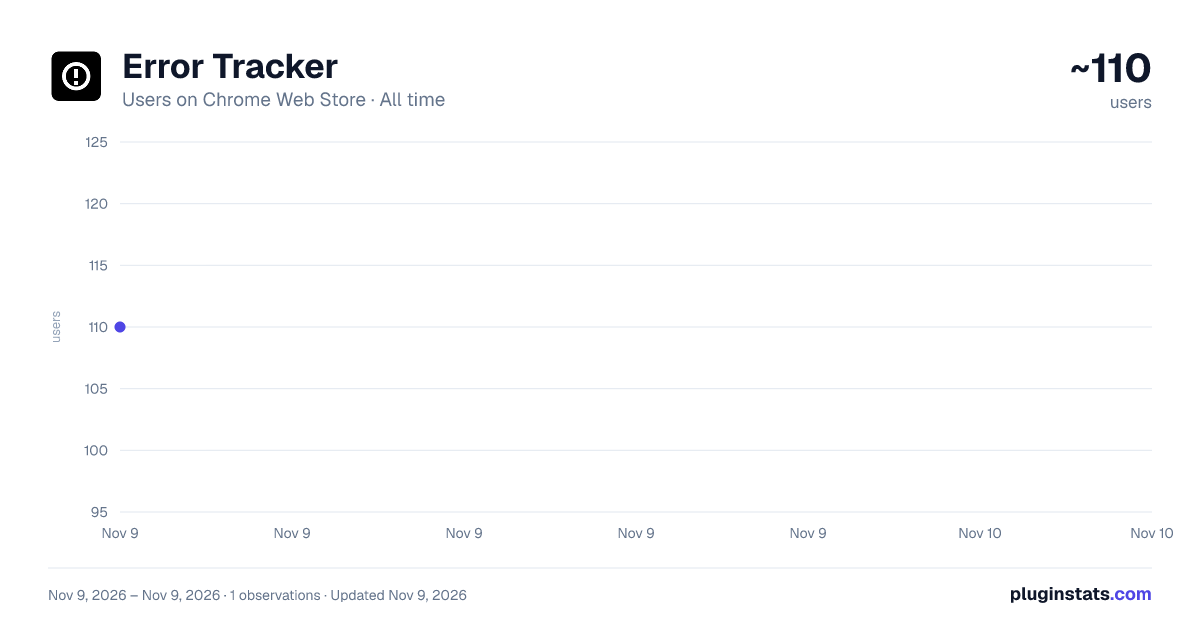
Error Tracker has approximately 110 recorded users on Chrome Web Store, ranking #9931 of 10,388 tracked listings.
About Error Tracker
Track and report errors on web pages with detailed information and screenshots
Error Tracker Chrome Extension
Error Tracker is designed to automatically detect and report web page errors, providing developers and QA teams with comprehensive error tracking capabilities. The extension captures JavaScript errors, network errors, and console errors, along with optional screenshots, to help identify and resolve issues efficiently.
Features
-
Automatic Error Detection
-
JavaScript errors
-
Network errors (4xx, 5xx)
-
Console errors and warnings
-
UI/DOM errors
-
Unhandled promise rejections
-
Visual Error Tracking
-
Automatic screenshot capture on error (optional)
-
Visual context for debugging
-
Reduced screenshot size for better performance
-
Advanced Filtering
-
Filter by error type
-
Filter by time period
-
Filter by HTTP status
-
Filter by request method
-
Privacy-Focused
-
All data stored locally
-
Automatic data cleanup after 24 hours
-
No external data sharing
-
User-controlled permissions
Installation
- Download from Chrome Web Store (link coming soon)
- Click "Add to Chrome"
- Configure domains and permissions as needed
Usage
- Initial Setup
- Click the extension icon
- Configure allowed domains
- Set up error tracking preferences
- Error Tracking
- Errors are automatically captured
- View errors in the extension popup
- Filter and sort as needed
- Export error reports if required
- Settings Configuration
- Enable/disable error logging
- Enable/disable screenshots
- Configure auto-reporting
- Manage domain whitelist
Configuration Options
- Error Logging: Toggle error capture
- Screenshots: Enable/disable automatic screenshots
- Auto Reporting: Configure automatic error reporting
- Cache Control: Option to disable browser cache
- Domain Management: Add/remove allowed domains
Privacy & Security
- No data sent to external servers
- Local storage only
- 24-hour data retention
- User-controlled permissions
- Screenshot capture requires permission
Technical Details
- Uses html2canvas for screenshots
- Local storage for data persistence
- MutationObserver for UI error tracking
- Network request monitoring
- Console override for error capture
Development
To modify or enhance the extension:
- Clone the repository
- Make changes to the source files
- Load unpacked extension in Chrome
- Test your changes
- Submit pull request if contributing
Files Structure
extension/ ├── manifest.json # Extension configuration ├── background.js # Background service worker ├── content.js # Content script for error tracking ├── popup.html # Extension popup interface ├── popup.js # Popup functionality └── lib/ # External libraries └── html2canvas.min.js
## Contributing

1. Fork the repository
2. Create a feature branch
3. Commit your changes
4. Push to the branch
5. Create a Pull Request

## License

MIT License - feel free to use and modify as needed.

## Support

For issues or feature requests:
- Create an issue in the repository
- Contact: [Your Email]
- GitHub: [Your GitHub Repository]

## Changelog

### Version 1.0.0
- Initial release
- Basic error tracking
- Screenshot capability
- Filtering system
- Local storage implementation

Essential for core extension functionality to:
- Monitor and detect errors across web pages
- Capture error details from different domains
- Enable error tracking on user-specified websites
Access is limited to error detection only and does not collect personal or sensitive data.

Required for accurate error tracking:
- Identify which tab generated an error
- Associate errors with correct page contexts
- Enable proper error reporting across multiple tabs
Only collects minimal tab information necessary for error tracking functionality.

Required to capture errors and take screenshots only when the user actively interacts with the extension. This permission is essential for:
- Capturing error context in the active tab
- Taking screenshots when errors occur (if enabled)
- Accessing page content for error details
The permission is only activated when users interact with the extension, ensuring minimal access to user data.

The extension uses html2canvas.min.js, which is:
- Bundled locally within the extension
- Never loaded from external sources
- Used only for capturing error screenshots
- Runs entirely in the user's browser
No external code is loaded or executed.

Critical for network error detection:
- Monitor HTTP error responses (4xx, 5xx)
- Track failed network requests
- Capture network error details
Only activated during error situations and does not monitor successful requests.

Necessary for maintaining extension functionality:
- Store user preferences and settings
- Cache error logs locally for 24 hours
- Save domain whitelist configuration
All data is stored locally on the user's device and is automatically deleted after 24 hours.
Description from the Chrome Web Store listing.
README badge
Show your rank in a README or on your website. The badge updates automatically.
Charts
Images: 30d · 1y · all time · 1600×900 dark
Adoption over time
7/30/90-day growth
Ranking history
Ratings over time
Listing placement
Listing placement
Filled points are observed values; hollow points come from Internet Archive snapshots of the listing page. Dashed segments span periods with no observations — values between points are not interpolated.
Each band is one page of 20. Users on a linear scale. Placement is projected from users, so it can differ from the marketplace's own sort order. Hover a dot to see the listing.
Recent observations
Full history (1)Similar Chrome Web Store Developer Tools plugins
All 20 Error Tracker alternatives



Data source
Covers every Chrome Web Store extension with at least 100 users, found through the store's public sitemap. User counts are read from public listing pages. The 10% most-used extensions are refreshed daily, the next 40% weekly and the next 40% monthly; the least-used 10% are not refreshed. Google displays rounded user counts (and caps the display at 10,000,000+), so small changes may not be visible. Rating counts above 1,000 are rounded (e.g. 1.6K).
Listing: https://chromewebstore.google.com/detail/error-tracker/hojfdodhmkccbjhkohehbbmglmhigdac. First seen Nov 9, 2026; last successful collection Nov 9, 2026. See the methodology.