 PluginStats
Free VPN for Chrome – GoVPN users statistics
By Gowalk Inc. · Chrome Web Store · Workflow & Planning
Fast and free VPN. Access any website without slowdowns. One click, no registration, no limits.
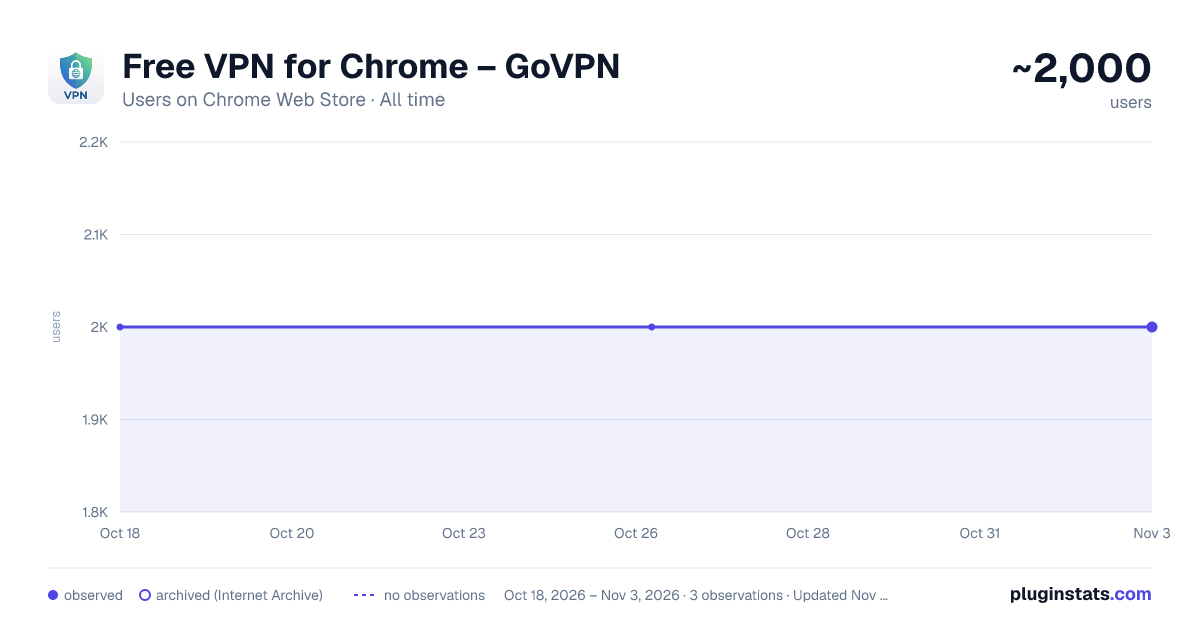
Free VPN for Chrome – GoVPN has approximately 2,000 recorded users on Chrome Web Store, ranking #1058 of 4,553 tracked listings.
Rating: 2.10 / 5 from 7 ratings
About Free VPN for Chrome – GoVPN
Fast and free VPN. Access any website without slowdowns. One click, no registration, no limits.
Looking for a reliable way to download a free VPN and forget about internet access issues? Go VPN is the best solution for bypassing blocks and speeding up video in 2025.
Our free VPN for Chrome lets you regain access to your favorite sites, social networks, and streaming services with just one click. We created a tool that combines high speed, anonymity, and simplicity.
🔥 Why users choose our VPN:
✅ YouTube without slowdowns: Forget about endless loading. Watch videos in 4K/Full HD comfortably.
✅ Truly free: Enjoy full protection without hidden fees or premium subscriptions.
✅ Access to Instagram and Facebook: Free communication without borders or provider restrictions.
✅ No proxy needed: Our extension works faster and safer than regular proxy servers.
✅ Complete anonymity: We hide your real IP and encrypt your traffic.
🚀 How does our VPN service work?
We use a network of high-speed servers around the world. When you click the "Connect" button, the extension creates a secure tunnel. This allows you to:
1️⃣ Change your IP address: Websites will see that you are connecting from another country (for example, Netherlands or Germany).
2️⃣ Unblock sites: Bypass any geographical restrictions instantly.
3️⃣ Protect your data: No one will intercept your passwords on open Wi-Fi networks.
🛡️ Security and "Zero Logs"
When choosing a free VPN, many worry about privacy. Our principle is simple: we do not track you.
🔒 No activity logs.
🔒 No personal data collection.
🔒 No registration required.
You simply install the VPN extension and use the internet as it was meant to be — free.
📋 Instructions: How to enable VPN in your browser
1️⃣ Click the "Install" button (top right).
2️⃣ Click on the extension icon in the Chrome panel.
3️⃣ Select a country and click the big connect button.
4️⃣ Done! Now you have a fast VPN right in your browser.
Technical features
⚙️ WebRTC leak protection.
⚙️ Unlimited bandwidth.
⚙️ Support for modern encryption standards.
⚙️ Great alternative to complex PC VPN (works inside the browser).
Stop tolerating slow internet and restrictions. Try Go VPN — it is a simple, secure, and free VPN that works.
Download for free right now!
Privacy Policy: https://gowalk.com/privacy/
Terms of Use: https://gowalk.com/terms/
Description from the Chrome Web Store listing.
README badge
Show your rank in a README or on your website. The badge updates automatically.
Charts
Images: 30d · 1y · all time · 1600×900 dark
Adoption over time
7/30/90-day growth
Ranking history
Ratings over time
Listing placement
Listing placement
Filled points are observed values; hollow points come from Internet Archive snapshots of the listing page. Dashed segments span periods with no observations — values between points are not interpolated.
Each band is one page of 20. Users on a linear scale. Placement is projected from users, so it can differ from the marketplace's own sort order. Hover a dot to see the listing.
Recent observations
Full history (2)Similar Chrome Web Store Workflow & Planning plugins
All 20 Free VPN for Chrome – GoVPN alternatives



Data source
Covers every Chrome Web Store extension with at least 100 users, found through the store's public sitemap. User counts are read from public listing pages. The 10% most-used extensions are refreshed daily, the next 40% weekly and the next 40% monthly; the least-used 10% are not refreshed. Google displays rounded user counts (and caps the display at 10,000,000+), so small changes may not be visible. Rating counts above 1,000 are rounded (e.g. 1.6K).
Listing: https://chromewebstore.google.com/detail/free-vpn-for-chrome-–-gov/bfihjamebcnkfeihibbninalkkffoebd. First seen Oct 18, 2026; last successful collection Oct 26, 2026. See the methodology.