 PluginStats
CatchHotels.com | Save on travel bookings users statistics
Save up to -40 % on car and hotel bookings. We track prices 24/7 and notify you when prices drop.
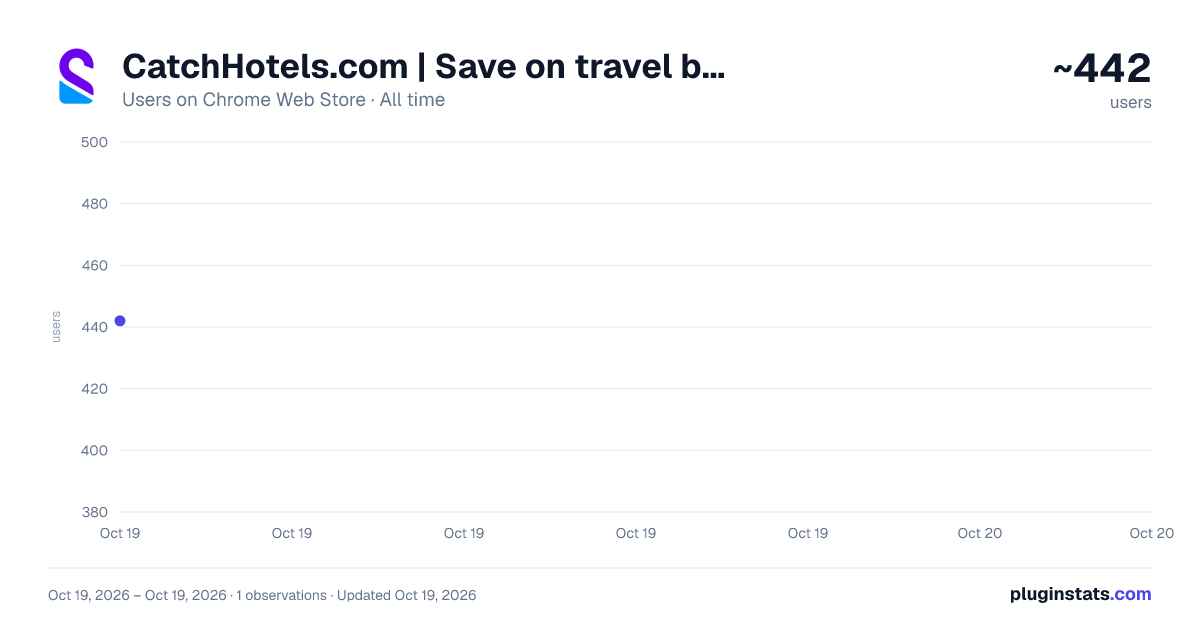
CatchHotels.com | Save on travel bookings has approximately 442 recorded users on Chrome Web Store, ranking #1083 of 2,033 tracked listings.
Rating: 5.00 / 5 from 9 ratings
About CatchHotels.com | Save on travel bookings
Save up to -40 % on car and hotel bookings. We track prices 24/7 and notify you when prices drop.
Book at lower rates and catch travel deals with our free browser extension. The CatchHotels extension is your passport to savings across all booking platforms. It tracks hotel rates, room availability, and price drops in real time, so you always catch the lowest price possible.
🚀 Why Use CatchHotels Up to 50% Savings | Easy-to-Use | Risk-Free
✅ Save Up to 50% Off Room Rates Maximize your savings with real-time price comparisons across booking platforms. We also constantly track rates and send you notifications when there’s a good deal on a hotel you like. You always pay less for any room you book.
✅ Save Even More with Price Drop Alerts Even after getting a reservation at the lowest price possible, you can still save much more when a hotel drops its rates anytime before your booking. We monitor the hotel rates for you and immediately send you price drop alerts so you can cancel and rebook at a lower price.
✅ Simple & Seamless No hidden fees, no complicated registration processes, and absolutely no hassle! CatchHotels.com simplifies the booking experience with just one browser extension. You see all real-time price comparisons on one pop-up window, making it easy to enjoy the best travel deals effortlessly.
✅ Non-Exclusive Hotel Searches We’re not tied up with specific booking platforms or hotels. The extension works on room searches on all major booking websites. Our priority is finding you the lowest prices on the internet for maximum savings.
✅ Always Free & Risk-Free We believe in transparency and freedom. Our extension is always free to use, with no hidden or additional fees. It's also absolutely risk-free – cancel anytime if we don't live up to your saving expectations.
🛠️ How CatchHotels Works Real-Time Price Comparisons | Deal Notifications | Price Drop Alerts
CatchHotels catches savings for you in several ways: -- By crawling through different booking sites to compile the different prices of the room you want to book, -- By sending you notifications on room availability and reduced room rates from the hotels you selected -- By monitoring price drops on your existing reservation so you can cancel and rebook at lower rates
What’s best is that you get access to all these services without the complicated booking process and expensive subscription fees. All it takes is one click of a button to add the CatchHotels extension to your browser.
How To Use the CatchHotels Browser Extension
INSTALL & ACTIVATE. Click “Add to Chrome” to install the CatchHotels extension. Activate your account by verifying your email. We don’t ask for any other information nor charge subscription fees. Once installed and activated, the extension does its magic in whichever booking platform you use.
BROWSE & BOOK. Browse through booking sites like Agoda.com, Hotels.com, Expedia.com, and more. A pop-up window will appear to show the prices other booking platforms are offering for the same room. Find the room with the lowest rates and book directly on that platform.
REQUEST ALERTS. If you’re not ready to book yet, go to your preferred booking site and search for available rooms in your destination on your travel dates. A bell icon will appear on the right side of each hotel listing in the search results. Click on the bell to get notifications on price drops and room availability for that specific hotel.
Check your inbox for alerts and click the link in the email to book with up to 50% off room rates through the booking site that offers the best deal.
How To Catch More Savings After Your Booking Already have a reservation? You can still potentially save hundreds of dollars by canceling and rebooking when prices drop.
-
Go to your inbox and look for the confirmation email for your hotel reservation.
-
Forward the confirmation email to booking@catchhotels.com.
-
CatchHotels will monitor the room rates and send you an email notification when there’s a price drop.
-
Cancel your previous reservation and rebook the room at a lower price.
Changed your mind and no longer want to monitor a reservation? One click of a button is all you need to do to stop reservation tracking.
🎩 Where's the Magic? Advanced Technology | Seamless Process | Powerful Data Processing
The magic is definitely not in a flick of a wand or from an old-fashioned cauldron. We leverage the latest technologies to brew innovative solutions. The magic of CatchHotels lies in our proprietary software and seamless process.
POWERFUL DATA EXTRACTION. Our software is designed for fast data extraction, processing, and parsing, so you get to compare prices across different booking platforms in real time.
TRACKING ID TECHNOLOGY. Our extension adds a tracking ID to your booking. This allows us to monitor prices and notify you of drops in instantly.
AUTOMATED ALERTS. Our workflows are streamlined and follow a seamless process. The latest automation tools enable us to send alerts within seconds after a hotel drops its prices.
🔒 Promises We Deliver Secure Cloud Storage | Data Privacy | No Spamming Is CatchHotels safe? Definitely, yes!…
Description from the Chrome Web Store listing.
README badge
Show your rank in a README or on your website. The badge updates automatically.
Charts
Images: 30d · 1y · all time · 1600×900 dark
Adoption over time
7/30/90-day growth
Ranking history
Ratings over time
Listing placement
Filled points are observed values; hollow points come from Internet Archive snapshots of the listing page. Dashed segments span periods with no observations — values between points are not interpolated.
Each band is one page of 20. Users on a linear scale. Placement is projected from users, so it can differ from the marketplace's own sort order. Hover a dot to see the listing.
Recent observations
Full history (1)Similar Chrome Web Store Travel plugins
All 20 CatchHotels.com | Save on travel bookings alternatives



Data source
Covers every Chrome Web Store extension with at least 100 users, found through the store's public sitemap. User counts are read from public listing pages. The 10% most-used extensions are refreshed daily, the next 40% weekly and the next 40% monthly; the least-used 10% are not refreshed. Google displays rounded user counts (and caps the display at 10,000,000+), so small changes may not be visible. Rating counts above 1,000 are rounded (e.g. 1.6K).
Listing: https://chromewebstore.google.com/detail/catchhotelscom-save-on-tr/bgbmineabipofceghnieigcajmngcojl. First seen Oct 19, 2026; last successful collection Oct 19, 2026. See the methodology.