 PluginStats

OBJ Viewer users statistics
By Free Apps (9 listings) · Chrome Web Store · Workflow & Planning
View your 3D files quickly from local computer.
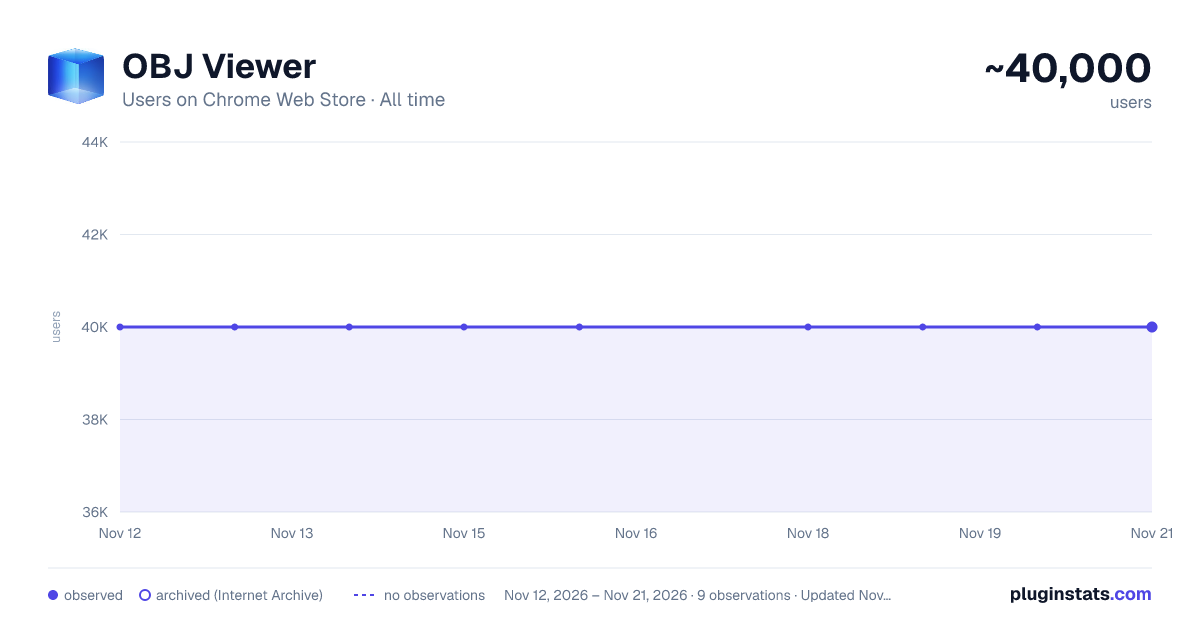
OBJ Viewer has approximately 40,000 recorded users on Chrome Web Store, a change of 0.0% over the past 7 days, ranking #508 of 10,388 tracked listings.
Rating: 3.10 / 5 from 264 ratings
About OBJ Viewer
View your 3D files quickly from local computer.
OBJ Viewer 3.1 — Faster, more reliable, and packed with new tools
OBJ Viewer is the quick, private way to open and inspect Wavefront .obj 3D models directly in your browser. No uploads, no accounts, and no permissions of any kind — every file you open is processed entirely on your own computer and never leaves it. This 3.1 release is our biggest update yet, rebuilding the viewer from the ground up to be dramatically more dependable while adding the tools our users have asked for most.
What we fixed
Reliability was our top priority, and this update resolves every major issue that could stop a model from displaying correctly.
The sample model now works. The "Try Opening Sample OBJ" button previously did nothing because the demo file was missing from the package. We have bundled a fresh sample model, so you can see the viewer in action the moment you install it.
Loading a second model no longer breaks the page. Previously, opening one model after another left the old model frozen on screen, stacked new content off the bottom of the page, and slowly exhausted your graphics resources until the viewer stopped working. The viewer now cleanly reuses a single rendering surface and fully releases the previous model each time, so you can open as many files as you like, one after another, with no slowdown.
No more silent failures. In the past, when a file could not be read or contained an error, the extension simply appeared to do nothing. Every load and parsing problem is now reported to you with a clear on-screen message, so you always know what happened.
Clicking "Open File" with nothing selected no longer crashes the viewer. The button now opens the file picker for you directly, making the whole flow faster and impossible to get stuck on.
Models are now framed correctly, every time. We rebuilt how the camera positions itself so that flat objects (such as logos, reliefs, terrain, and single-sided scans), very large models measured in millimeters, and tiny models all appear centered and fully in view. Previously many of these were placed inside the camera, clipped, or left invisible.
Multi-part models display in full. Files made up of several objects or groups previously showed only the first piece and silently dropped the rest. The complete model now appears as intended.
Robust file handling. Models exported with tabs or extra spaces are now parsed correctly, and empty or invalid files are detected and reported instead of leaving the viewer stuck. We also corrected model orientation so that standard files appear the right way up.
What's new
Beyond the fixes, 3.1 adds a set of features that turn OBJ Viewer from a simple preview tool into a genuinely useful inspector.
Materials and textures. You can now view your models with their real colors and surface textures. Simply select your .obj together with its companion .mtl file and any image textures, and they will be applied automatically. Everything is resolved locally on your machine, keeping our zero-permissions promise intact.
Drag and drop. Drop a .obj file anywhere on the page to open it instantly. You can drag the model, its material file, and its textures together in one motion. The classic file picker is still there whenever you prefer it.
A full viewer toolbar. New on-screen controls let you reset the camera to re-frame the model, turn on automatic turntable rotation, switch to wireframe mode, toggle a reference grid and coordinate axes, and change the background color to whatever suits your model best.
Save a screenshot. A single click exports the current view as a PNG image, ready to share, document, or drop into a report.
An accurate model information panel. The viewer now shows you the real numbers: the object count, the authored vertex count, the true triangle count, the model's bounding-box dimensions, and the file size. The old counters could be misleading; these are precise and match what professional 3D tools report.
Better lighting. We refreshed the default lighting so models show more surface detail, and models that ship without normals are shaded smoothly instead of appearing flat and washed out.
Cleaner, safer, and lighter
Under the hood, we removed unused and leftover code, dropped the jQuery dependency entirely, and cleaned up the extension package so it installs faster and passes store review without warnings. The interface remains fully localized into more than forty languages, and the page title and language now adapt to your browser.
Still completely private
None of this changes what has always made OBJ Viewer special: it requests zero browser permissions, sends nothing to any server, and does all of its work locally. Your 3D files stay yours.
Whether you are a 3D-printing hobbyist checking a model before slicing, a student or educator viewing course assets, a developer sanity-checking an export, or a buyer previewing a purchased asset, OBJ Viewer 3.1 makes it faster, clearer, and more reliable than ever. Install it, press the sample button, and see for yourself.
Description from the Chrome Web Store listing.
README badge
Show your rank in a README or on your website. The badge updates automatically.
Charts
Images: 30d · 1y · all time · 1600×900 dark
Adoption over time
7/30/90-day growth
Ranking history
Ratings over time
Listing placement
Listing placement
Filled points are observed values; hollow points come from Internet Archive snapshots of the listing page. Dashed segments span periods with no observations — values between points are not interpolated.
Each band is one page of 20. Users on a linear scale. Placement is projected from users, so it can differ from the marketplace's own sort order. Hover a dot to see the listing.
Recent observations
Full history (9)Similar Chrome Web Store Workflow & Planning plugins
All 20 OBJ Viewer alternatives



Data source
Covers every Chrome Web Store extension with at least 100 users, found through the store's public sitemap. User counts are read from public listing pages. The 10% most-used extensions are refreshed daily, the next 40% weekly and the next 40% monthly; the least-used 10% are not refreshed. Google displays rounded user counts (and caps the display at 10,000,000+), so small changes may not be visible. Rating counts above 1,000 are rounded (e.g. 1.6K).
Listing: https://chromewebstore.google.com/detail/obj-viewer/niolinkgjinohfdlpnnabmbjnlnlmmgi. First seen Nov 12, 2026; last successful collection Nov 21, 2026. See the methodology.