 PluginStats

High Contrast Mode Color Filter users statistics
By Oli Apps · Chrome Web Store · Accessibility
An accessibility-first, high-contrast color filter and overlay system designed to make the web readable for everyone.
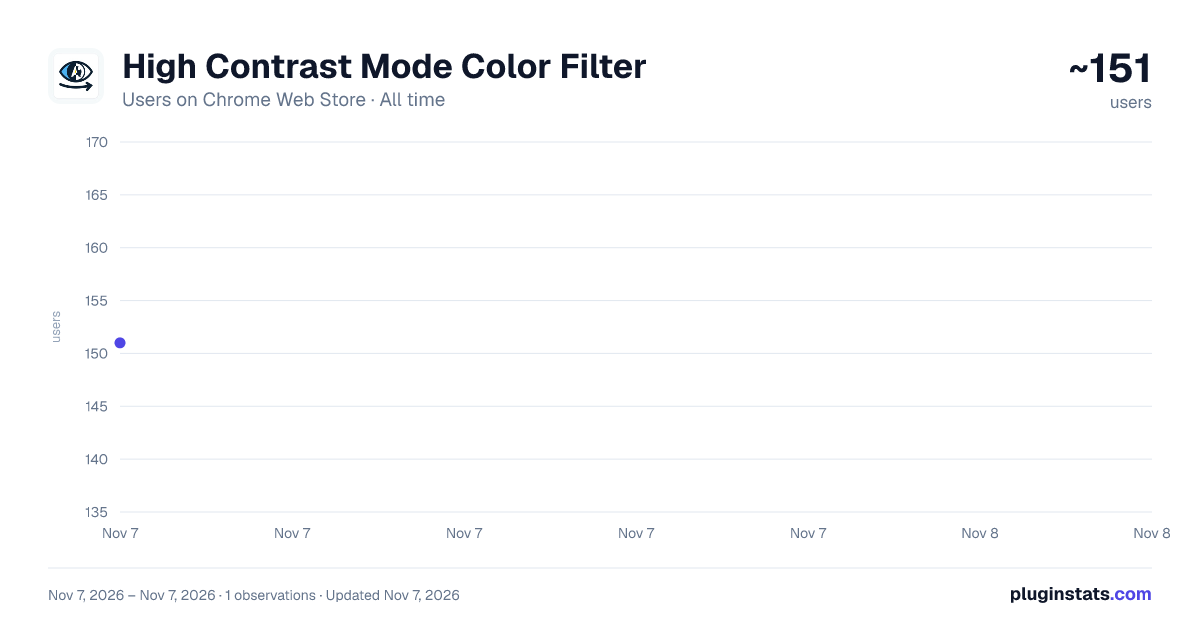
High Contrast Mode Color Filter has approximately 151 recorded users on Chrome Web Store, ranking #6718 of 7,934 tracked listings.
Rating: 5.00 / 5 from 1 ratings
About High Contrast Mode Color Filter
An accessibility-first, high-contrast color filter and overlay system designed to make the web readable for everyone.
High Contrast Mode Color Filter - Chrome Web Store Description
Experience the Web with Enhanced Clarity and Comfort
The High Contrast Mode Color Filter is a powerful accessibility tool designed to transform your browsing experience. Whether you have low vision, photosensitivity, color vision deficiencies, or simply find the standard web aesthetic straining, our extension provides a customizable layer of visual comfort that works seamlessly across the entire internet.
In an age where we spend hours in front of screens, visual fatigue is a growing concern. Many websites are designed with aesthetics that don't prioritize accessibility, leading to poor contrast, overwhelming brightness, or color schemes that are difficult to distinguish. High Contrast Mode Color Filter puts the power of visual presentation back into your hands.
Key Features and Benefits:
1. Diverse Filter Presets for Every Need
Our extension comes equipped with several high-performance filter modes, each optimized for specific visual requirements:
- Grayscale: Perfect for reducing color-related distractions and improving focus. By stripping away color, it highlights structural contrast and makes reading long-form content more comfortable.
- Full Inversion: The ultimate solution for high-sensitivity users. It flips all colors on the page, turning bright backgrounds dark while maintaining readability. This is particularly effective for late-night browsing or reducing overall glare.
- Inverted Grayscale: Combining the benefits of grayscale and inversion, this mode provides a dark, high-contrast environment without the complexity of full-color inversion. It’s ideal for users who need a simplified, dark UI.
- Yellow on Black: A classic accessibility favorite. High-visibility yellow text on a deep black background provides maximum contrast and is widely recognized as one of the easiest color combinations for low-vision users to read.
2. Per-Site Exception Management
We understand that while a filter might be perfect for most of the web, certain sites (like those with heavy video content or complex image editing tools) might need to be viewed in their original state. Our intelligent per-site exception system allows you to disable the filter for specific domains with a single click. The extension remembers your choice, so you don't have to toggle it every time you visit.
3. Seamless Integration and Performance
Built with modern Chrome extension standards (Manifest V3), High Contrast Mode Color Filter is lightweight and lightning-fast. It applies filters at the document start, ensuring you don't see a "flash" of the original bright page before the filter kicks in. It works across all URLs, including complex web applications and social media platforms.
4. User-Centric Design
Our popup interface is clean, intuitive, and accessible. We've used high-contrast UI elements within the extension itself to ensure that the controls are easy to find and use. Switching between filters or managing site exceptions takes only a second.
5. Privacy First
Your privacy is our priority. High Contrast Mode Color Filter operates entirely within your browser. We do not track your browsing history, we do not collect personal data, and we do not communicate with external servers. Your site exceptions and filter preferences are stored locally on your machine.
Why Choose High Contrast Mode Color Filter?
Standard "Dark Mode" extensions often fail on complex sites, leaving white gaps or unreadable text. Our approach uses advanced CSS filtering techniques that affect the entire document tree uniformly, ensuring a consistent experience even on the most stubborn websites.
- For Low Vision: Enhance text-to-background contrast to make every word stand out.
- For Photosensitivity: Reduce the harsh glare of white backgrounds and bright UI elements.
- For Color Blindness: Use grayscale or high-contrast modes to remove reliance on color-coding that can be confusing.
- For General Wellness: Reduce eye strain during long working hours or night-time study sessions.
How to Use:
- Install: Add the extension to Chrome.
- Activate: Click the extension icon in your toolbar.
- Choose: Select your preferred filter from the dropdown menu (Grayscale, Inversion, etc.).
- Customize: If a particular site looks better without a filter, use the "Exclude This Site" button in the popup.
- Enjoy: Browse the web with comfort and clarity!
Technical Excellence
Our extension is optimized for the latest versions of Google Chrome and Microsoft Edge. By utilizing the scripting API and CSS filter properties, we ensure that the rendering overhead is minimal. You won't notice a dip in browser performance, even with multiple tabs open.
The "Yellow on Black" mode is specially crafted using intelligent CSS overrides that go beyond simple filters, ensuring that background colors are forced to black and text is forced to yellow, providing a true high-contrast experience that mirrors professional accessibility software.
Support and Community
We are committed to making the web accessible for everyone. If you encounter a website where the filter doesn't work as expected, or if you have suggestions for new features, please visit our homepage or use the "Rate Us" link in the popup to provide feedback. Your input helps us improve the experience for all users.
Join thousands of users who have already improved their digital well-being with High Contrast Mode Color Filter. Take control of your visual environment today!
Note: This extension is designed to improve accessibility and visual comfort. While it is highly effective, users with severe medical vision issues should always consult with an eye care professional for specialized advice.
Description from the Chrome Web Store listing.
README badge
Show your rank in a README or on your website. The badge updates automatically.
Charts
Images: 30d · 1y · all time · 1600×900 dark
Adoption over time
7/30/90-day growth
Ranking history
Ratings over time
Listing placement
Listing placement
Filled points are observed values; hollow points come from Internet Archive snapshots of the listing page. Dashed segments span periods with no observations — values between points are not interpolated.
Each band is one page of 20. Users on a linear scale. Placement is projected from users, so it can differ from the marketplace's own sort order. Hover a dot to see the listing.
Recent observations
Full history (1)Similar Chrome Web Store Accessibility plugins
All 20 High Contrast Mode Color Filter alternatives



Data source
Covers every Chrome Web Store extension with at least 100 users, found through the store's public sitemap. User counts are read from public listing pages. The 10% most-used extensions are refreshed daily, the next 40% weekly and the next 40% monthly; the least-used 10% are not refreshed. Google displays rounded user counts (and caps the display at 10,000,000+), so small changes may not be visible. Rating counts above 1,000 are rounded (e.g. 1.6K).
Listing: https://chromewebstore.google.com/detail/high-contrast-mode-color/alfadoplicfmnflboomnhhembcmdppjh. First seen Nov 7, 2026; last successful collection Nov 7, 2026. See the methodology.