 PluginStats
Chromebook Logger users statistics
By babbasov · Chrome Web Store · Education
Collects Chromebook information on user login
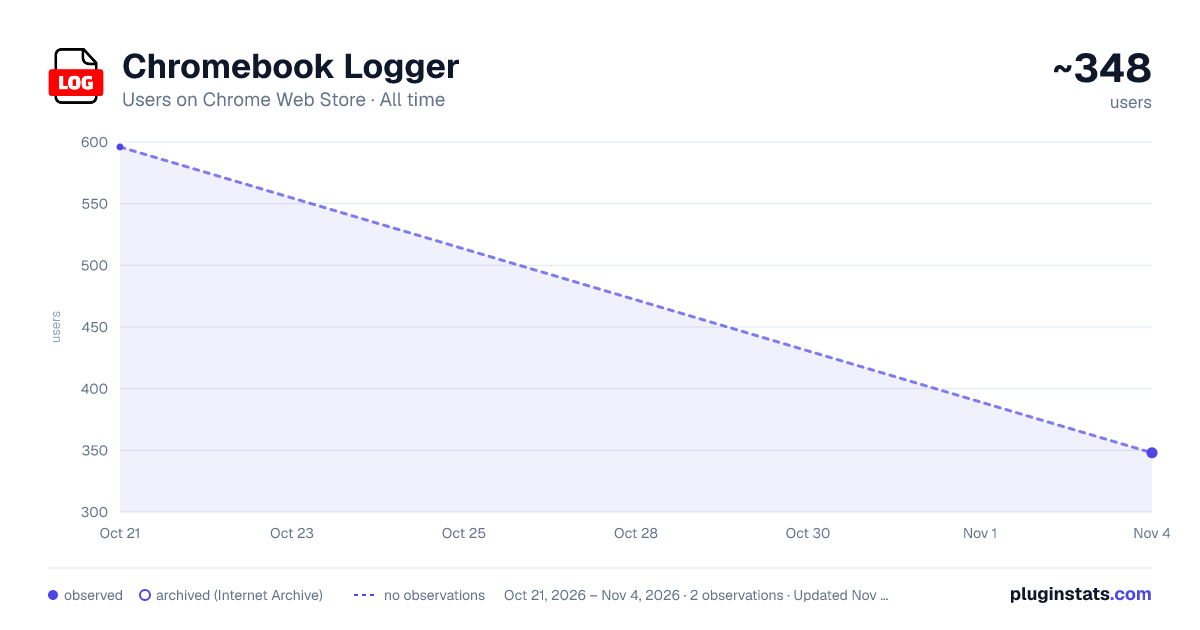
Chromebook Logger has approximately 596 recorded users on Chrome Web Store, ranking #1364 of 2,952 tracked listings.
Rating: 1.00 / 5 from 1 ratings
About Chromebook Logger
Collects Chromebook information on user login
This extension is designed to streamline Chromebook management in educational settings by automatically logging essential information each time a user logs in. Here’s what it does and why it can be an invaluable tool for school administrators and IT staff:
Upon login, the extension collects: User Email: Identifies who is using the device, providing traceability for each login. User Profile Information: Retrieves the user’s first and last name, making it easy to match logins with individuals. Device Serial Number and Asset ID: Helps in tracking each specific Chromebook, allowing schools to manage their devices accurately. IP Address: Logs the location of the device during each session for added security insights. Login Date and Time: Captures the exact timestamp of each login event, creating a clear timeline of device use. All collected information is sent securely to a designated Google Sheets document. This creates a centralized, real-time log that authorized school personnel can access as needed.
Benefits for Schools This extension is especially beneficial for school environments, providing multiple advantages:
Student and Staff Device Management: Track who is using which device, when, and where, supporting security, accountability, and efficient distribution of resources. Resource Planning: By logging usage patterns, IT staff can plan for device maintenance, upgrades, and replacements, ensuring that each Chromebook remains in optimal condition. Enhanced Security Monitoring: The logging of IP addresses and login timestamps allows administrators to monitor device access and identify any unusual patterns, adding a layer of security. Centralized Reporting: With data automatically updated in Google Sheets, administrators gain instant access to reports for audits, troubleshooting, or other analyses—saving time on manual tracking. This extension helps schools efficiently monitor and manage their Chromebook fleet, supporting accountability, safety, and the effective use of resources across educational networks.
Description from the Chrome Web Store listing.
README badge
Show your rank in a README or on your website. The badge updates automatically.
Charts
Images: 30d · 1y · all time · 1600×900 dark
Adoption over time
7/30/90-day growth
Ranking history
Ratings over time
Listing placement
Listing placement
Filled points are observed values; hollow points come from Internet Archive snapshots of the listing page. Dashed segments span periods with no observations — values between points are not interpolated.
Each band is one page of 20. Users on a linear scale. Placement is projected from users, so it can differ from the marketplace's own sort order. Hover a dot to see the listing.
Recent observations
Full history (1)Similar Chrome Web Store Education plugins
All 20 Chromebook Logger alternatives



Data source
Covers every Chrome Web Store extension with at least 100 users, found through the store's public sitemap. User counts are read from public listing pages. The 10% most-used extensions are refreshed daily, the next 40% weekly and the next 40% monthly; the least-used 10% are not refreshed. Google displays rounded user counts (and caps the display at 10,000,000+), so small changes may not be visible. Rating counts above 1,000 are rounded (e.g. 1.6K).
Listing: https://chromewebstore.google.com/detail/chromebook-logger/dkkihlhflkbmgmfgkcegliadfbogihje. First seen Oct 21, 2026; last successful collection Oct 21, 2026. See the methodology.