 PluginStats
Zoom Out Chrome users statistics
By tatjana.borzenkova · Chrome Web Store · Functionality & UI
Control your web page zoom with Zoom Out Chrome! This extension makes it easy to zoom out on Chrome, improving readability.
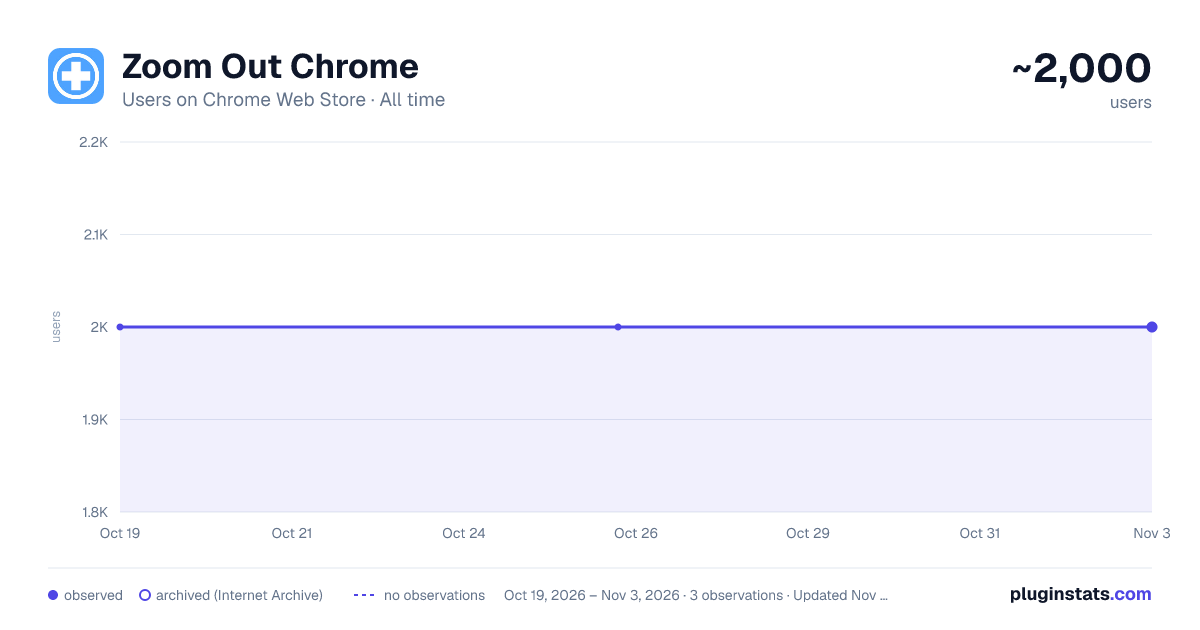
Zoom Out Chrome has approximately 2,000 recorded users on Chrome Web Store, ranking #559 of 2,033 tracked listings.
Rating: 4.90 / 5 from 9 ratings
About Zoom Out Chrome
Control your web page zoom with Zoom Out Chrome! This extension makes it easy to zoom out on Chrome, improving readability.
Zoom Out Chrome: Master Your Web View! 🔍🔎 🥱 Tired of squinting at tiny text or feeling overwhelmed by giant images on websites? Wish you could easily adjust the view or magnify with total precision? Take command of your browsing experience with the Zoom Out Chrome extension! No more fiddling with awkward browser settings – get the perfect view on every page, instantly. With our extension, you gain effortless control over your web page display size. How to zoom out on Chrome becomes a question of the past! One click, and you're in control. 🚀 Get Started in Seconds: ⬇️ Install the "Zoom Out Chrome" extension directly from the Chrome Web Store. 🖱️ Click the extension icon to reveal the user-friendly size controls. ➕➖ Use the slider or buttons to adjust the scale to your exact preference. Double click on icon and reset the view to default size (100%). 🌟 Key Features That Make You the Display Master: 🤯 Forget Complex Menus: No more hunting through settings! Chrome scaling in and out is now at your fingertips. 🎯 Precise Scale Control: Use the intuitive slider for fine-grained adjustments, or the buttons for quick jumps. How to magnify and shrink on Chrome has never been easier! 💾 Per-Tab View Memory: The extension remembers your preferred display size for each tab! Revisit a site, and it's exactly how you left it. No more constantly having to figure out how to zoom out on google chrome! 🌍 Global Scale Control: Want to apply the same level to all open tabs? We've got you covered! 💯 Double-Click Reset: Instantly return to 100% view with a simple double-click on the extension icon. Perfect if your chrome scaled out unexpectedly. 🛠️ Customizable Scale Range: Set your preferred minimum and maximum levels in the extension's settings. Take total control and solve how to control the scale on google chrome once and for all! 🔔 Visual Badge Indicator: The extension icon displays the current percentage, so you're always in the know. 🚫 HTTP-Only Safety: A helpful modal window alerts you if you try to use it on a non-HTTP page (like Chrome's internal settings), keeping things secure. 💎 Ideal for Every Chrome User: 👓 Visual Comfort: Whether you need larger text for readability or want to see more content at once, easily adjust the display for optimal viewing. How to shrink a webpage? Simple! 💻 Developers & Designers: Quickly check how your website looks at different sizes for responsive design testing. 🖥️ Presentations: Ensure everyone in the room can see your screen clearly by adjusting the display on the fly. 🧑💻 Multi-Monitor Setups: Match sizes across different screens for a consistent experience. 📰 Reading Articles: Make long-form content more comfortable to read, you no need think how to magnify in browser. 🖼️ Viewing Images: Enlarge details or shrink to see the whole picture. ❓Anyone: Easy way to change text size chrome.
💬 Frequently Asked Questions: ❓ How to zoom out in Chrome using this extension? 💡 Simply click the extension icon and use the slider or buttons! ❓ How do you shrink on Chrome if it's stuck enlarged? 💡 Double-click the extension icon to reset to 100%. ❓ How to magnify and reduce in Chrome on specific pages? 💡 The extension remembers your size level for each tab individually. ❓ How to scale down Chrome entirely? 💡 Use the global feature to apply the same level to all tabs. ❓ I accidentally scaled! How to unzoom google? 💡 Double click on extention icon! ❓ How to unzoom a web page? 💡 Adjust the slider to a smaller percentage. ❓Can i use chrome custom scaling? 💡Yes! You can set any level you like. ❓My chrome screen zoomed in, what should I do? 💡Use the Zoom Out Chrome extension to quickly reduce to your preferred level. ❓ How to enlarge google screen? 💡 Use the + in slider to make things bigger. ❓How to reduce the size of a website? 💡Use extension settings.
🚀 Take Control of Your Visual Experience! 👆🏻 Click "Add to Chrome" now and enjoy a more comfortable and productive browsing experience. Say goodbye to eye strain and hello to perfectly sized web pages!
Description from the Chrome Web Store listing.
README badge
Show your rank in a README or on your website. The badge updates automatically.
Charts
Images: 30d · 1y · all time · 1600×900 dark
Adoption over time
7/30/90-day growth
Ranking history
Ratings over time
Listing placement
Listing placement
Filled points are observed values; hollow points come from Internet Archive snapshots of the listing page. Dashed segments span periods with no observations — values between points are not interpolated.
Each band is one page of 20. Users on a linear scale. Placement is projected from users, so it can differ from the marketplace's own sort order. Hover a dot to see the listing.
Recent observations
Full history (1)Similar Chrome Web Store Functionality & UI plugins
All 20 Zoom Out Chrome alternatives



Data source
Covers every Chrome Web Store extension with at least 100 users, found through the store's public sitemap. User counts are read from public listing pages. The 10% most-used extensions are refreshed daily, the next 40% weekly and the next 40% monthly; the least-used 10% are not refreshed. Google displays rounded user counts (and caps the display at 10,000,000+), so small changes may not be visible. Rating counts above 1,000 are rounded (e.g. 1.6K).
Listing: https://chromewebstore.google.com/detail/zoom-out-chrome/faealiclainndclipfmdlilahphkhedi. First seen Oct 19, 2026; last successful collection Oct 19, 2026. See the methodology.