 PluginStats

Custom Cursor for Chrome™ users statistics
By CustomCursorMe · Chrome Web Store · Just for Fun
Get custom cursors for Chrome. Replace your default mouse cursor with a cool custom cursor. Have fun with custom cursors for Chrome.
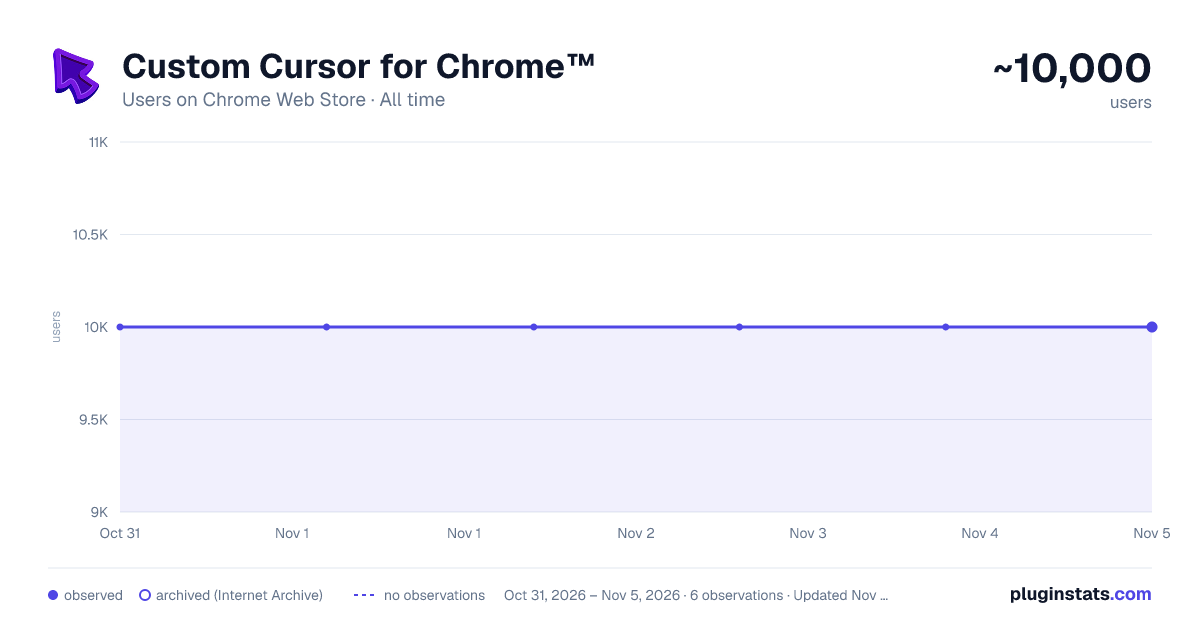
Custom Cursor for Chrome™ has approximately 10,000 recorded users on Chrome Web Store, ranking #817 of 7,342 tracked listings.
Rating: 4.50 / 5 from 104 ratings
About Custom Cursor for Chrome™
Get custom cursors for Chrome. Replace your default mouse cursor with a cool custom cursor. Have fun with custom cursors for Chrome.
The custom cursor extension for Chrome is a browser extension that allows users to change the appearance of their mouse cursor. The extension provides a collection of custom cursor images that users can choose from to replace the default cursor image.
Once the extension is installed, users can easily activate it and browse through the available custom cursor images. They can preview each cursor image before selecting it and applying it to their browser. The custom cursor will then appear whenever they move their mouse within the browser window.
This extension offers users the ability to personalize their browsing experience and add some fun or creativity to their cursor. It can also be useful for people who have difficulty seeing the default cursor or want a cursor that is easier to see or track on their screen.
Overall, the custom cursor extension for Chrome is a simple and straightforward tool that adds a fun and personal touch to the browsing experience.
Make your web surfing experience more enjoyable with this custom mouse cursor. It is suitable for people of all ages.
Note. Please note that according to Google's rules, extensions can not work on chrome web store pages and internal pages of the Chrome browser, such as the home page, settings, downloads, etc. Also, the extension cannot customize the cursor on the browser navigation bar, such as tabs buttons, URL bar, toolbar, etc.
Please open any other website (for example, google.com) after installing this extension and check how the extension will work on it.
Description from the Chrome Web Store listing.
README badge
Show your rank in a README or on your website. The badge updates automatically.
Charts
Images: 30d · 1y · all time · 1600×900 dark
Adoption over time
7/30/90-day growth
Ranking history
Ratings over time
Listing placement
Listing placement
Filled points are observed values; hollow points come from Internet Archive snapshots of the listing page. Dashed segments span periods with no observations — values between points are not interpolated.
Each band is one page of 20. Users on a linear scale. Placement is projected from users, so it can differ from the marketplace's own sort order. Hover a dot to see the listing.
Recent observations
Full history (6)Similar Chrome Web Store Just for Fun plugins
All 20 Custom Cursor for Chrome™ alternatives



Data source
Covers every Chrome Web Store extension with at least 100 users, found through the store's public sitemap. User counts are read from public listing pages. The 10% most-used extensions are refreshed daily, the next 40% weekly and the next 40% monthly; the least-used 10% are not refreshed. Google displays rounded user counts (and caps the display at 10,000,000+), so small changes may not be visible. Rating counts above 1,000 are rounded (e.g. 1.6K).
Listing: https://chromewebstore.google.com/detail/custom-cursor-for-chrome/cklapigolmgodbfjbickflddedbdieka. First seen Oct 31, 2026; last successful collection Nov 5, 2026. See the methodology.