 PluginStats

Auto-Delete Cookies on Tab Close — Cookie AutoDelete Alternative, Whitelist users statistics
Chrome Web Store · Privacy & Security
Auto-delete cookies on tab close — Cookie AutoDelete alternative for Chrome MV3. Whitelist trusted sites. No telemetry, open source.
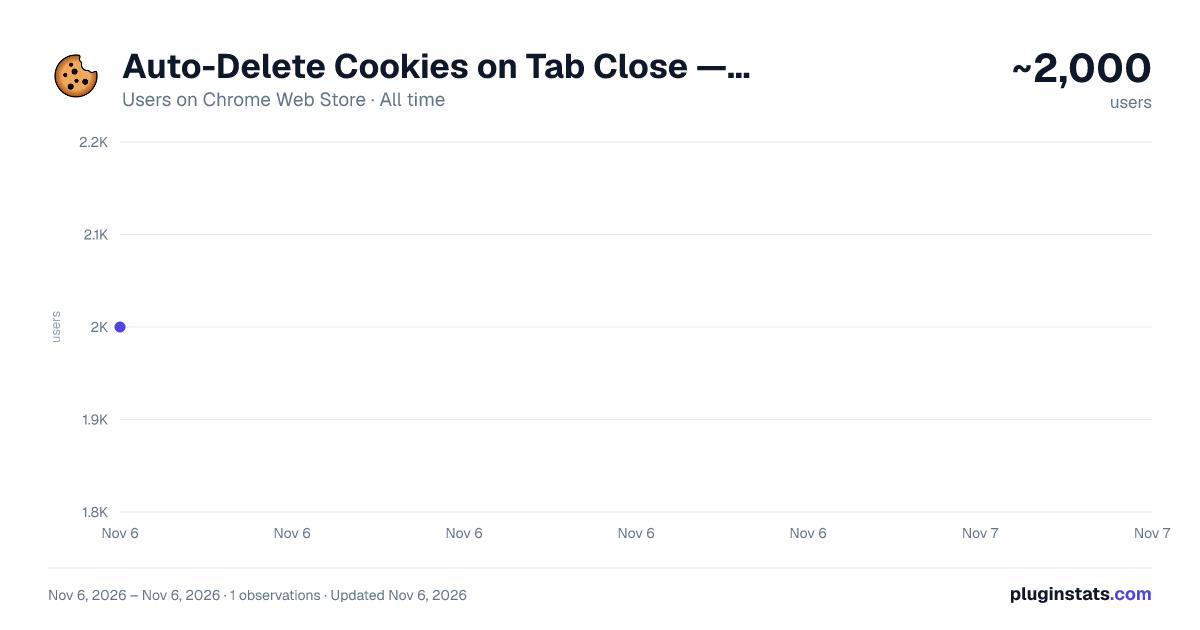
Auto-Delete Cookies on Tab Close — Cookie AutoDelete Alternative, Whitelist has approximately 2,000 recorded users on Chrome Web Store, ranking #2005 of 7,624 tracked listings.
Rating: 4.60 / 5 from 7 ratings
About Auto-Delete Cookies on Tab Close — Cookie AutoDelete Alternative, Whitelist
Auto-delete cookies on tab close — Cookie AutoDelete alternative for Chrome MV3. Whitelist trusted sites. No telemetry, open source.
The classic Cookie AutoDelete extension was disabled when Chrome enforced Manifest V3 — and most replacements either nag you with banners, break logins, or hide the cleanup behind a paywall. This is the Cookie AutoDelete alternative that actually behaves: cookies are auto-deleted the moment you close a tab, your trusted sites stay logged in, and nothing leaves your browser.
HOW IT WORKS
• Auto-delete cookies on tab close — the second the last tab on a domain closes, its cookies are wiped. • Whitelist trusted sites — banks, email, GitHub, work tools stay logged in across sessions. • Greylist for temporary protection — protect a site for 7 days (or your chosen window) while you finish shopping or research, then it self-expires. • Scheduled sweep — clean leftover cookies on an interval you choose (15 minutes to 24 hours). • Cleanup on browser startup — every session starts clean. • Optional LocalStorage, IndexedDB, and cache cleanup — opt-in via a just-in-time Chrome permission. Nothing is requested up front, nothing is hidden behind premium.
WHO IT'S FOR
• Former Cookie AutoDelete users left without a working Chrome version after Manifest V2 was retired. • Privacy-conscious users who want third-party tracking cookies and zombie cookies gone, but stay logged into the sites they actually use. • People sharing a computer at home, at work, at school, at a library. • Developers and QA testers who clear site data dozens of times a day. • Anyone tired of digging through Chrome's settings menu to manually delete cookies.
HOW TO USE
- Install. The welcome page asks you to whitelist your 3 most-used sites — typically banks, email, your work apps.
- Browse normally. When you close the last tab on a non-whitelisted site, its cookies are auto-deleted.
- Need temporary access? Open the popup and greylist the current site for the window you choose.
WHY THIS EXTENSION
→ Native Manifest V3 build — won't get disabled the way the original Cookie AutoDelete was when Chrome retired MV2. → 100% client-side — no servers, no telemetry, no analytics SDKs, no remote configuration, no ad networks. → All features included — no premium tier, no subscription, no paywall behind LocalStorage / IndexedDB / cache cleanup. → Active development — bug fixes ship in days, not years. → Cross-device whitelist sync via Chrome's native storage.sync — your trusted sites follow you between devices. → Lightweight (~80 KB) — no measurable impact on browsing speed or memory. → Open source (GPL-3.0) — full source code: https://github.com/moeatsy/cookiemaid
HOW IT COMPARES
• vs. the legacy Cookie AutoDelete: works on current Chrome (MV3-native), responsive UI, won't disappear when Chrome retires more APIs. • vs. Chrome's built-in "Clear cookies on exit": works per-domain when a tab closes (not just per-browser shutdown); adds whitelist, greylist, and a per-domain audit log. • vs. cookie banner blockers like "I don't care about cookies": those hide consent prompts — cookies still get set. This extension removes them after the fact. • vs. one-click manual cookie removers: zero ongoing clicks. The extension does the work for you.
EVERY FEATURE
✓ Auto-delete cookies on tab close (per-domain) ✓ Whitelist — permanent protection for trusted sites ✓ Greylist — temporary protection, default 7 days, configurable ✓ Scheduled sweep (15 minutes to 24 hours) ✓ Cleanup on browser startup ✓ Right-click "Whitelist this site" from any page ✓ Keyboard shortcuts: Alt+Shift+C (toggle), Alt+Shift+W (whitelist), Alt+Shift+X (force clean) ✓ Daily counter badge on the toolbar icon ✓ Per-domain deletion log with timestamps ✓ Optional LocalStorage, IndexedDB, and cache cleanup ✓ Light, dark, and system themes (respects prefers-color-scheme) ✓ Cross-device whitelist sync via chrome.storage.sync ✓ Export and import configuration ✓ Removes first-party, third-party, session, persistent, and tracking cookies ✓ Compatible with Chrome 120+, Brave, Edge, Opera, Vivaldi, and other Chromium MV3 browsers
PERMISSIONS, EXPLAINED
• cookies — read and delete cookies (the whole point of the extension). • tabs — detect when the last tab on a domain closes. • storage — save your whitelist and settings locally, sync via Chrome. • alarms — schedule the periodic sweep and daily badge reset. • contextMenus — add the right-click "Whitelist this site" entry. • scripting — show an in-page rating prompt after a successful cleanup; rendered in an isolated Shadow DOM and never reads page content. • <all_urls> — required by chrome.cookies to access cookies from any visited domain. • browsingData (optional) — only requested if you turn on LocalStorage / IndexedDB / cache cleanup.
We never read page content, browsing history, bookmarks, or anything outside cookies.
Zero telemetry. Zero analytics. Zero servers. Zero ads. Zero "anonymous usage data." Your whitelist, settings, and stats live on your device. The extension makes no outbound network requests of its own — the only network activity it can cause is opening a Chrome Web Store tab if you explicitly choose to rate the extension.
FAQ
Q: Will this log me out everywhere? A: No. Whitelist the sites you trust — banks, email, GitHub, work tools — and their cookies are protected. Only non-whitelisted sites get cleaned.
Q: What's the difference between whitelist and greylist? A: Whitelist is permanent. Greylist is temporary and auto-expires after 7 days (configurable). Use greylist for sites you're using this week but don't want to keep forever.
Q: Does this work on Brave, Edge, Opera, Vivaldi? A: Yes — any Chromium-based browser on version 120 or later.
Q: What happened to the original Cookie AutoDelete? A: It was Manifest V2 only, and Chrome retired MV2 in 2024. The maintainer didn't port it. This extension is a clean MV3-native rewrite of the same idea.…
Description from the Chrome Web Store listing.
README badge
Show your rank in a README or on your website. The badge updates automatically.
Charts
Images: 30d · 1y · all time · 1600×900 dark
Adoption over time
7/30/90-day growth
Ranking history
Ratings over time
Listing placement
Listing placement
Filled points are observed values; hollow points come from Internet Archive snapshots of the listing page. Dashed segments span periods with no observations — values between points are not interpolated.
Each band is one page of 20. Users on a linear scale. Placement is projected from users, so it can differ from the marketplace's own sort order. Hover a dot to see the listing.
Recent observations
Full history (1)Similar Chrome Web Store Privacy & Security plugins
All 20 Auto-Delete Cookies on Tab Close — Cookie AutoDelete Alternative, Whitelist alternatives



Data source
Covers every Chrome Web Store extension with at least 100 users, found through the store's public sitemap. User counts are read from public listing pages. The 10% most-used extensions are refreshed daily, the next 40% weekly and the next 40% monthly; the least-used 10% are not refreshed. Google displays rounded user counts (and caps the display at 10,000,000+), so small changes may not be visible. Rating counts above 1,000 are rounded (e.g. 1.6K).
Listing: https://chromewebstore.google.com/detail/auto-delete-cookies-on-ta/pfkgmfddjojnoekblkdgpgmehpagjflg. First seen Nov 6, 2026; last successful collection Nov 6, 2026. See the methodology.