 PluginStats
Nx Console UI downloads statistics
By Edward Tkachev · JetBrains Marketplace · Code Tools
⚠️ This plugin is deprecated ⚠️ Please use the official Nrwl nx plugin for intellij here This plugin is the Webstorm version of Nx Console or at least in the process...
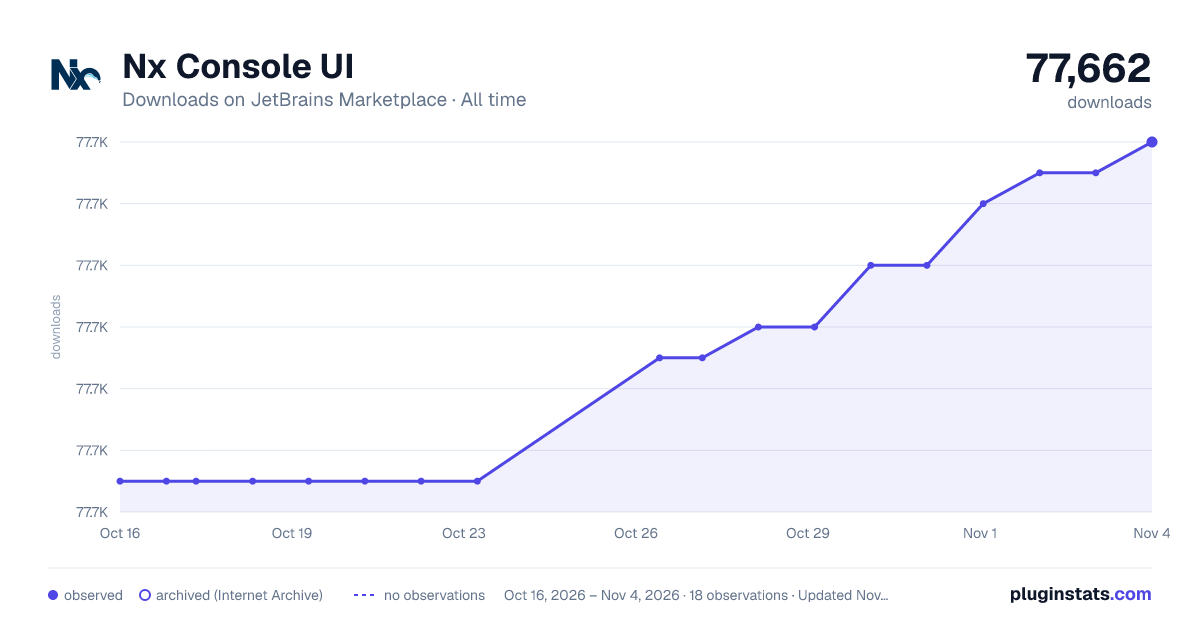
Nx Console UI has 77,651 recorded downloads on JetBrains Marketplace, ranking #1045 of 2,502 tracked listings.
Rating: 4.75 / 5 from 8 ratings
About Nx Console UI
⚠️ This plugin is deprecated ⚠️
Please use the official Nrwl nx plugin for intellij here
This plugin is the Webstorm version of Nx Console or at least in the process to be. This plugin will only work for projects that use Nx dev tools. For this alpha release, this plugin will support the Generate functionality which will allow you to display and run/debug custom schematics, along with default angular, ngrx, nestjs schematics.
Compatibility
This works with any Nx project. But this can also work with any regular Angular project that doesn't use Nx, since the schematics are built-in the @schematics/angular collection.
Nx Projects
• Typically your custom schematics will be within your directory: /tools/schematics, but this can be configured within the Plugin Settings, if your project is setup differently.
• Nx can be installed either globally or local to your project.
Angular Projects
• For custom schematics, the plugin will search within the directory set in the Plugin Settings. Please update this for your regular angular project, since the default is set to /tools/schematics and this is the default for Nx Projects.
• Make sure that you have @angular-devkit/schematics-cli installed either local to your project or globally for this to work with custom schematics.
How it works
• On startup, this plugin will check if you have a valid nx.json or angular.json file in your root directory, and only be enabled if so.
• When clicking on the Nx menu (either at the top menubar, or top right tab), you will have option to Generate which will popup a list of schematics to choose from.
• Upon choosing one of the schematics, the next screen will be an auto-generated form of all the field controls to fill out in order to run the schematic.
• Required fields will have the label contain (*) • If using the side tool-window Generate UI, you will have the option to either do Run, Dry Run, or Debug • Dry Run will open your IDE terminal and run the schematic with the filled out fields but without affecting your local files. You will see the output of what files will be affected in your repo.
• Run will do the same things as Dry Run except it will actually affect your local files and add/update/delete files depending on what the selected schematic is designed to do.
• Debug button allows you to setup breakpoints in your schematic files and run the debug execution, so you can easily and quickly debug your schematics right within Webstorm!
Known Issues
• When debugging schematics, any schematic that has a path property for the schematic, if it's left empty, it is defaulted to the path of the executable (usually within node_modules). This causes the output files placed in the incorrect place. To fix this, make sure you pass in the path property correctly pointing to the module you would like to run the schematic against. This is only an issue during debugging, and does not affect when you are doing regular Dry Run or Run executions.
Description from the JetBrains Marketplace listing.
- Code Tools
README badge
Show your rank in a README or on your website. The badge updates automatically.
Charts
Images: 30d · 1y · all time · 1600×900 dark
Adoption over time
7/30/90-day growth
Ranking history
Ratings over time
Listing placement
Listing placement
Filled points are observed values; hollow points come from Internet Archive snapshots of the listing page. Dashed segments span periods with no observations — values between points are not interpolated.
Each band is one page of 20. Downloads on a linear scale. Placement is projected from downloads, so it can differ from the marketplace's own sort order. Hover a dot to see the listing.
Recent observations
Full history (6)Similar JetBrains Marketplace Code Tools plugins
All 20 Nx Console UI alternatives



Data source
Cumulative download counts come from the public JetBrains Marketplace API. JetBrains reports downloads, not active installs. Ratings are the mean of public votes.
Listing: https://plugins.jetbrains.com/plugin/15000-nx-console-ui. First seen Oct 16, 2026; last successful collection Oct 21, 2026. See the methodology.