 PluginStats
AdbCommander for Android downloads statistics
By Robert Slama (2 listings) · JetBrains Marketplace · Tools Integration
Simple tool for helping with handling connected android devices or emulators. NEW! Dynamic macros. Now is possible have macros more dynamic. Example. We have got macro...
AdbCommander for Android has 106,977 recorded downloads on JetBrains Marketplace, ranking #878 of 2,502 tracked listings.
Rating: 5.00 / 5 from 1 ratings
About AdbCommander for Android
Simple tool for helping with handling connected android devices or emulators.
NEW! Dynamic macros. Now is possible have macros more dynamic.
Example. We have got macro named "my_email", type "input text" with value "my.email@email.com". For some reason is nice to have option change email on fly. In this case we must little bit edit macro content. For params which can be replaced just add $ as first letter of value. my.email@email.com > $my,email@email.com - that's it. Now in shell tab is possible call macro with its name $my_email and new value > $my_email new.email@email.com and press execute. Origin value from macro will replaced with new value and macro will execute. If you don't add value or you will run dicro direct will used value witouth first $ char. Also is possible do chain of macros execute as they're added into shell tab or mix shell commands and macros in one.
For more news follow me either on twitter @speedy2222 or on G+ as +RobSlama
Open Plugin via menu: View > Tool Windows > ADBRemoter or from Tool Buttons at lower right side of the IDE
How it works The first step is to map the adb executable file. The first panel shows all devices currently connected to ADB (via usb or remote). The second panel contains 3 tabs:
• input text - is for input text (text is sent to all selected devices in first panel) • macros - here you can add often-used commands (ie your email address, open wifi settings) and press the run icon to send to all selected devices • shell - encapsulates shell commands (ie. ls -la) and the output from each selected device is opened in output text console
The third panel contains virtual keys - the command is sent again to all selected devices in the first panel
The fourth panel is a simple option remap path to your executable ADB file.
Description from the JetBrains Marketplace listing.
- Tools Integration
README badge
Show your rank in a README or on your website. The badge updates automatically.
Charts
Images: 30d · 1y · all time · 1600×900 dark
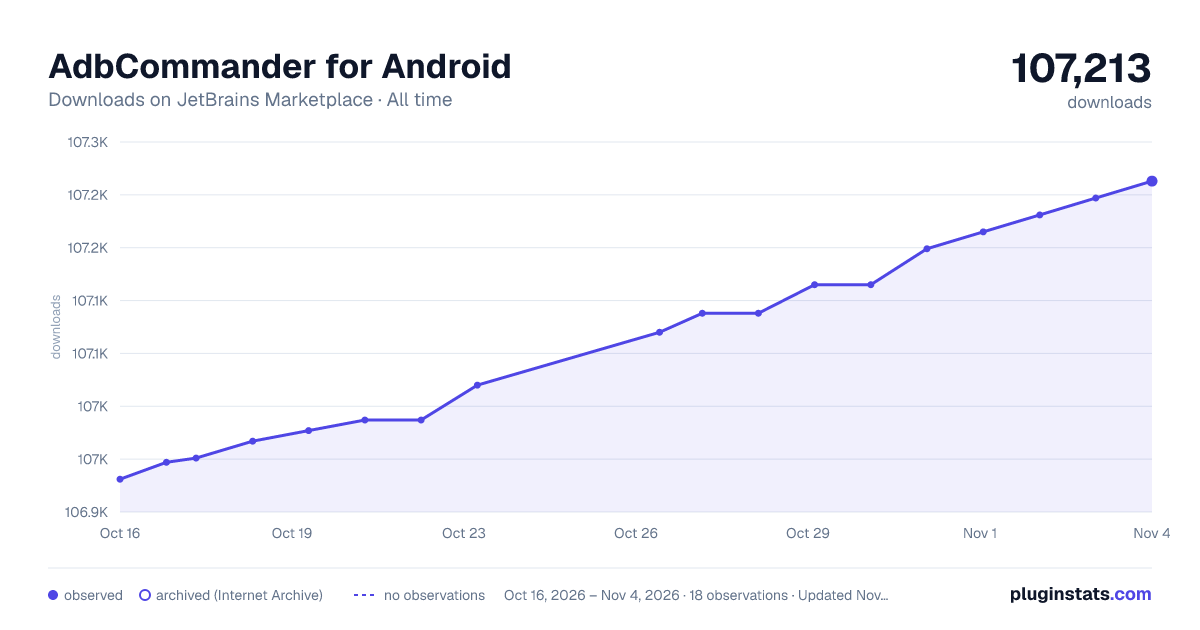
Adoption over time
7/30/90-day growth
Ranking history
Ratings over time
Listing placement
Listing placement
Filled points are observed values; hollow points come from Internet Archive snapshots of the listing page. Dashed segments span periods with no observations — values between points are not interpolated.
Each band is one page of 20. Downloads on a linear scale. Placement is projected from downloads, so it can differ from the marketplace's own sort order. Hover a dot to see the listing.
Recent observations
Full history (5)Similar JetBrains Marketplace Tools Integration plugins
All 20 AdbCommander for Android alternatives



Data source
Cumulative download counts come from the public JetBrains Marketplace API. JetBrains reports downloads, not active installs. Ratings are the mean of public votes.
Listing: https://plugins.jetbrains.com/plugin/7578-adbcommander-for-android. First seen Oct 16, 2026; last successful collection Oct 20, 2026. See the methodology.