 PluginStats
Exlogare CI Failure Analyzer installs statistics
By exlogare · GitHub Marketplace
Turn red CI into a one-line root cause. Exlogare analyzes every failed workflow_run and comments back on your PR
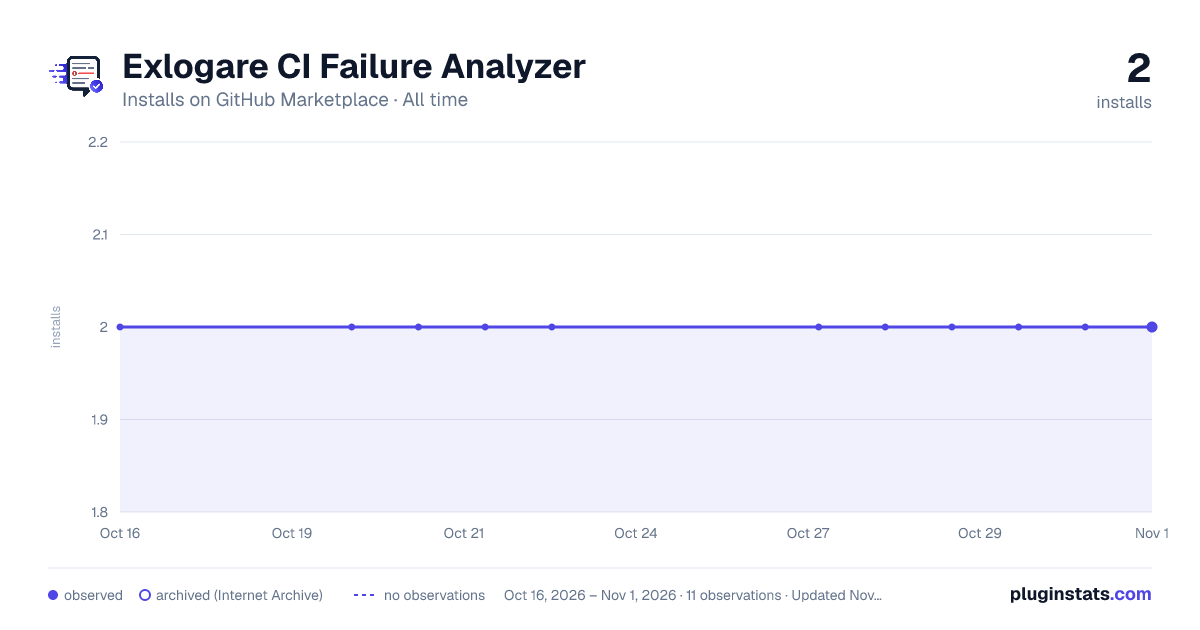
Exlogare CI Failure Analyzer has 2 recorded installs on GitHub Marketplace, ranking #1269 of 1,411 tracked listings.
About Exlogare CI Failure Analyzer
Stop debugging CI by hand. Exlogare watches your GitHub Actions and, the moment a workflow fails, downloads the logs, finds the actual root cause (not just the last red line), and posts the verdict back to your pull request as a Check Run. Works with any test framework — pytest, jest, go test, RSpec, JUnit, custom shell. No workflow YAML changes required.
Capabilities
• Automatic CI failure analysis. On every failed workflow_run, Exlogare downloads the logs server-side and produces a structured root-cause report. • Pull request verdict. A GitHub Check Run is published on the PR with the failure category (real bug, flaky test, infra/dependency) and the offending log lines. • Failure clustering. Repeated failures are grouped automatically — triage one root cause instead of the same red CI ten times. • Universal log support. pytest, jest, go test, RSpec, JUnit, Maven, Gradle, plain shell. • Privacy first. Logs encrypted at rest, configurable retention, never used for model training. • Companion CLI & Action. exl CLI and exlogare/exlogare-ingest-action for per-step control.
Benefits
• Faster MTTR. Root cause in seconds, not minutes of scrolling. • Less context switching. Verdict appears in the PR you already review. • Flake detection. Real bugs vs. flaky tests vs. infra — classified automatically. • Zero workflow YAML changes. Install once, every repo is analyzed on the next failure. • Free to start. 20 analyses, 10 repos.
Getting Started
Requirements:
• Plan: Free. Paid tiers on exlogare.net/pricing. • Permissions: repo-admin (or org-owner for org-wide install). • Availability: Generally available. • Docs: exlogare.net/docs/integrations/github-app
Setup:
• Click Install it for free above. • Pick the account/org and the repos (all or a subset). • You're redirected to Exlogare to finish onboarding — the next failed run is analyzed within seconds.
Per-step control instead? Use exlogare/exlogare-ingest-action — see the action's listing for inputs.
Support
• Docs: exlogare.net/docs • Contact: exlogare.net/contacts
Description from the GitHub Marketplace listing.
- Continuous integration
- Code quality
README badge
Show your rank in a README or on your website. The badge updates automatically.
Charts
Images: 30d · 1y · all time · 1600×900 dark



Adoption over time
7/30/90-day growth
Ranking history
Listing placement
Filled points are observed values; hollow points come from Internet Archive snapshots of the listing page. Dashed segments span periods with no observations — values between points are not interpolated.
Each band is one page of 20. Installs on a linear scale. Placement is projected from installs, so it can differ from the marketplace's own sort order. Hover a dot to see the listing.
Recent observations
Full history (2)Similar GitHub Marketplace plugins
All 20 Exlogare CI Failure Analyzer alternativesData source
Install counts (installations of each GitHub App across accounts and organizations) are read from public GitHub Marketplace listing pages. GitHub does not publish ratings. Category positions reflect GitHub's own popularity sort.
Listing: https://github.com/marketplace/exlogare-ci-failure-analyzer. First seen Oct 16, 2026; last successful collection Oct 20, 2026. See the methodology.